Jiffy Lube - Abandoned Cart
\ Overview
Goal
Before & After Designs
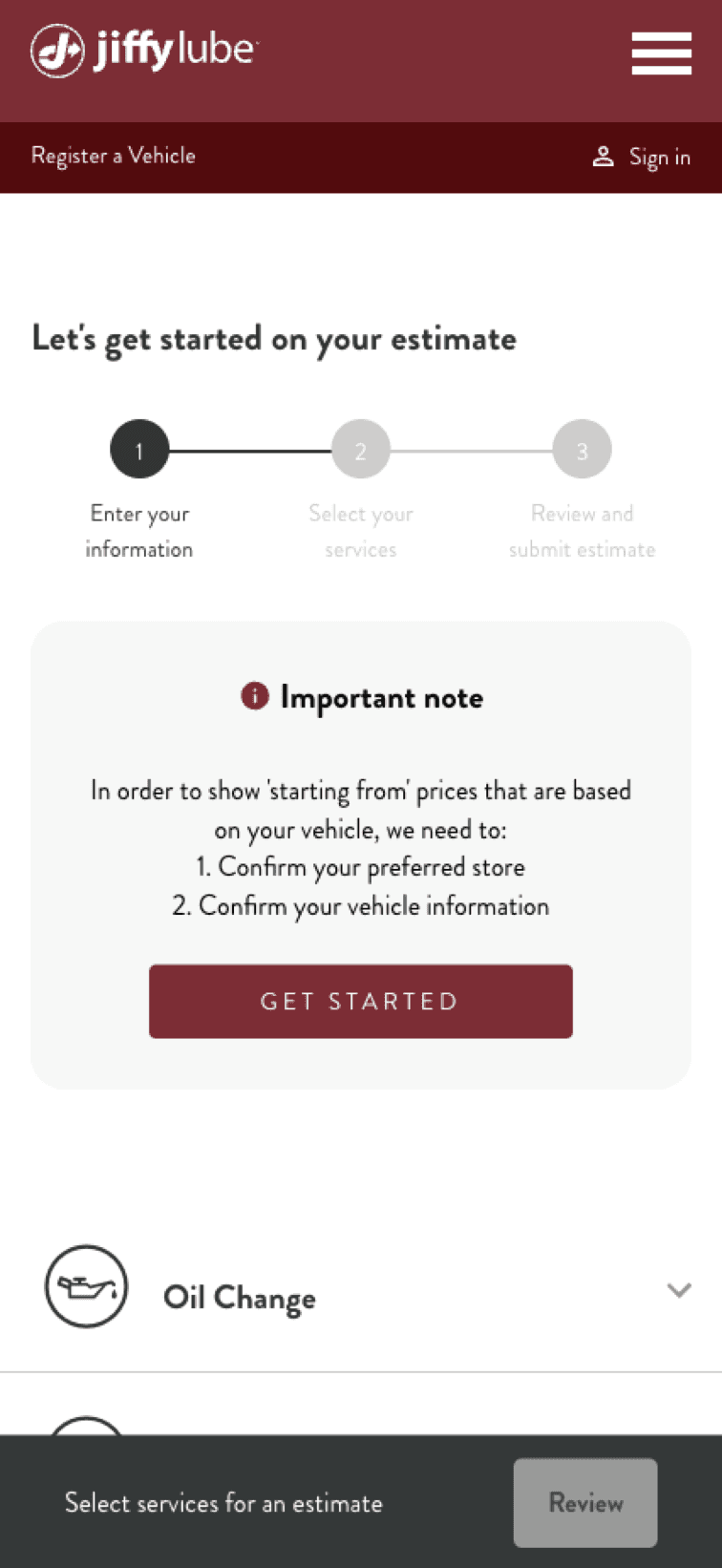
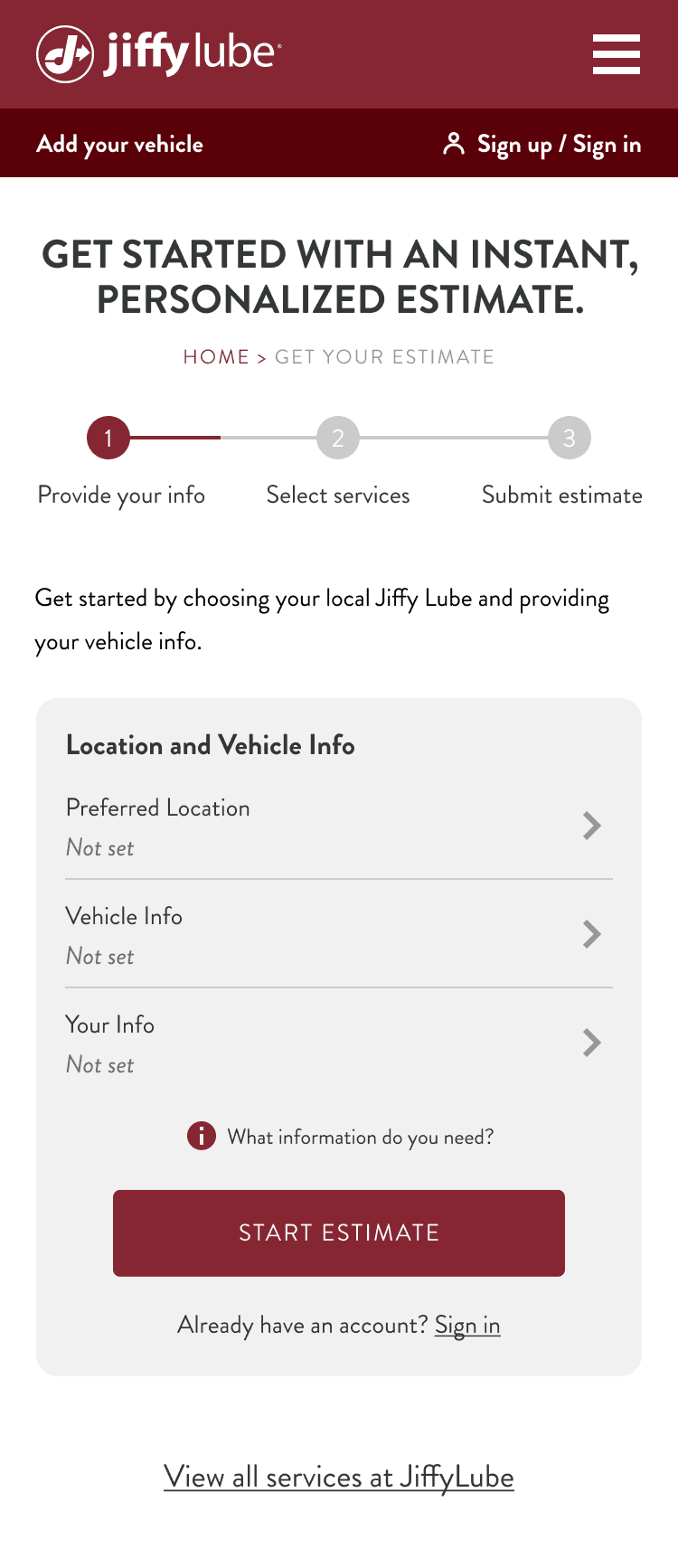
Previous Landing Page
Essential required information is missing, and redundant services are shown, creating unnecessary clutter.
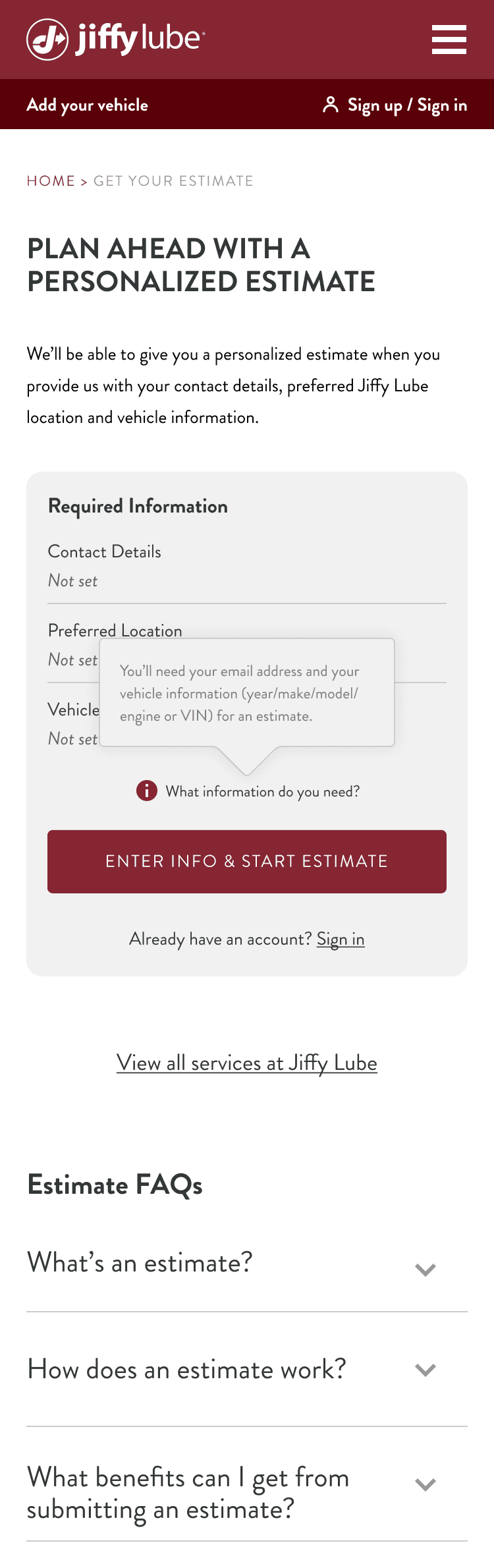
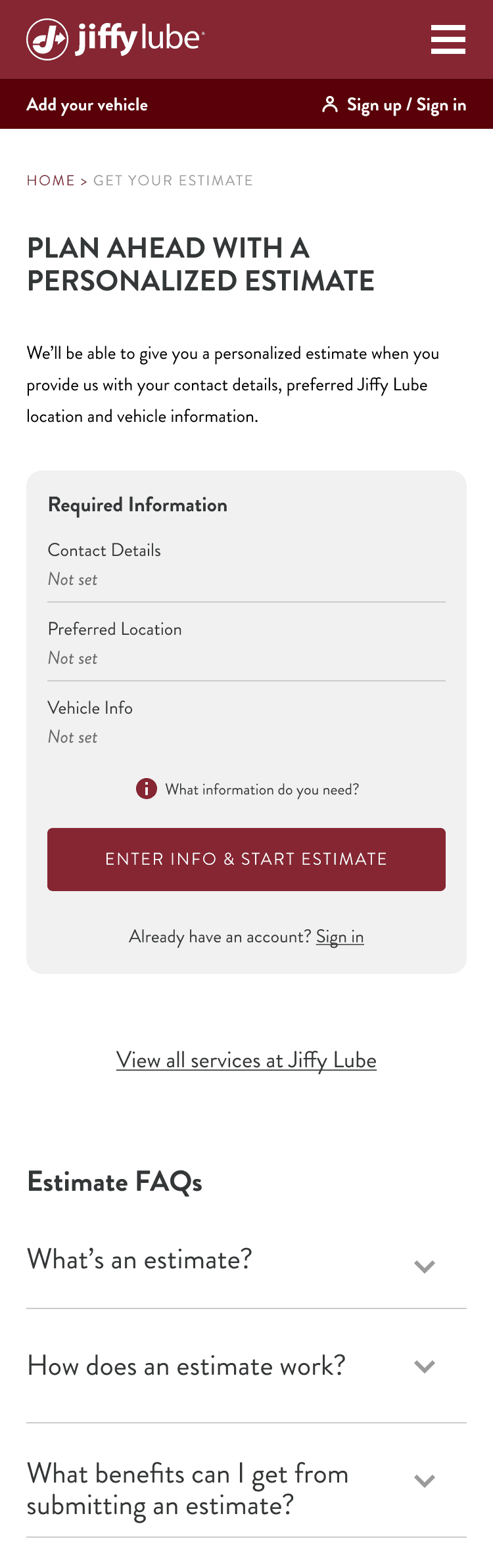
New Landing Page
Required information is clearly presented with clear CTAs; services are accessed via a link instead of cluttering the landing page; FAQs are available.
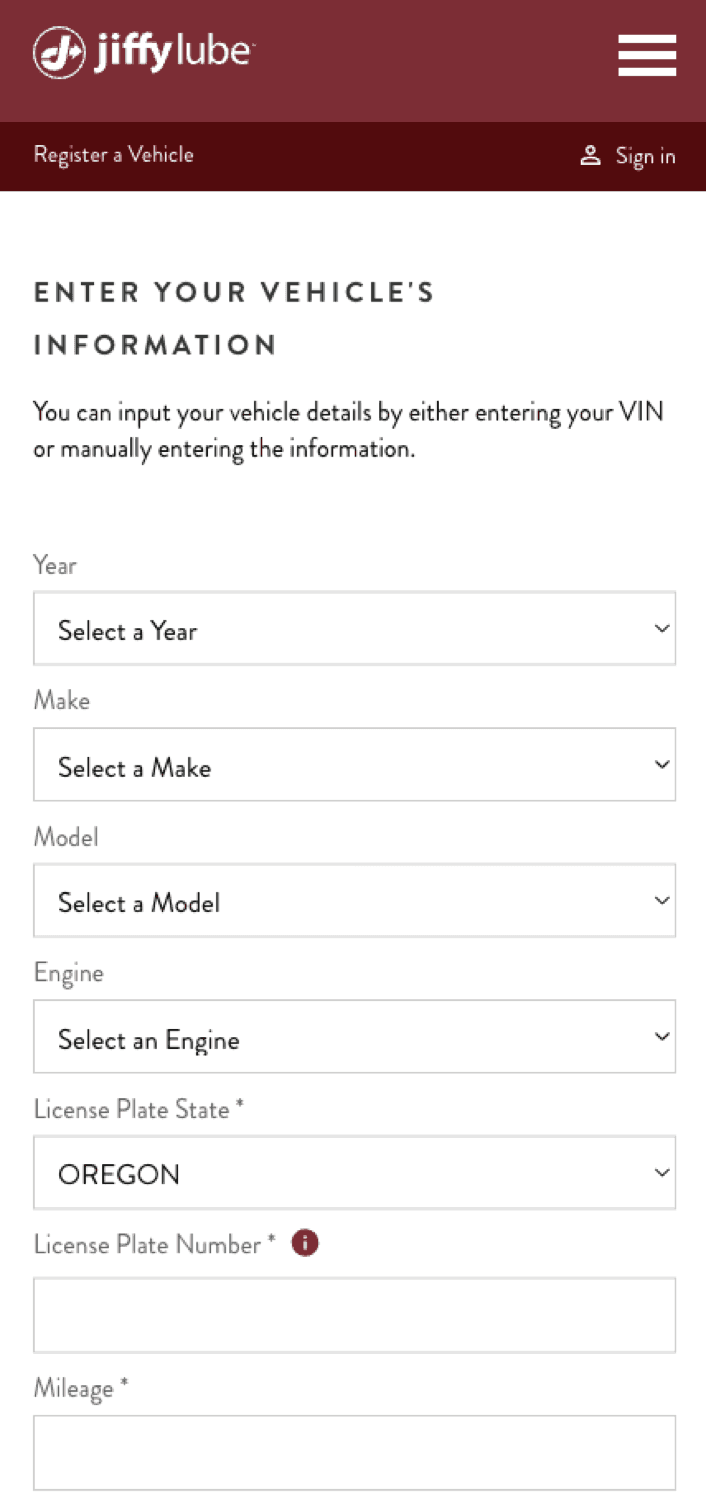
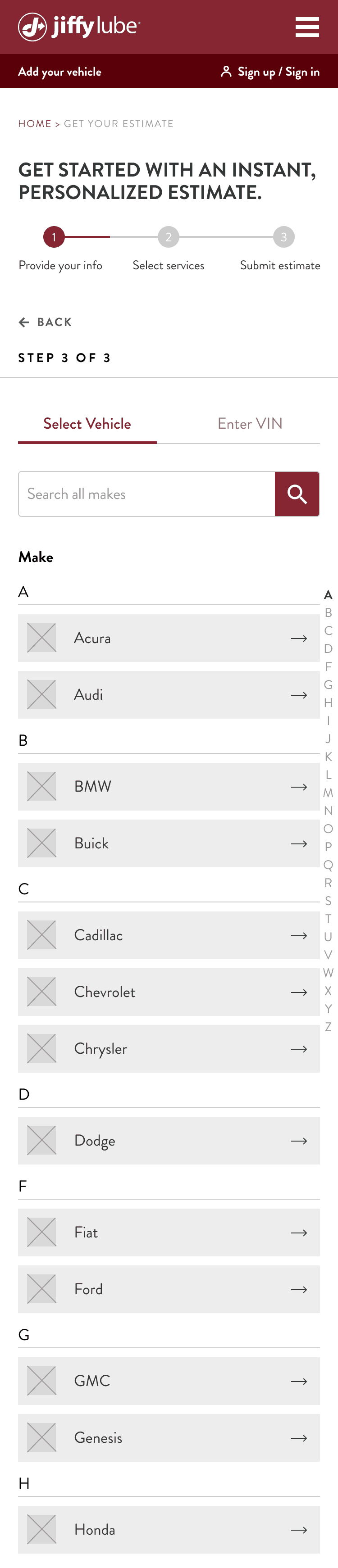
Previous Vehicle Adding Page
The progress bar is missing. VIN input is the primary method for adding a vehicle, but it has a significantly higher drop-off rate than manual entry (54.2% vs. 24.4%). Manual entry also presents too much information at once.
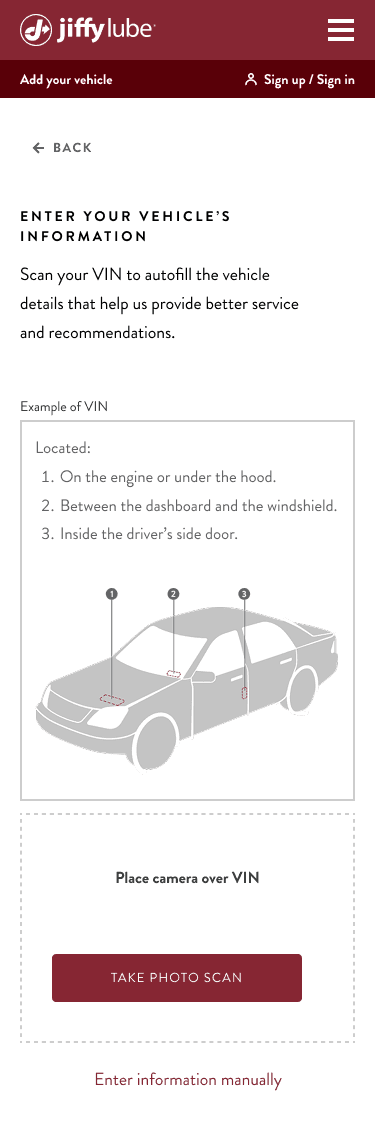
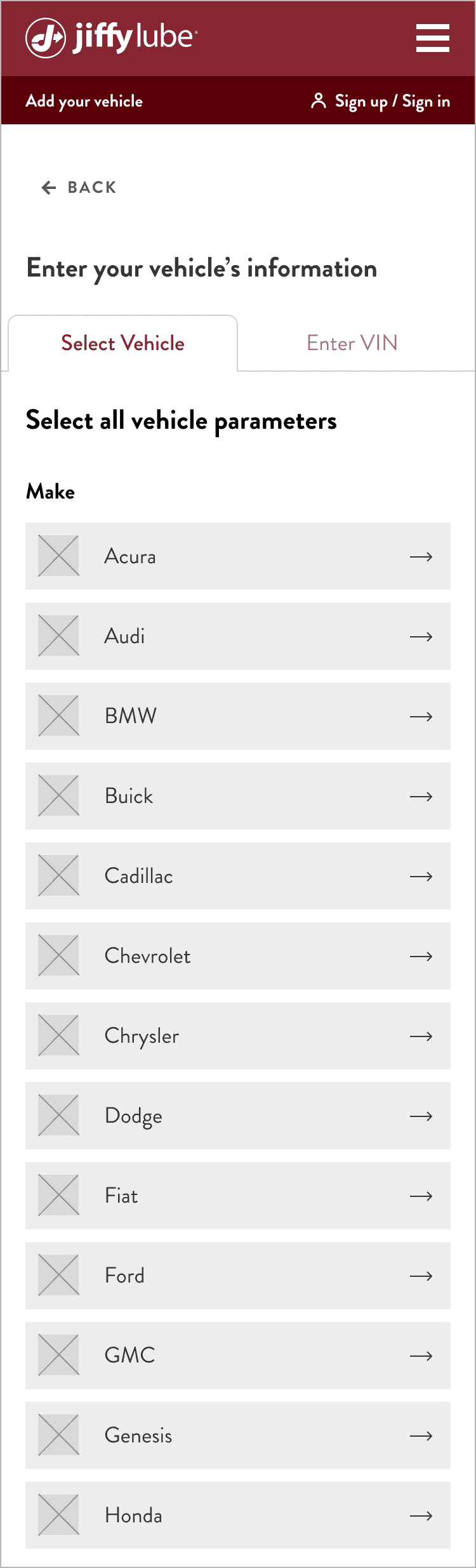
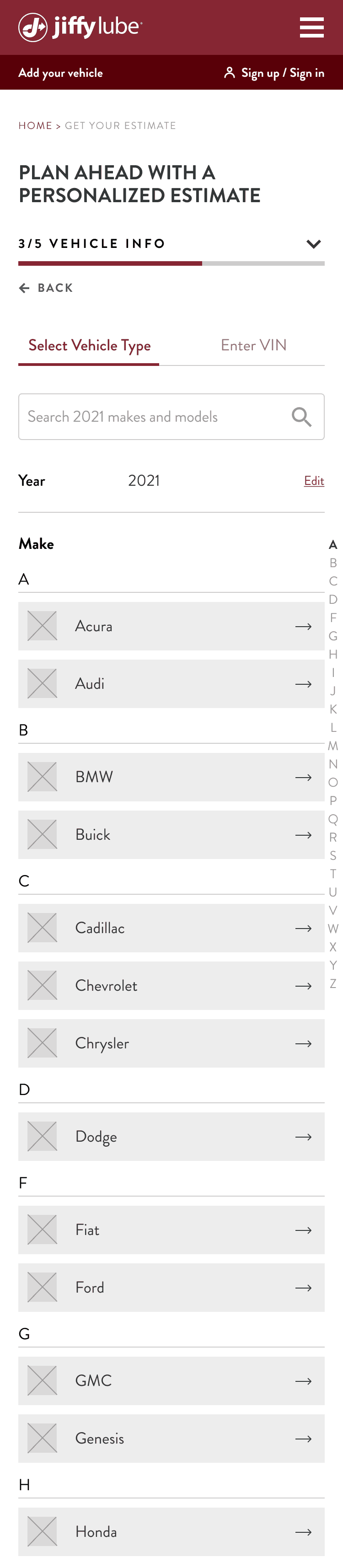
New Vehicle Adding Page
Added a consistent progress bar. Set manual entry as the default and redesigned it into step-by-step selections. Introduced jump links. Hid VIN instructions to increase CTA visibility.
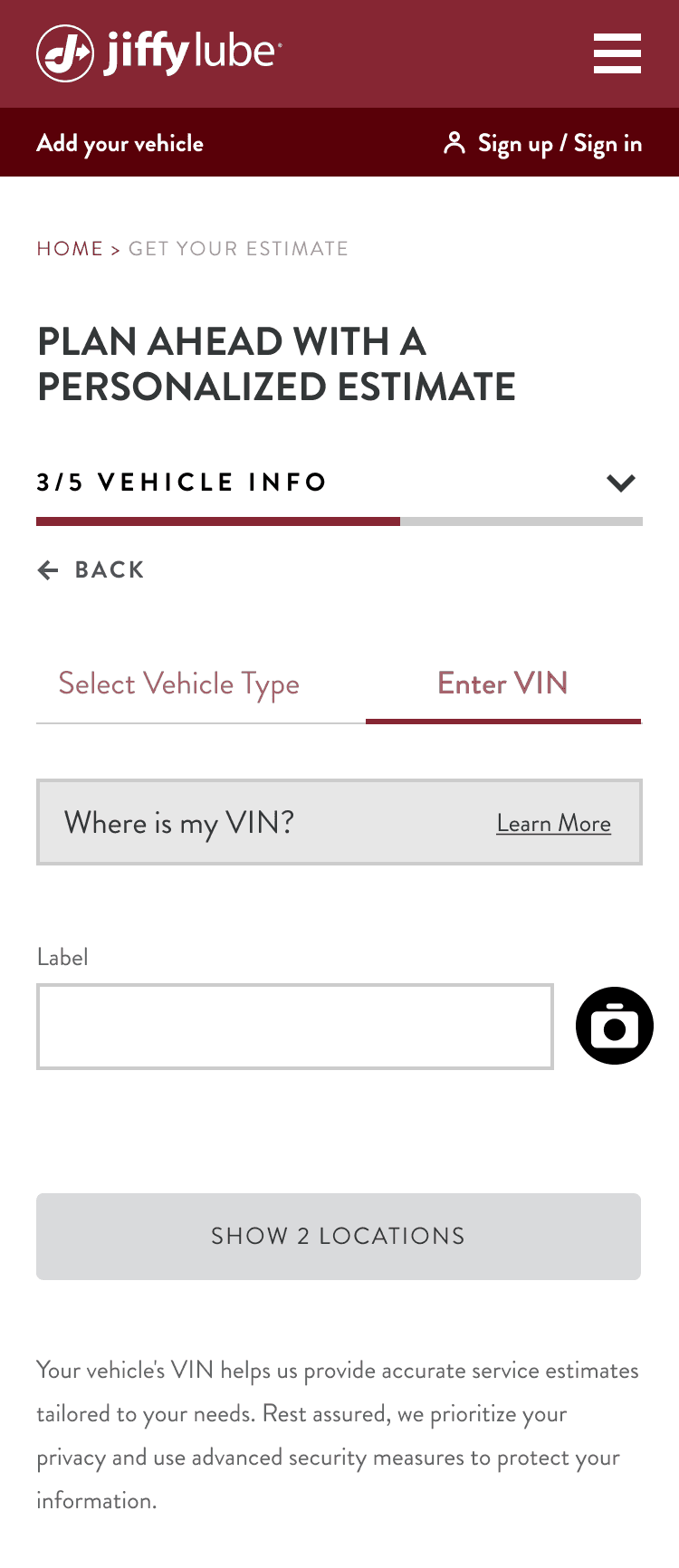
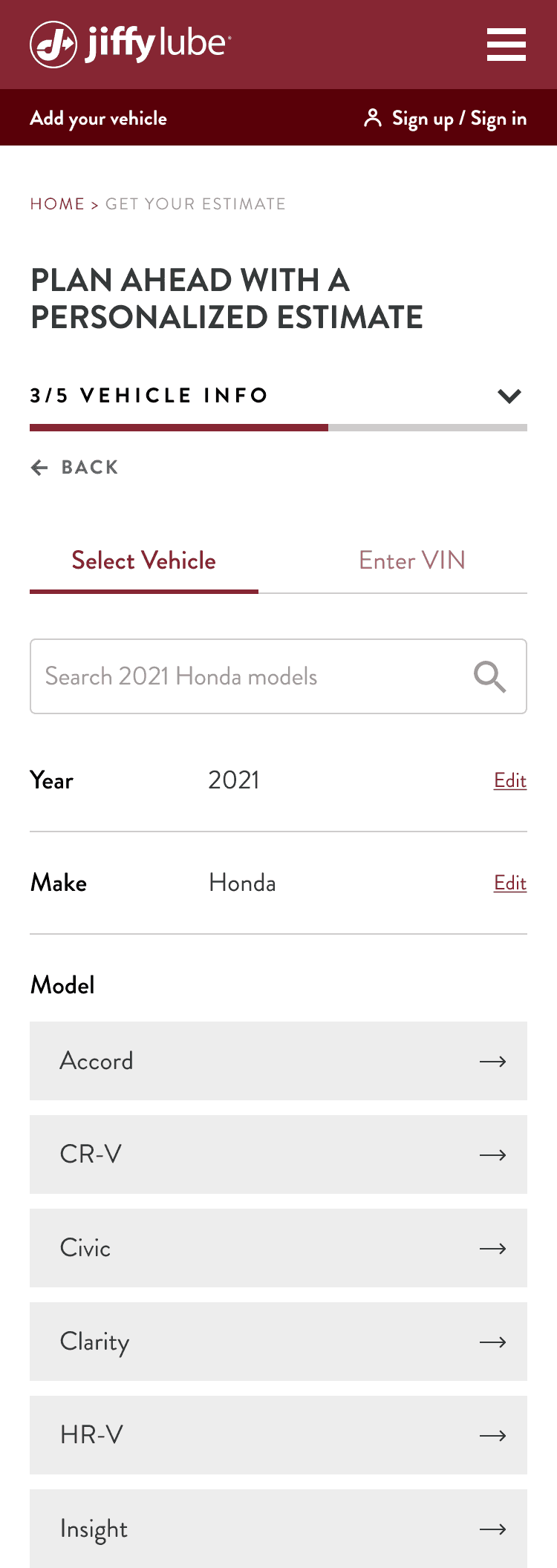
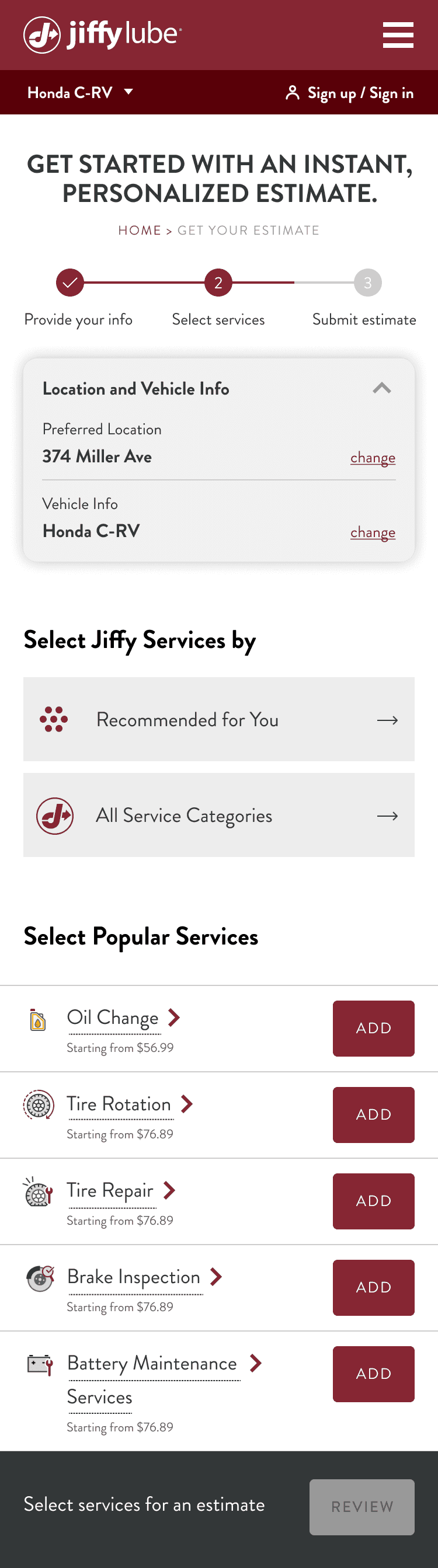
Previous Service Selection Page
The progress bar is missing. Exposing service prices early in the flow led to a high drop-off rate, while large service cards reduced scanability and made comparison difficult.
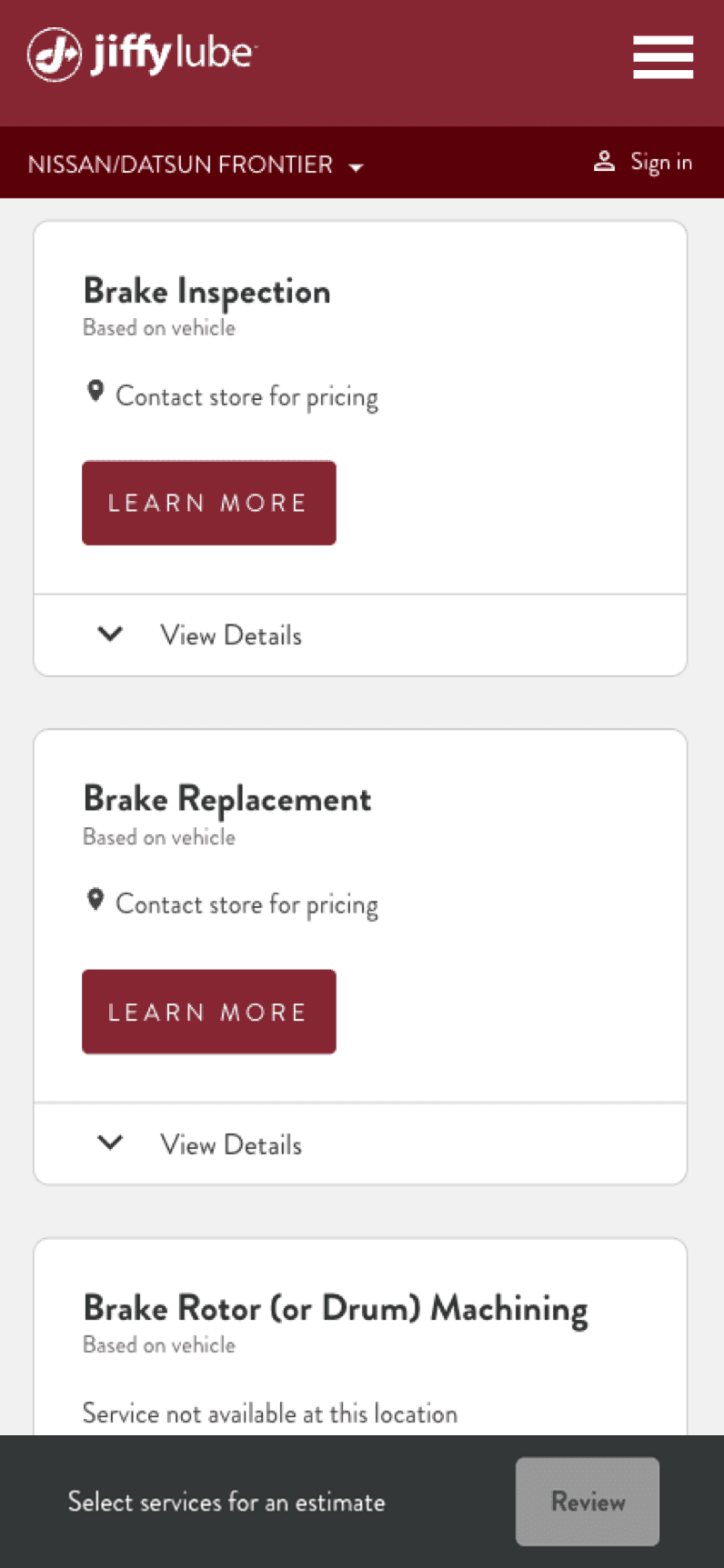
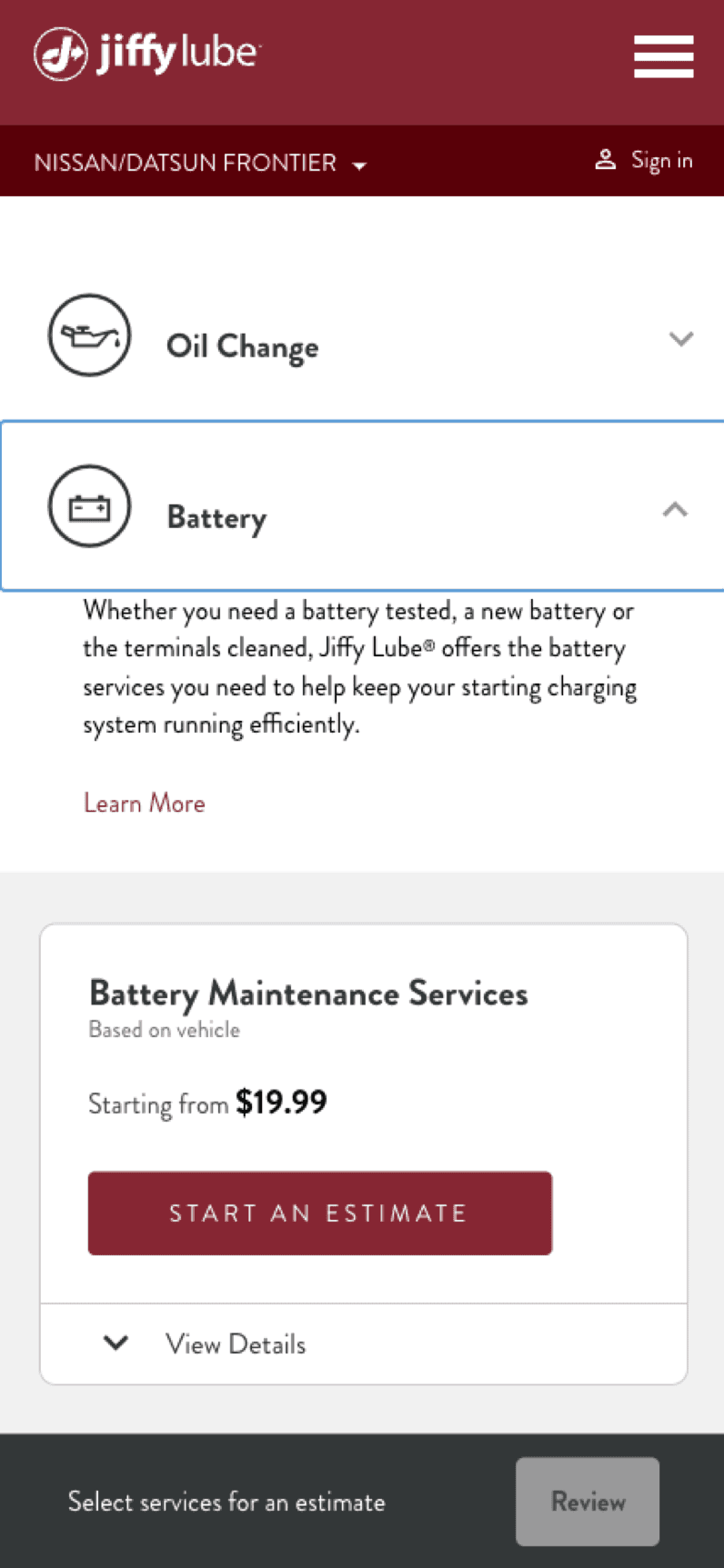
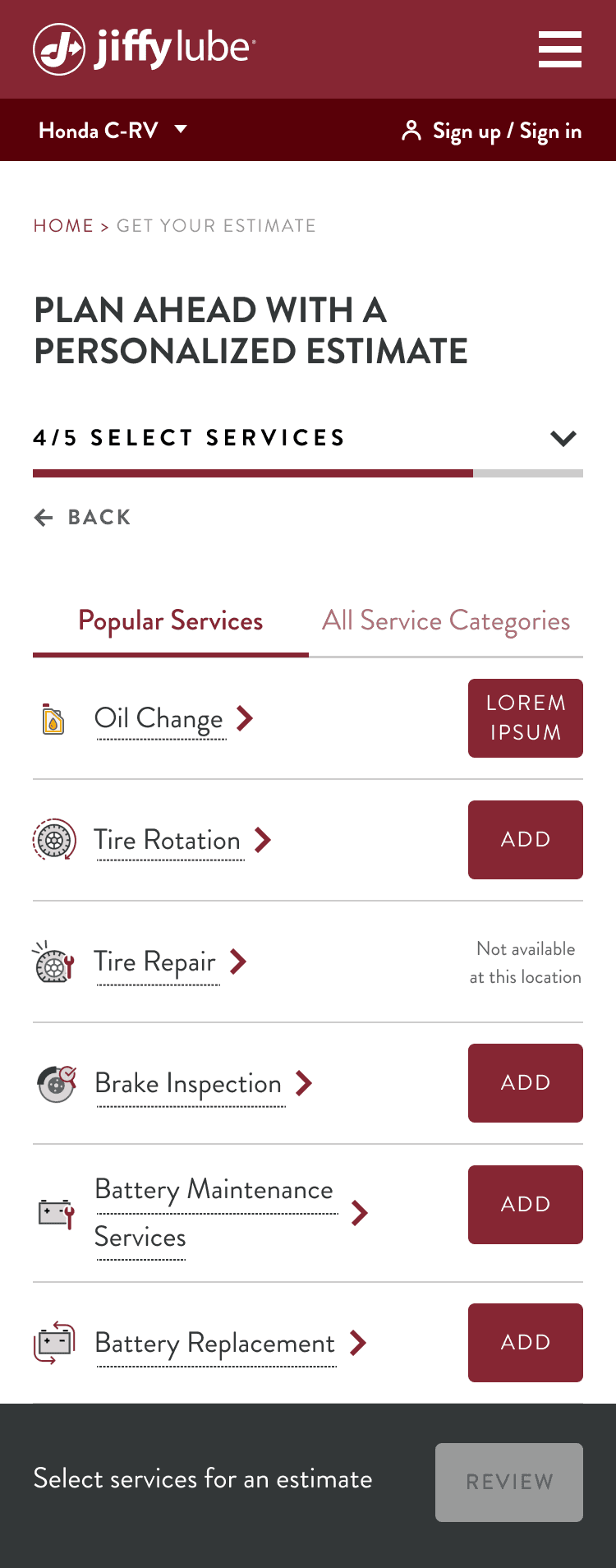
New Service Selection Page
Added a consistent progress bar. Prioritized popular services to make selection easier. Removed price visibility to keep users engaged in the estimate flow.
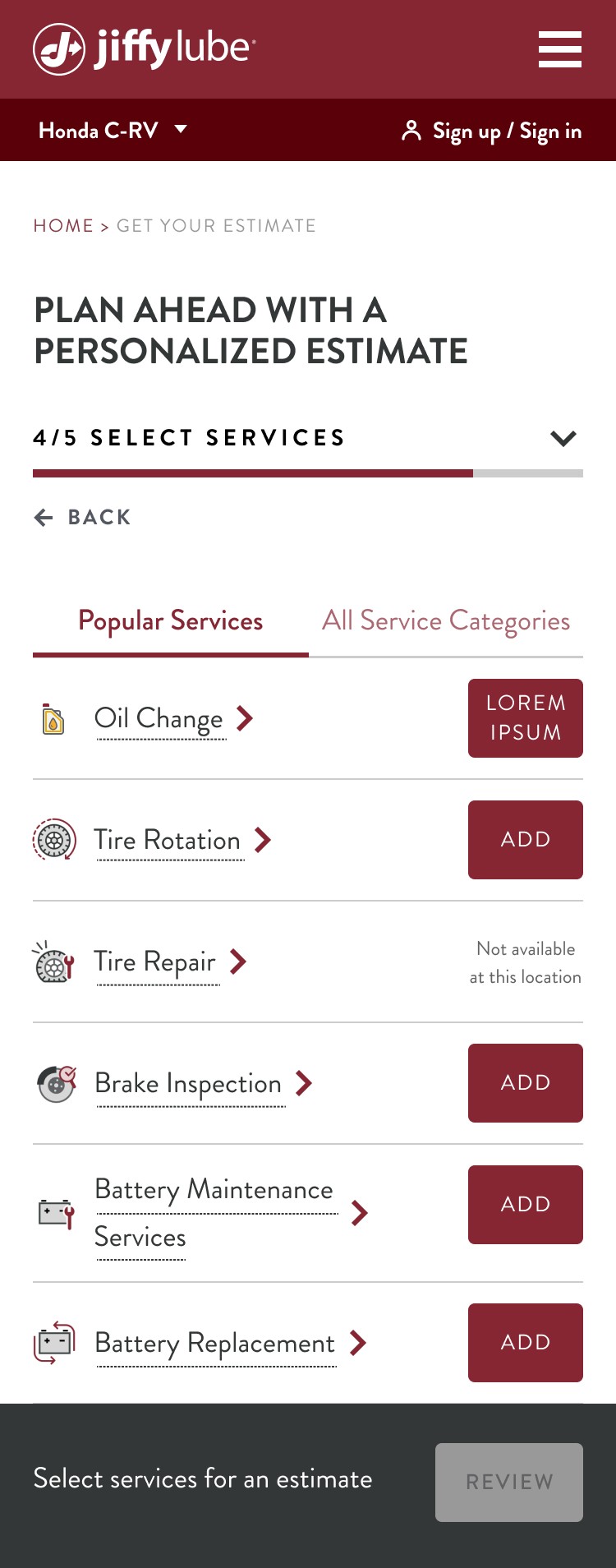
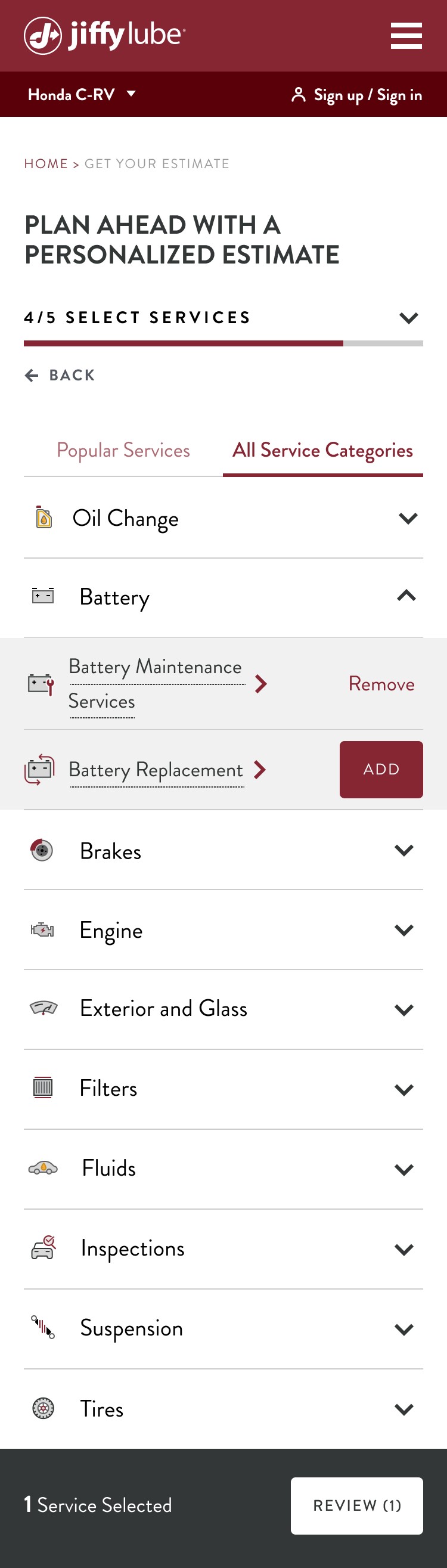
Previous Review Page
The progress bar is missing. The flow did not clearly communicate the value of submitting an estimate, and required users to complete an additional step after clicking “Submit,” increasing friction.
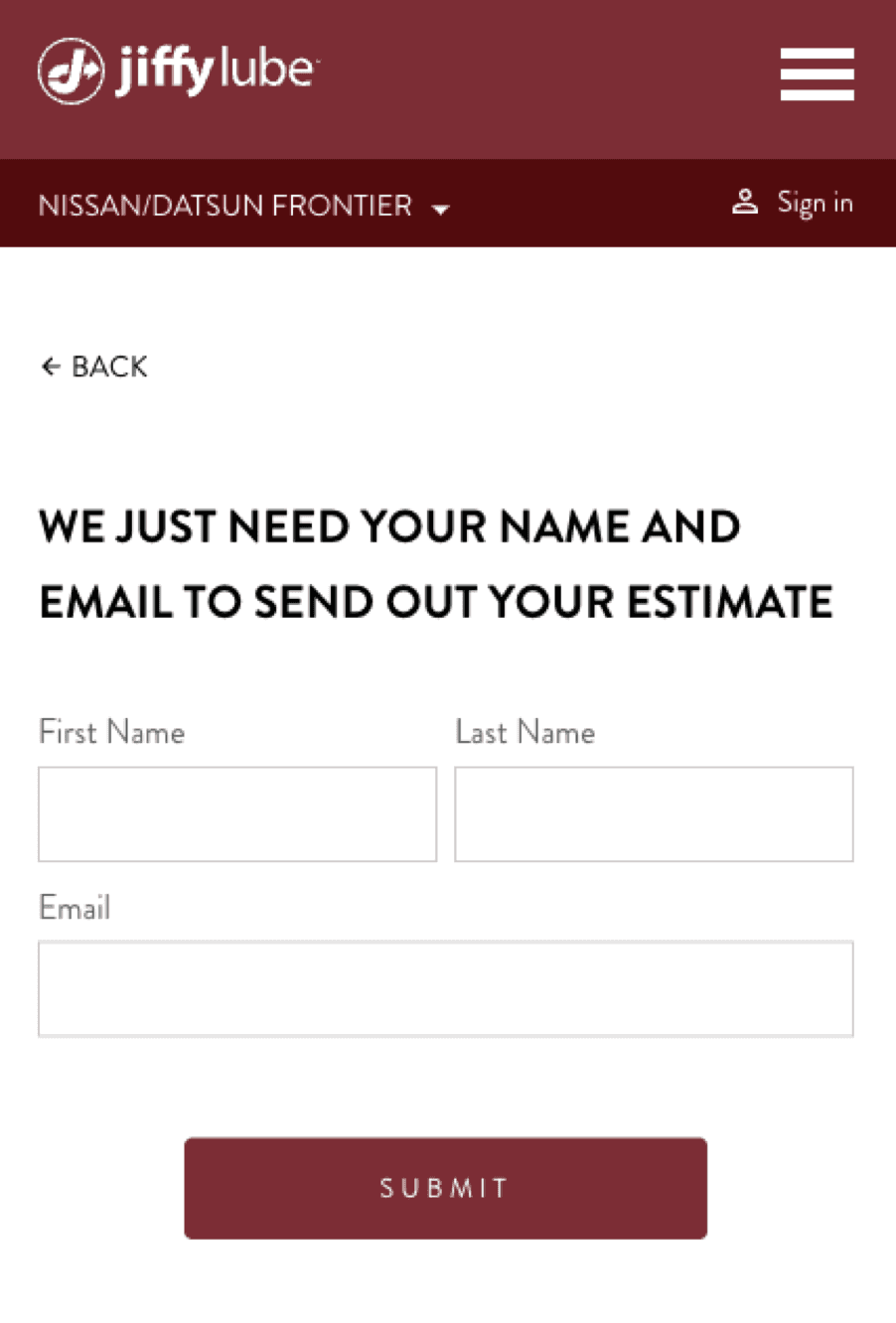
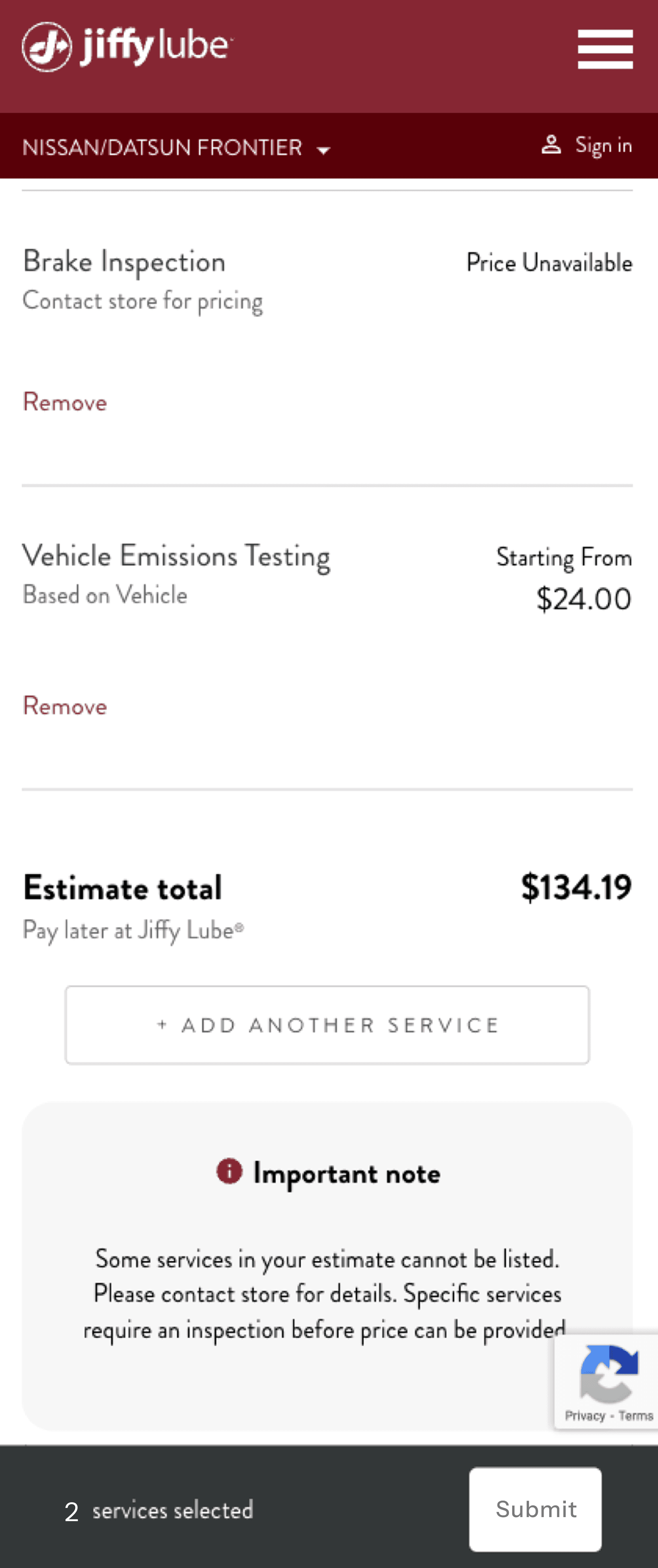
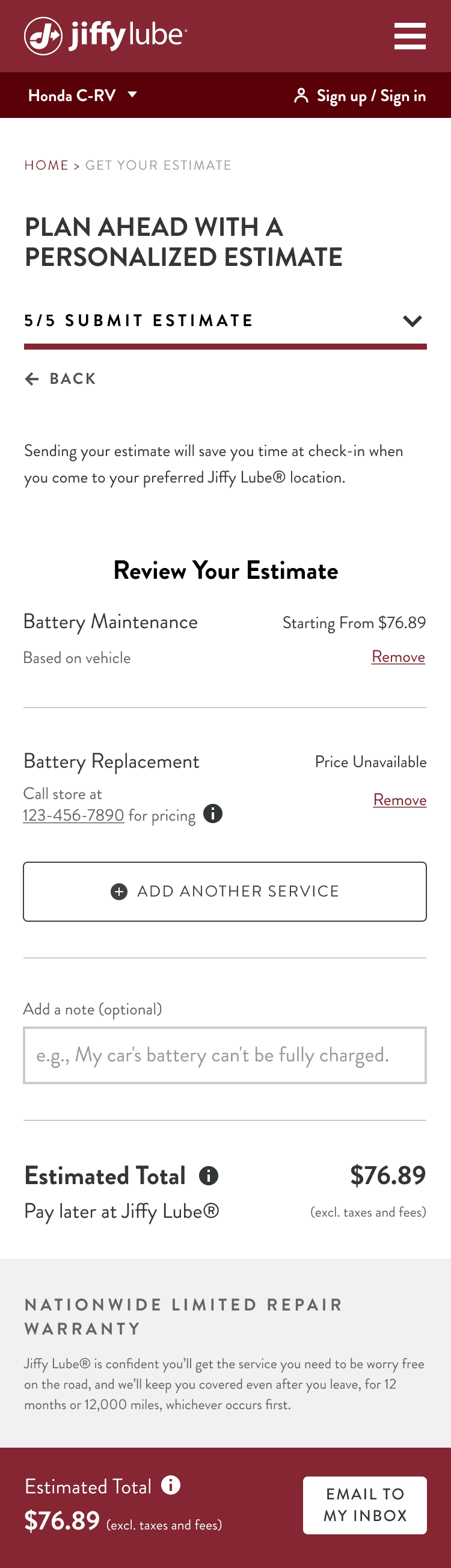
New Review Page
Added a consistent progress bar. A time-saving message was added to highlight the benefit of sending the estimate. Users can now add a note before submission. The CTA copy was updated to clearly emphasize these benefits.
Final Results
22%↓
overall drop-off reduction across the Estimate Flow after UX optimization
30%↓
decrease in vehicle entry drop-off after redesigning VIN/manual entry experience
12%↑
improvement in final submission completion by clarifying time-saving benefits and strengthening CTA copy
\ Design Process
DISCOVER
Context
User Feedback
DEFINE
Goals & Objectives
Review Current Journey
Key Issues
IDEATE
Strategic Imperatives
DESIGN
Iterative Design
Different Scenarios
DELIVER
New Estimate Flow
All Scenarios
Annotation
\ Discover
Context
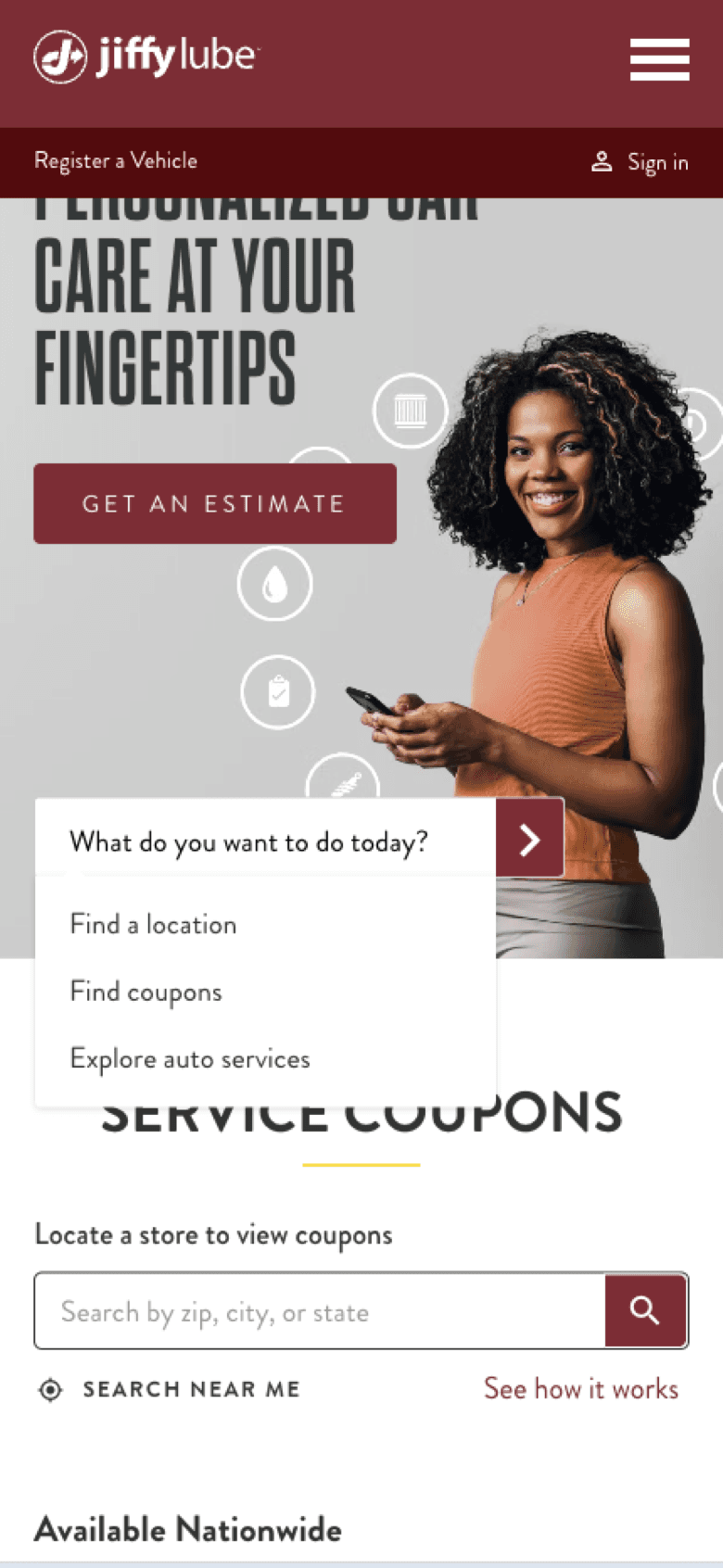
In 2023, JiffyLube launched MJL to provide a more personalized service experience, including the ability to get service estimates.
150K
Monthly average # of users who enter the estimate flow
33.5%
Of users convert (in-store) by submitting quotes to store
84%
Of converted quotes (in-store) come from new customers
+18%
Average ticket value of MJL is 18% higher than the system average
81%↓
Of users who use the estimate tool drop off before they make it to select services and “Start an estimate”
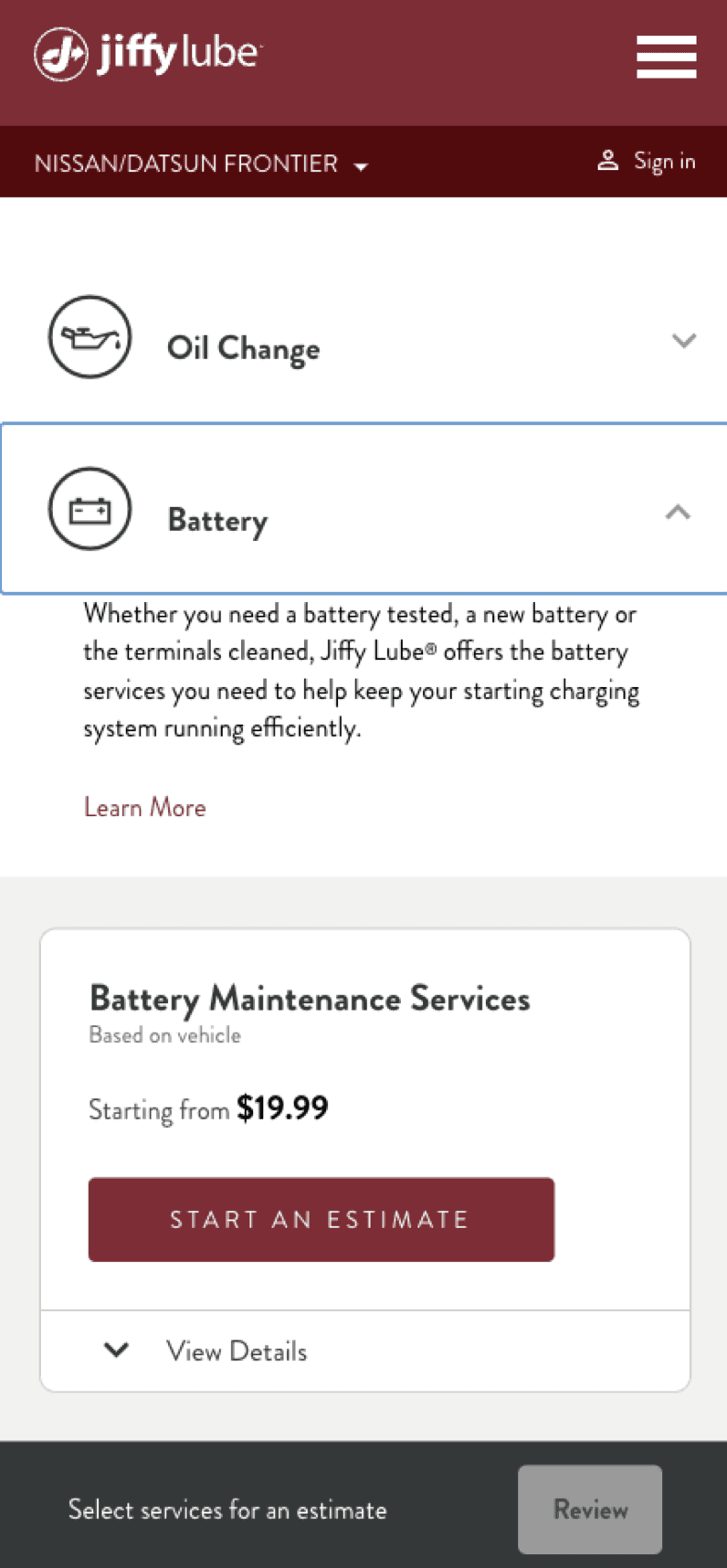
9%↓
Of users who make it to select services drop off without clicking Review
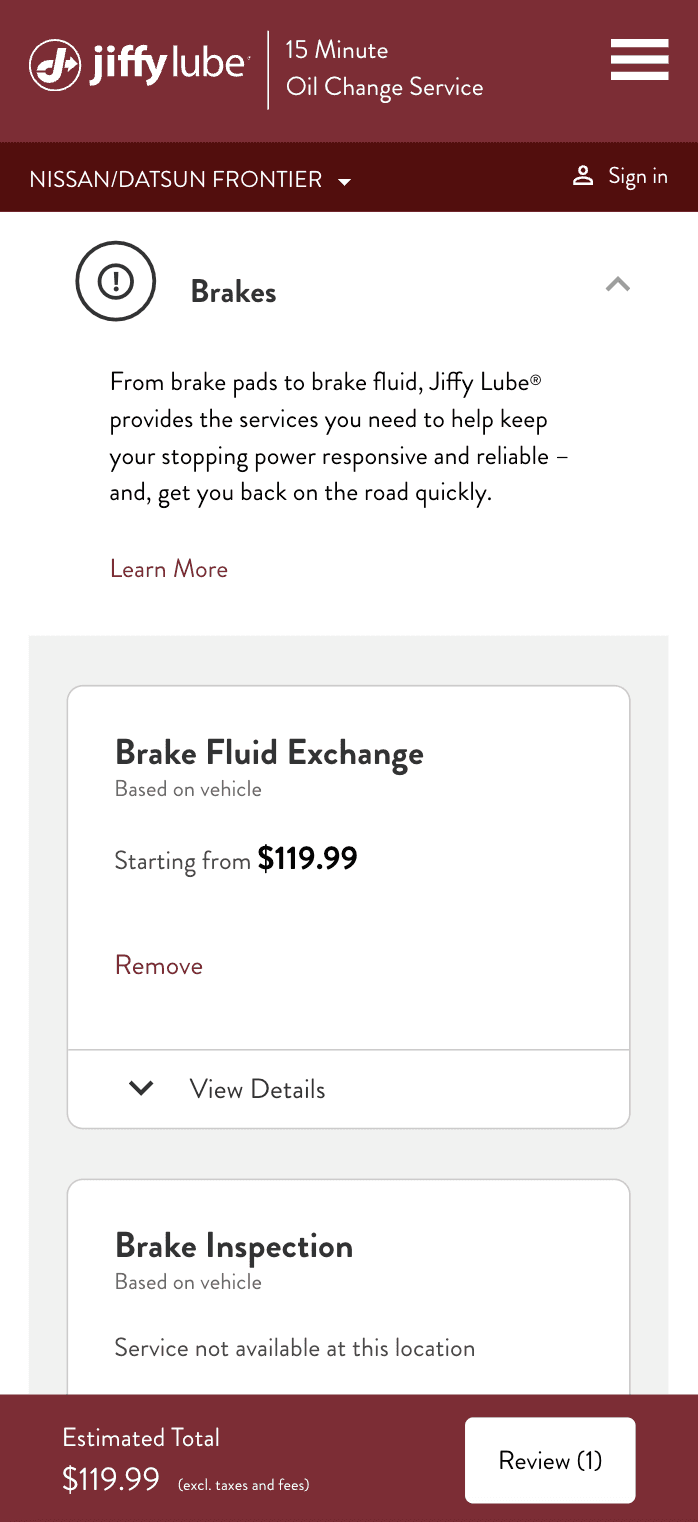
43%↓
Of users who click Review drop off before submitting estimate to store
User Feedback
Speed
I want the process of getting an estimate to be quick and efficient
Convenience
I want to be able to request and receive an estimate easily without the need to physically visit a shop
Transparency
I’m looking for clear, understandable estimates that break down the costs of labor and parts so I can manage my budget
Accuracy
I want the estimate to be reasonably close to the actual costs I will eventually incur
Competitive pricing
I am looking for a service provider that offers the best value
Flexibility
I want choice in how I tailor the scope of work, like choosing between different levels of service (basic vs comprehensive)
Comprehensiveness
Beyond just the costs, I am interested in what warranties or guarantees are offered with the service, the estimated time for completion of the work, and any additional services (eg shuttle service)
Reputation & reviews
I want to ensure I am dealing with a reputable shop that is known for quality service and fair dealings
User feedback reveals a number of friction points along the estimate journey.
Value imbalance
“Used your website for first time. NOT GOOD. Too much information just to see how much an oil change would cost.”
Unfulfilled promises
“Many services have no estimates available. What a waste of time filling out info if I can’t get the answers I’m seeking. “
Overly demanding
“The estimate requires my VIN. My VIN is on my car, not in my phone. I live in the third floor. I don’t want to go downstairs to get something you do not need.”
Misleading
“After submitting an estimate, we took my car in and were told that store doesn’t work on Volkswagens. Why was I allowed to input this vehicle in the first place?”
Perceived error
“Online, the service for an oil change was quoted to me as $49.99. When I went to the store, I was told the cheapest service was $99.99 for the manufacturer recommended oil. No apology of adjustment was offered.”
\ Define
Goals & Objectives
Decrease drop-off rates
Streamline the path to submission, limiting friction wherever possible
Re-engage abandoned users
Re-target and bring back users who drop out along the way
Increase estimate submissions
Give users a reason to submit their estimate to the store
Increase email open rates
Increase audience engagement with estimate reminder emails, spurring in-store visits
Increase conversion
Increase the rate of service fulfillment and in-store visits driven from the estimate process
Review Current Journey
1. Start an Estimate
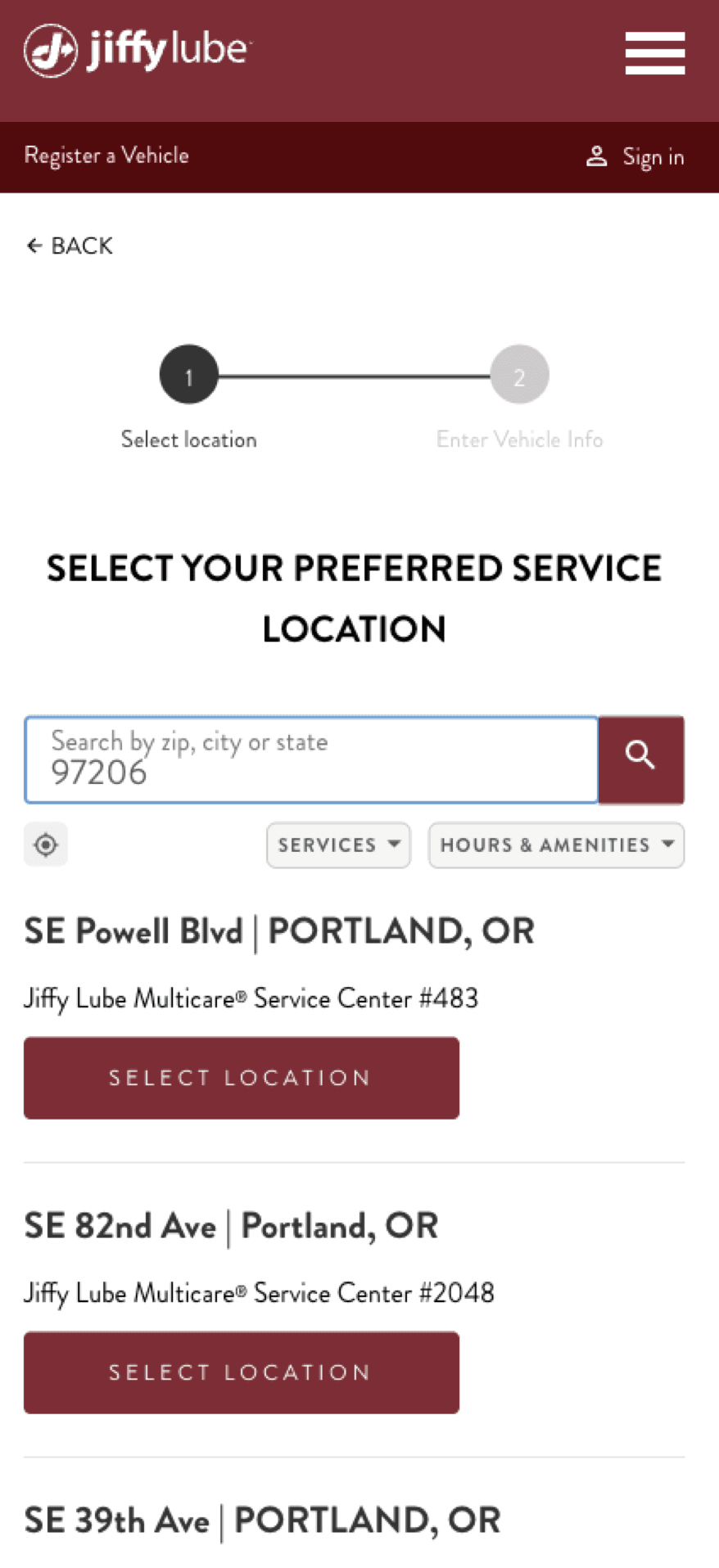
Multiple CTAs on the homepage create the risk of fragmenting attention, while copy discrepancies create inconsistency and inaccuracy.
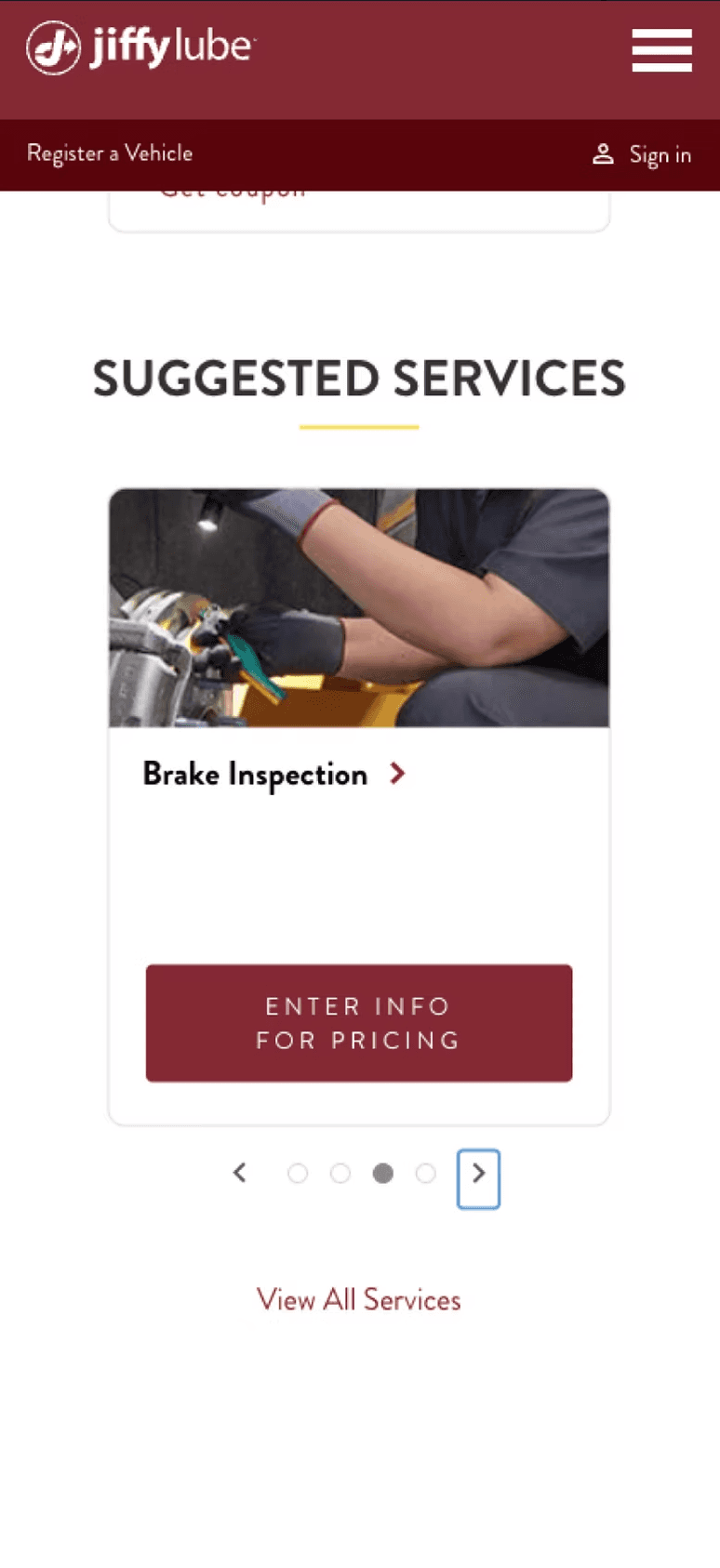
Expectation setting lacks some focus and could benefit from additional transparency/context.
Store selection diverts users to a new URL path and a different progress tracker, creating some risk for confusion. Store results also appear undifferentiated.
3. Enter Your Info
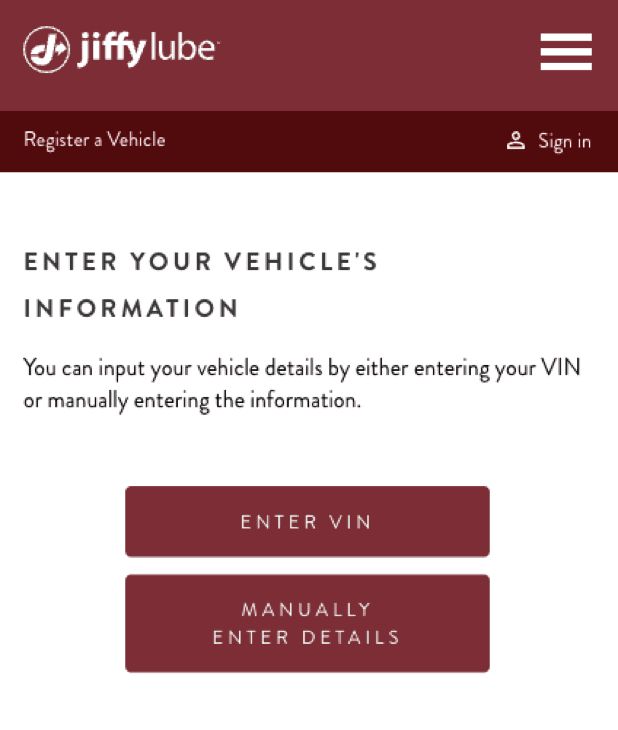
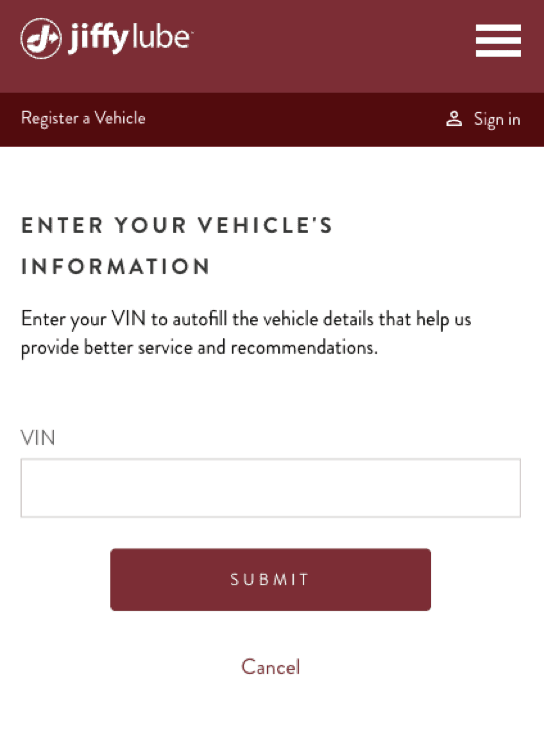
VIN retrieval introduces significant work in the journey. Based on the data from May 26, 2024 - June 1, 2024: There is a lower drop off rate for “Enter Information Manually” (24.2%) vs the “Take Photo Scan” CTAs (54.2%)
4. Browse & Add Services
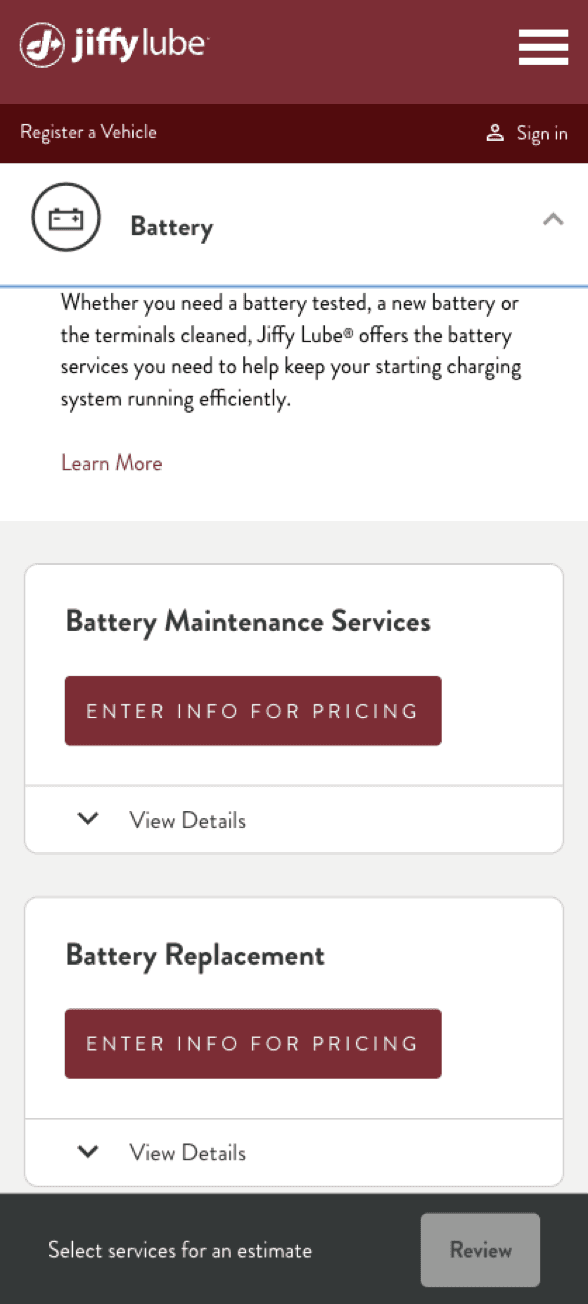
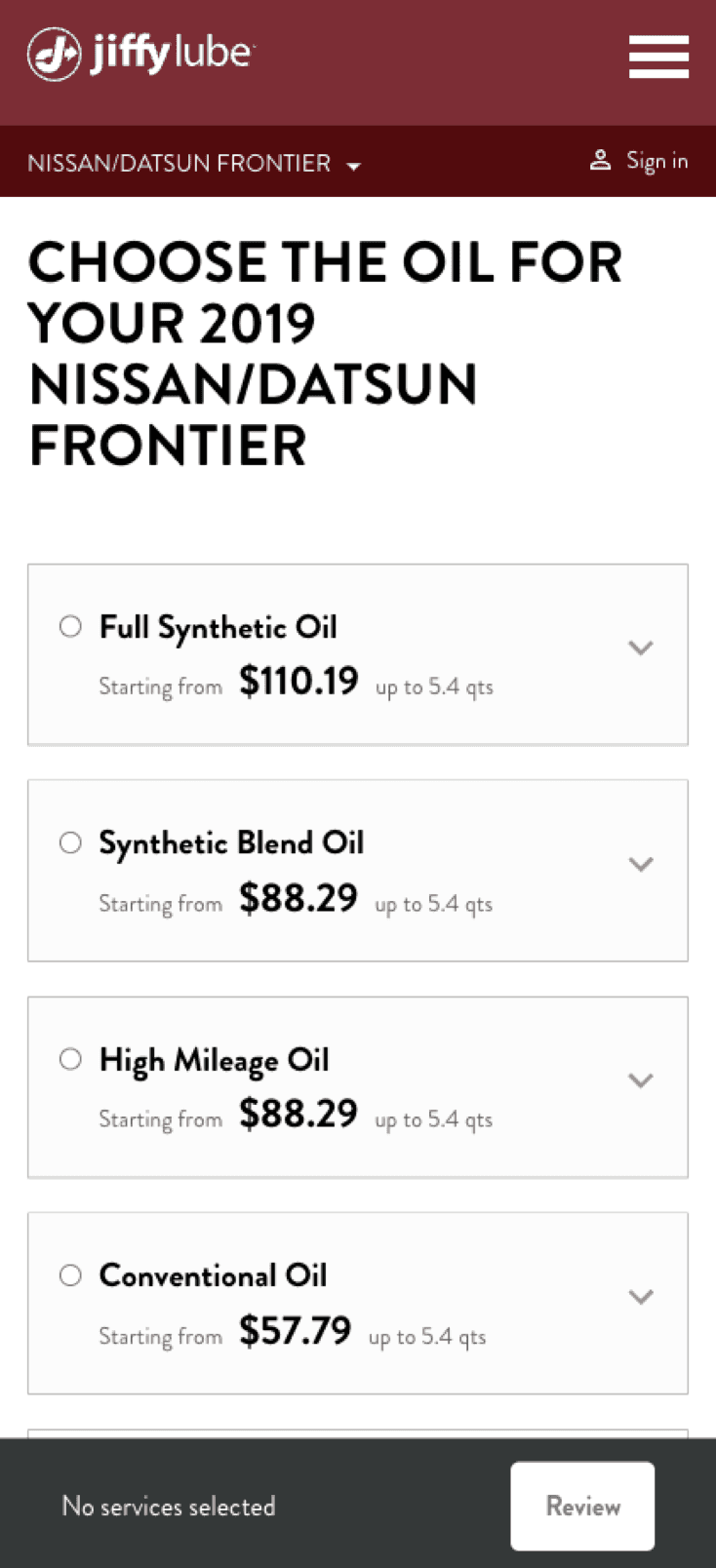
Service pricing is inconsistently available and information feels sparse about the terms & limitations of estimates.
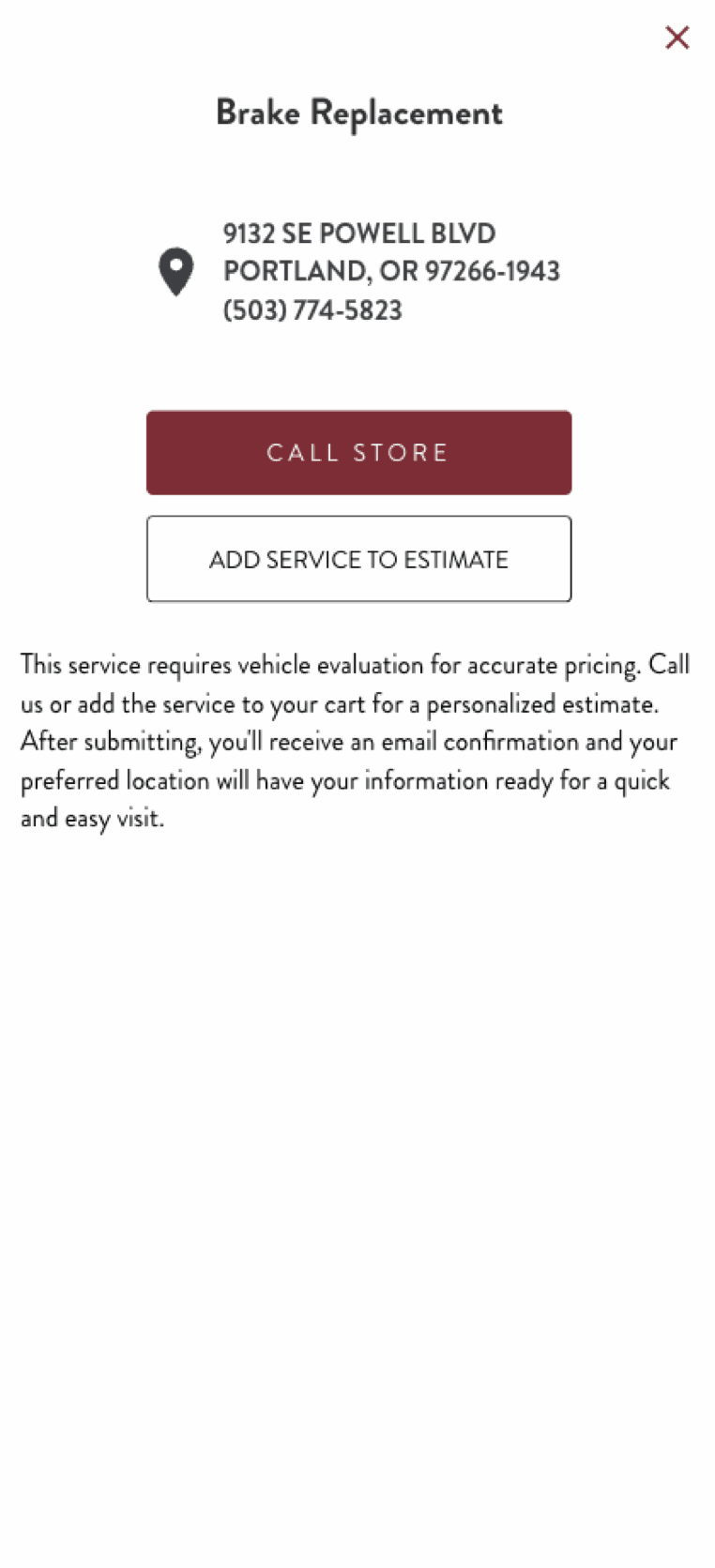
Services that require store contact present an inconvenient hurdle, introducing an added step that’s high-effort.
For popular services like oil changes that offer multiple options & prices, an absence of personalization creates more work for the user.
5. Email Capture
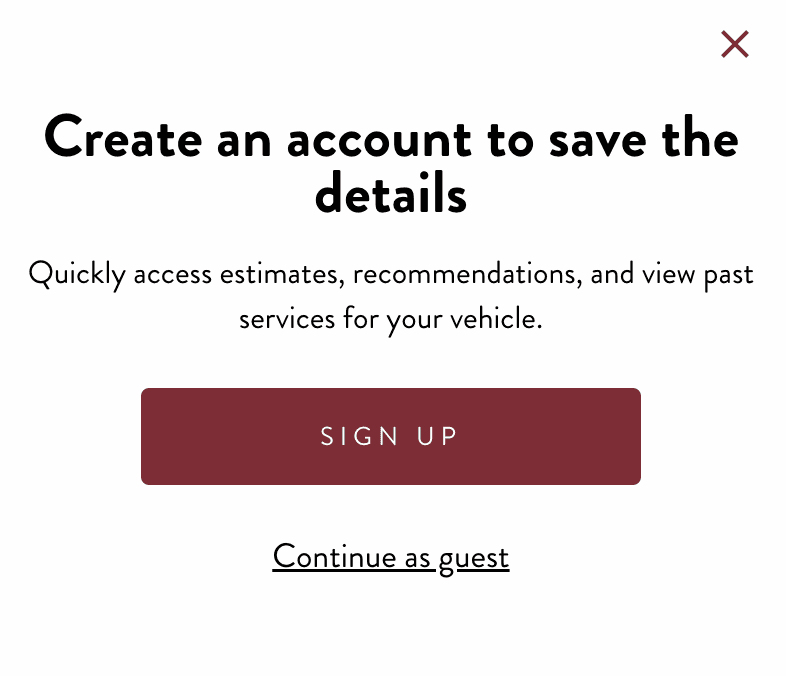
The prompt for account sign-up shows up at an awkward time, introducing yet another moment of disruption.
6. Review Estimate
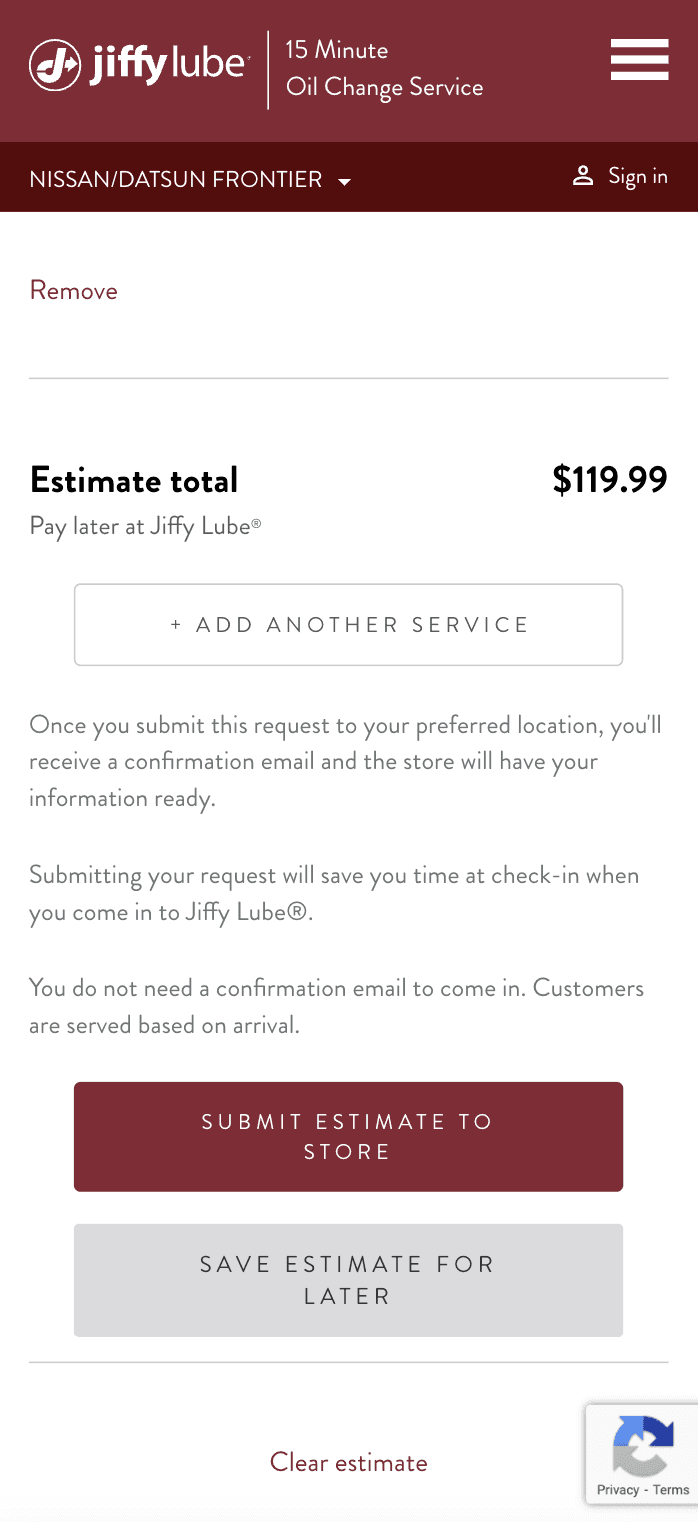
There is little incentive for users to submit their estimate to the store, and a missed opportunity to clarify expectations by reiterating how estimates work.
7. Submit Estimate
An added step to include basic contact information after the user has already clicked “Submit estimate to store” creates unexpected disruption.
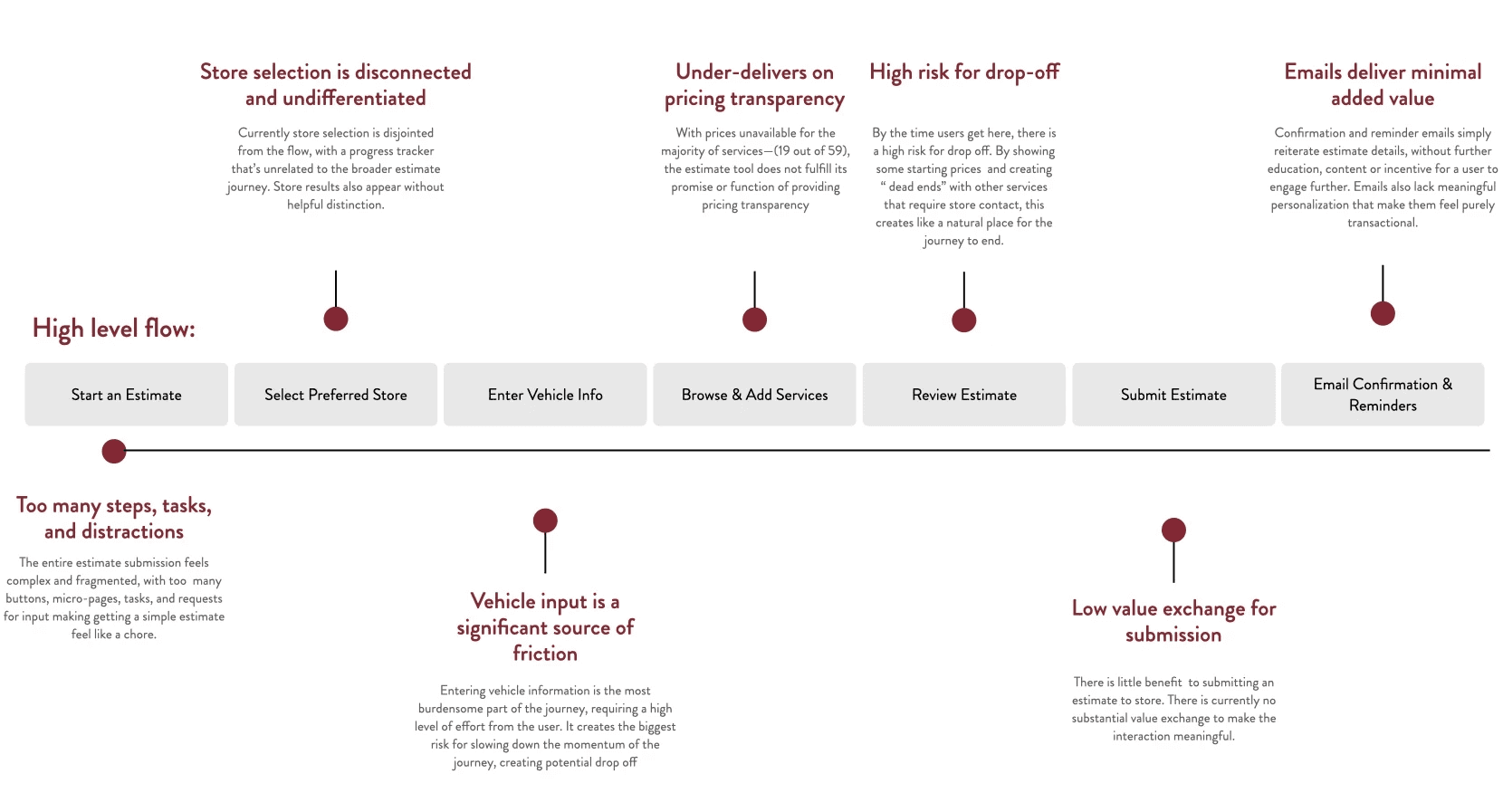
Summary of Key Issues
\ Ideate
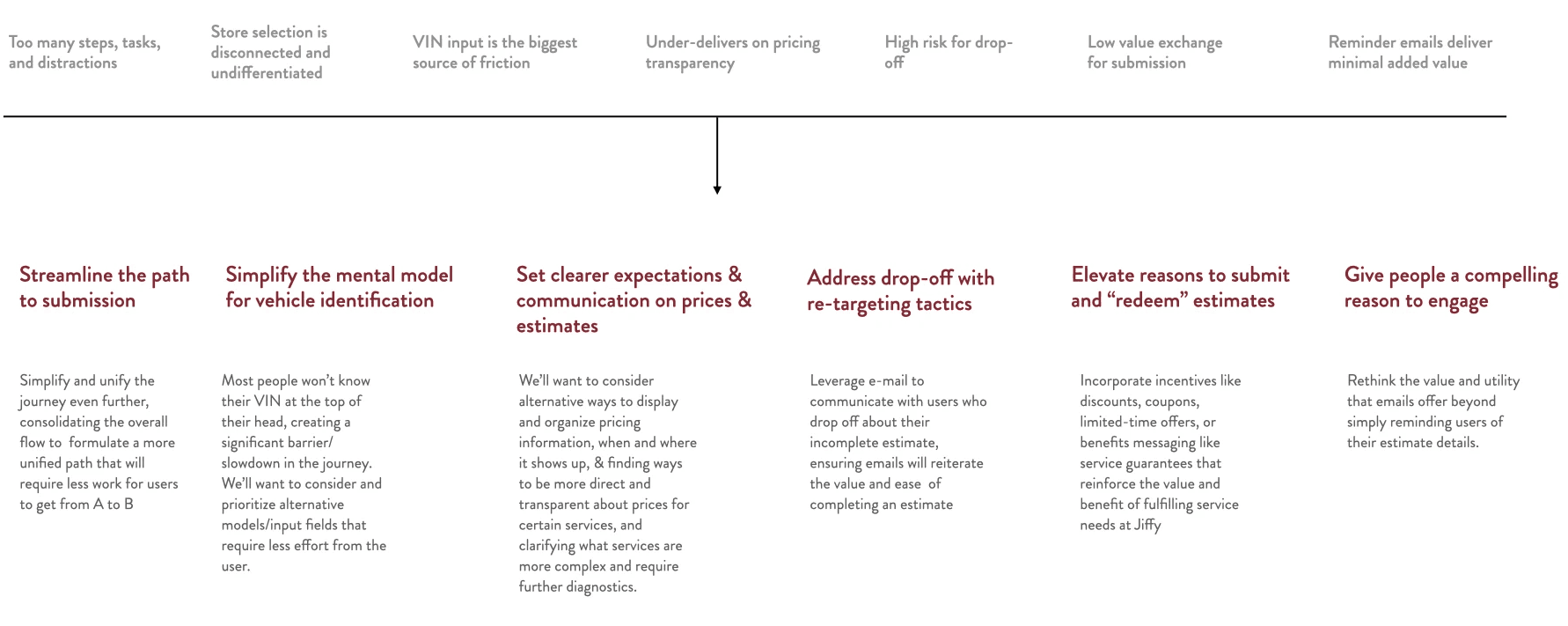
Strategic Imperatives
\ Design
Iterative Design
- Estimate Landing Page
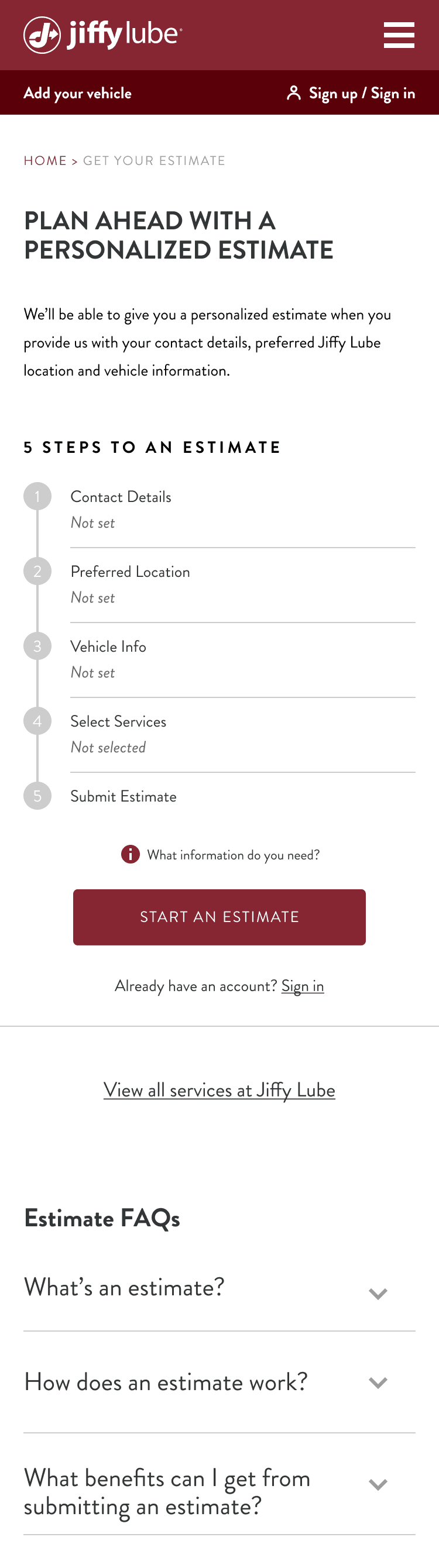
Streamlined the estimate process by consolidating info entry and enhancing clarity.
Originally, users had to input Preferred Location, Vehicle Info, and Contact Info through separate flows, creating a fragmented experience. To simplify this, we consolidated info entry into the estimate flow, replacing multiple entry points with a single “ENTER INFO & START ESTIMATE” CTA for clarity. To maintain CTA visibility, we limited the displayed steps. Meanwhile, an Estimate FAQ section was added to address common user questions.
Iterative Design
- Vehicle Input
Optimized vehicle input for clarity and flow.
Based on data, we set Select Vehicle as the default input method, as Enter Information Manually had a lower drop-off rate (24.2%) compared to Take Photo Scan (54.2%). To improve usability, we replaced dropdown menus with visible tiles, grouped options alphabetically, and added a search function with jump links. Additionally, we integrated vehicle input into the estimate flow, ensuring a unified title and progress bar for a more seamless experience.
Iterative Design
- Select Services
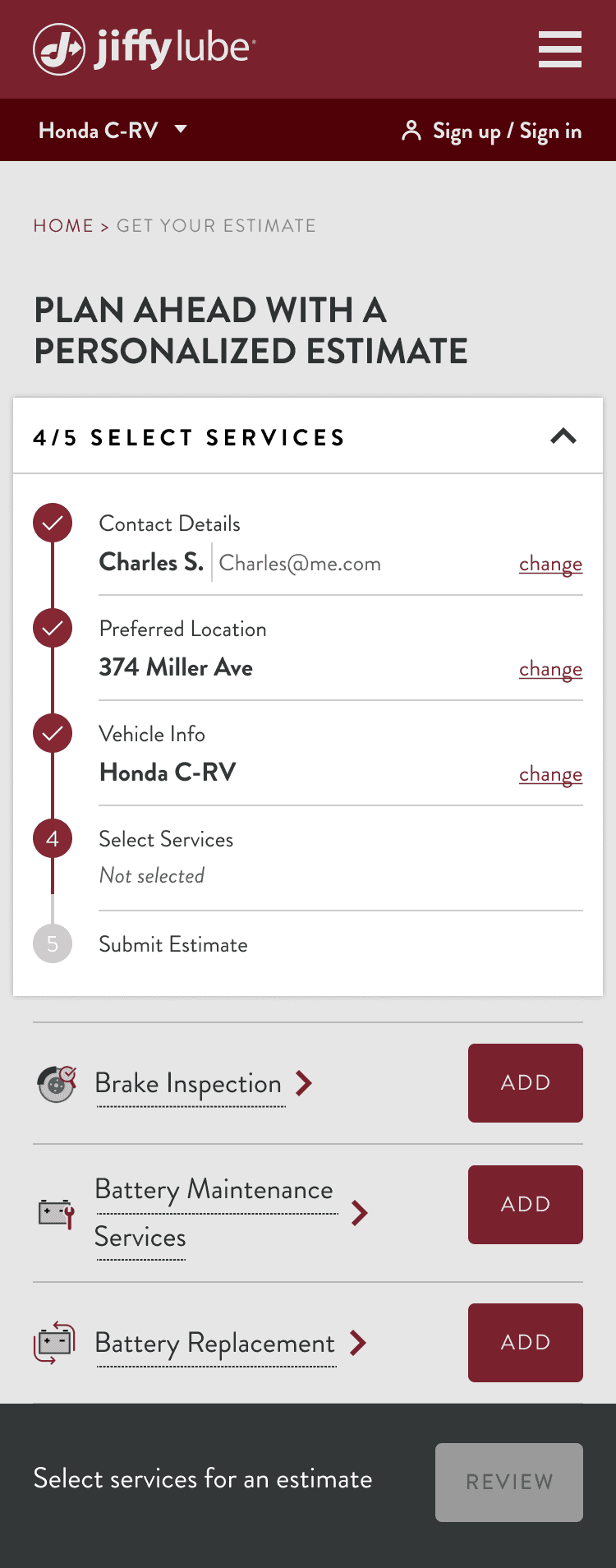
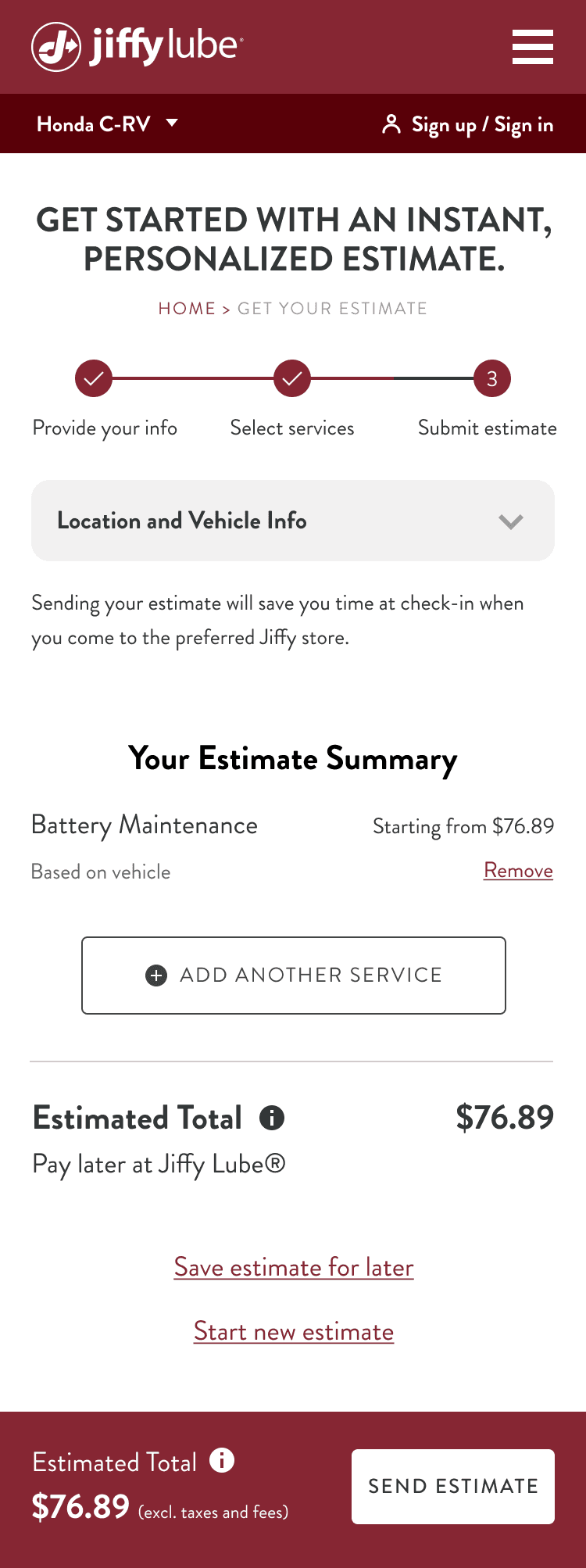
Enhanced service selection by improving visuals, reducing distractions, and delaying pricing.
We introduced new icons for a more engaging experience and merged the info module with the progress bar after collecting required info, reducing page length and distractions. To lower drop-off rates, we moved service pricing from this step to the review page, ensuring users complete the flow before seeing costs. We also explored integrating Recommended for You for personalized maintenance but postponed it due to launch delays.
Iterative Design
- Review Estimate
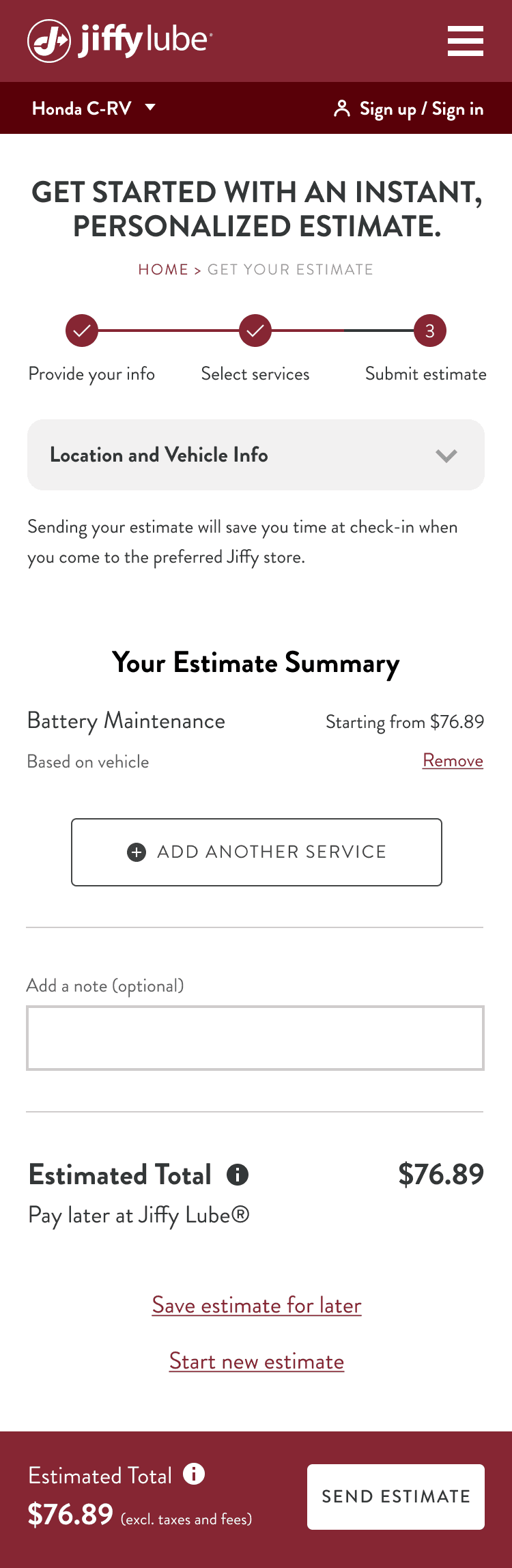
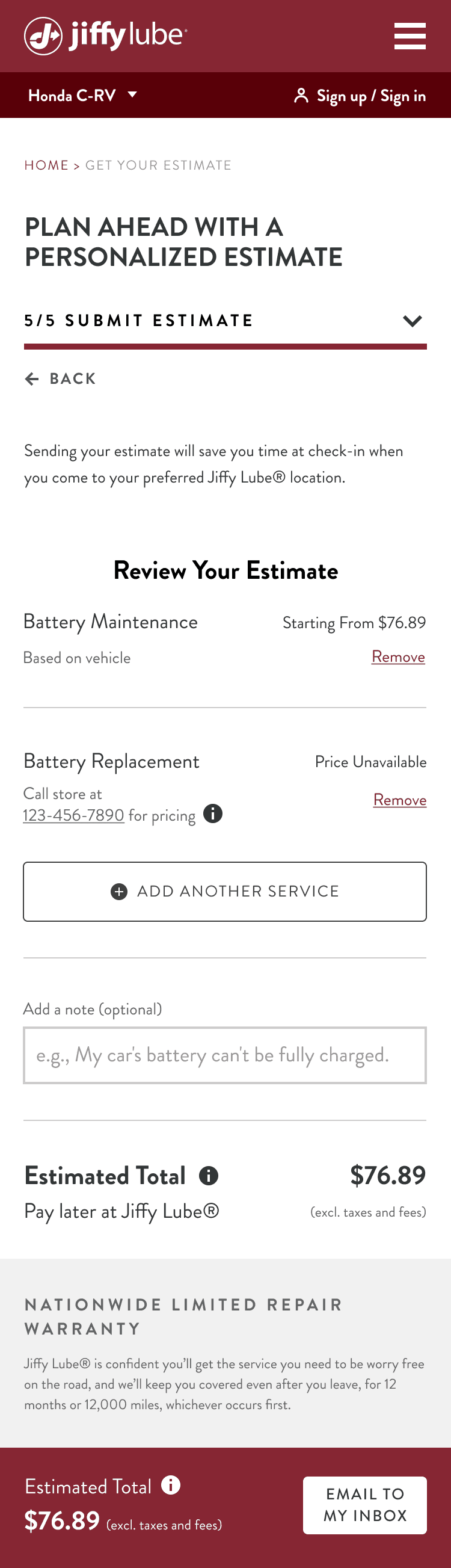
Streamlined the review process with personalization, reduced distractions, and clarified the CTA
We added an ‘Add a note’ module for users to send personalized details, such as car issues, to their preferred Jiffy Lube location. To reduce distractions, we removed the ‘Save estimate for later’ and ‘Start new estimate’ links from the review page and moved them to a screen after users complete the flow. We also updated the CTA copy from ‘SEND ESTIMATE’ to ‘EMAIL TO MY INBOX’, making the action clearer. This change improves the user experience and ensures the location receives both the estimate and user details for better and faster service.
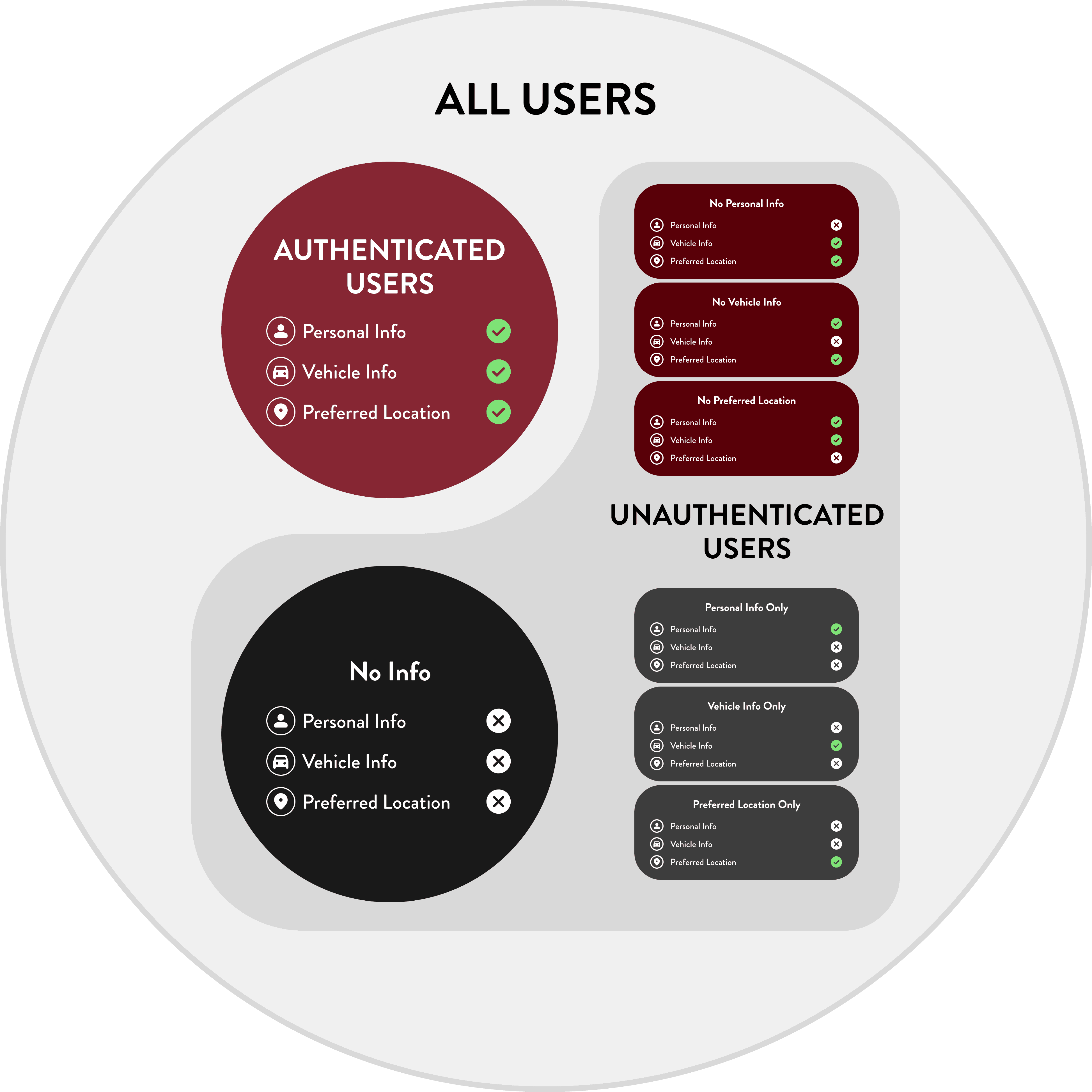
Different Scenarios
A seamless estimate flow for users with varying levels of pre-filled information
To generate an estimate, Jiffy Lube requires three key details: Personal Information (contact method and name), Vehicle Information (year, make, model, and engine), and Preferred Location. Since users may have already provided some of this info elsewhere on the site, their entry points into the estimate flow vary. They could be authenticated users with all required info or unauthenticated users with none or only partial info. We accounted for all scenarios to ensure a seamless experience for every user.
\ Deliver
Wireframes & Annotation I
New Estimate Flow
We improved the estimate flow for a more streamlined experience and updated the progress bar for consistency. In our deliverables, we demonstrated how the progress bar functions on both mobile and desktop. Additionally, we showcased the search functionality for adding a vehicle within the estimate flow. All wireframes were meticulously organized, with every screen and interaction fully annotated. Our design team then used these files to further refine the visual design.

Wireframes & Annotation II
Seamless Experience Across Different Scenarios
Another key part of the deliverables was clearly illustrating different user scenarios. Since users enter the estimate flow with varying levels of pre-filled information, we designed an overlay for adding or editing required details at the start of the flow, ensuring a seamless experience in all cases. We also accounted for special scenarios, such as editing information while selecting services or on the review page. If certain design patterns or elements didn’t previously apply to the desktop version, we provided dedicated desktop wireframes. With these detailed wireframes, both the design and development teams could easily understand the UX logic, ensuring accurate implementation.
