HackQuest
\ Overview
725,000+
active users globally engaging with Web3 learning and developer content
2.1M+
annual visits to the platform, indicating sustained engagement and discovery
20+
structured learning tracks spanning multiple Web3 domains
52+
global hackathons hosted, with hundreds of projects and builders participating
100+
Web3 ecosystem partners, including Solana, Arbitrum, Mantle, and more
30,000+
registered developers and builders, showcased in independent award evaluations
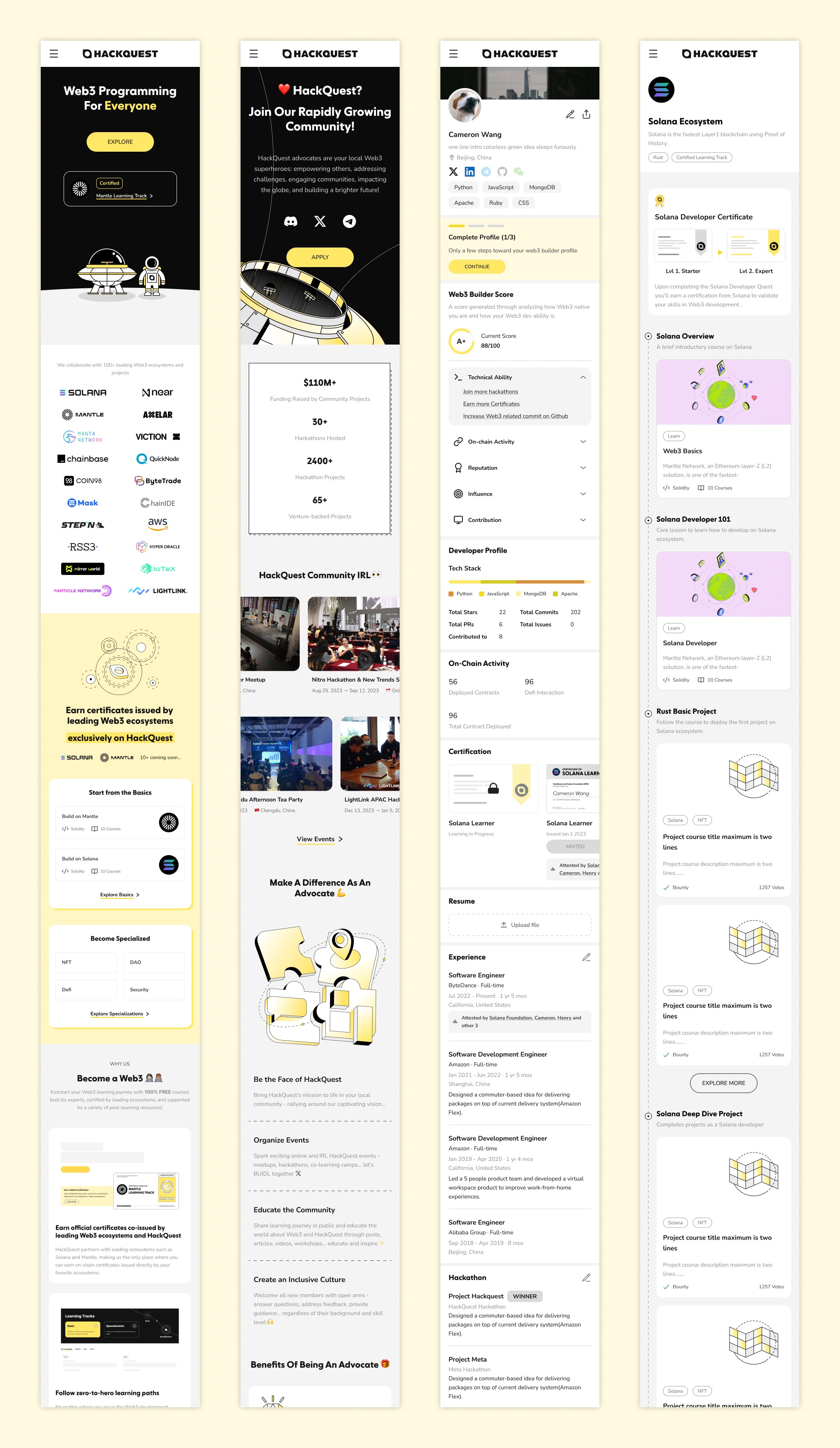
\ B2C Feature - Learn
Empowering Web3 Learners with Structured Tracks, Gamified Motivation & On-Chain Credentials
User Profile
Primary learners: aspiring Web3 developers and Web2 engineers transitioning into Web3
Learning goals: build practical blockchain skills, earn recognized credentials, and unlock ecosystem opportunities
Scale: 30,000+ registered learners across global Web3 communities
Design Requirements
Structured learning paths that clearly guide users step by step
Built-in motivation through progress tracking and milestones
Tangible outcomes via ecosystem-recognized, on-chain certificates
Explore Courses
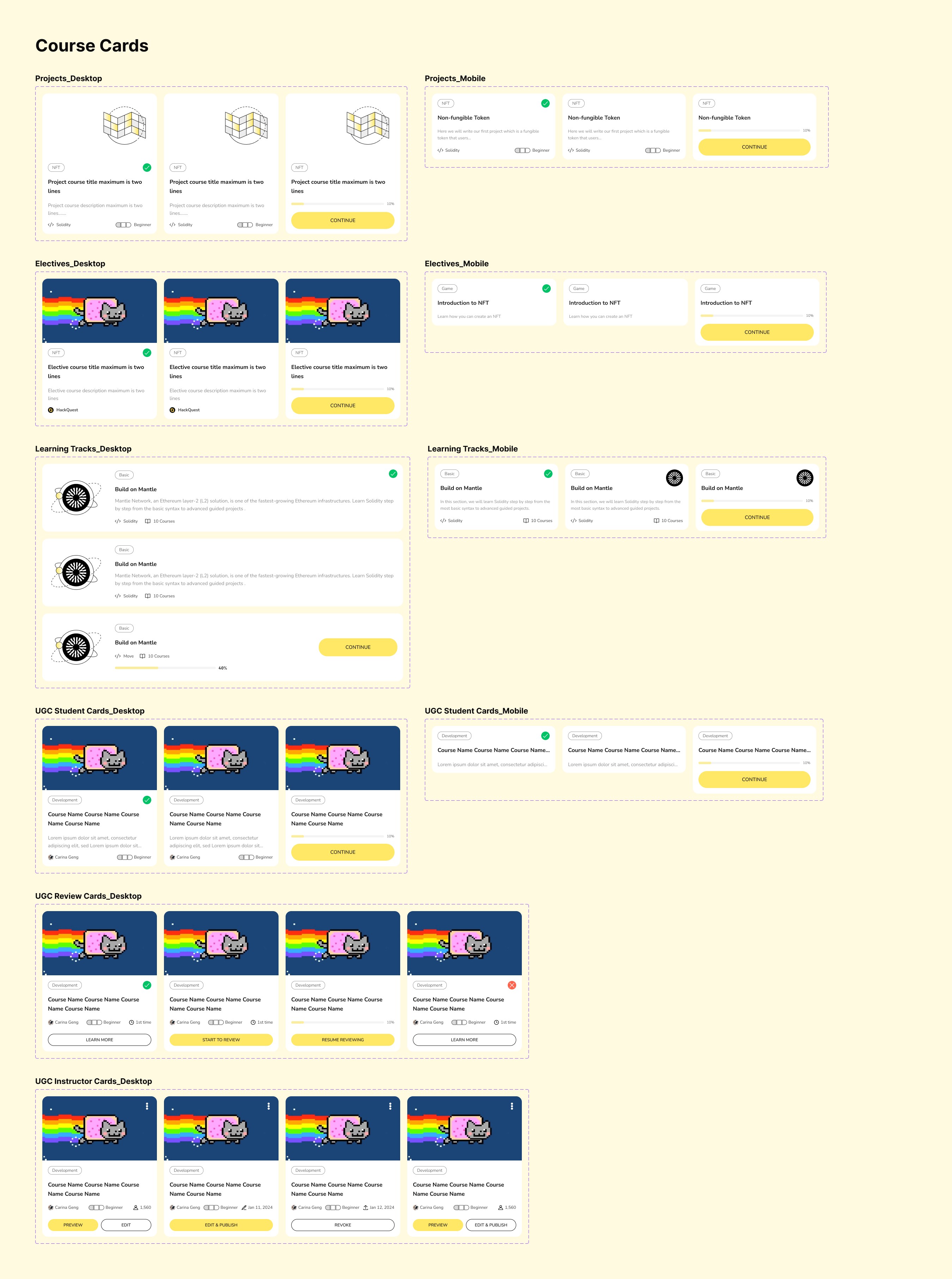
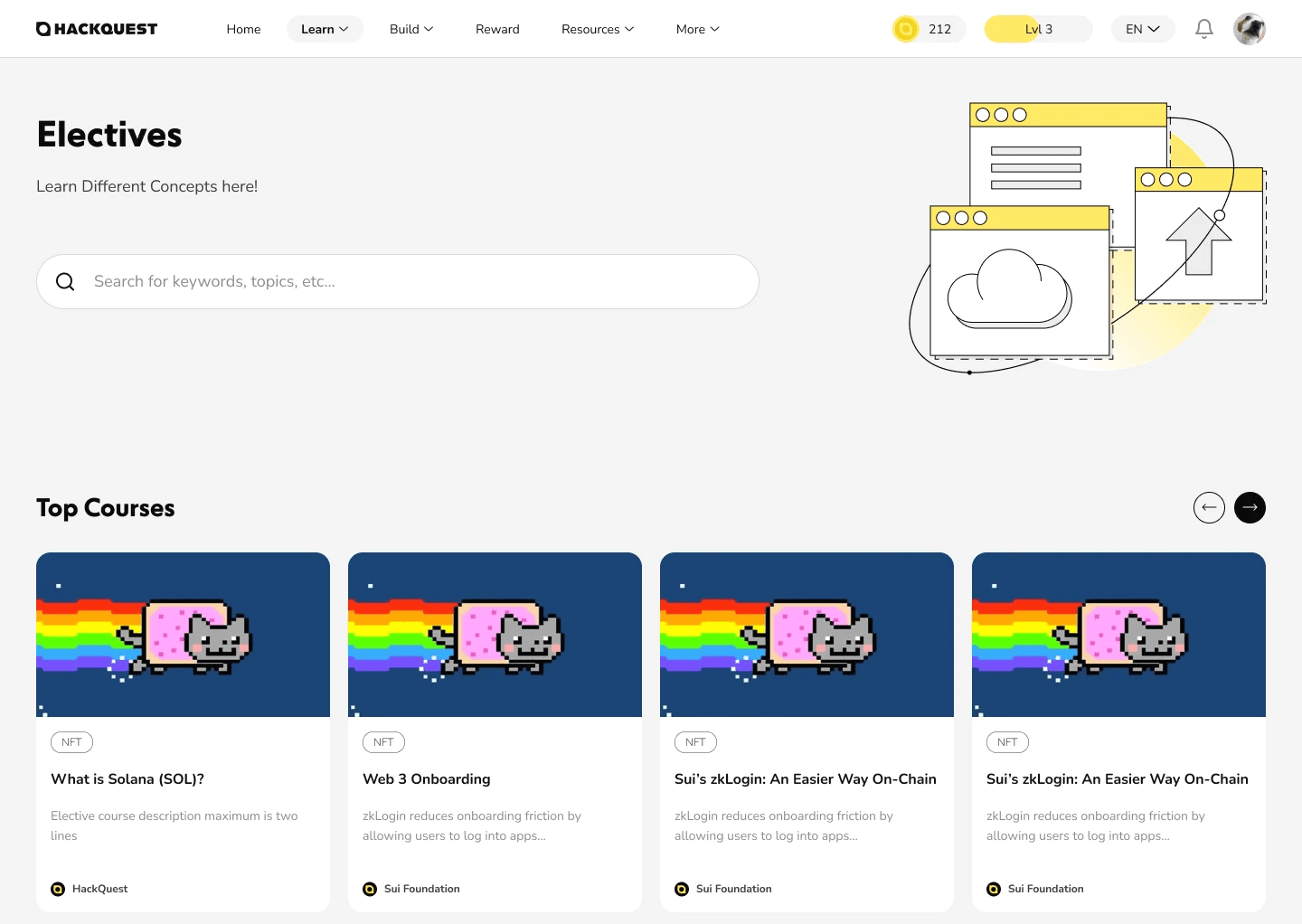
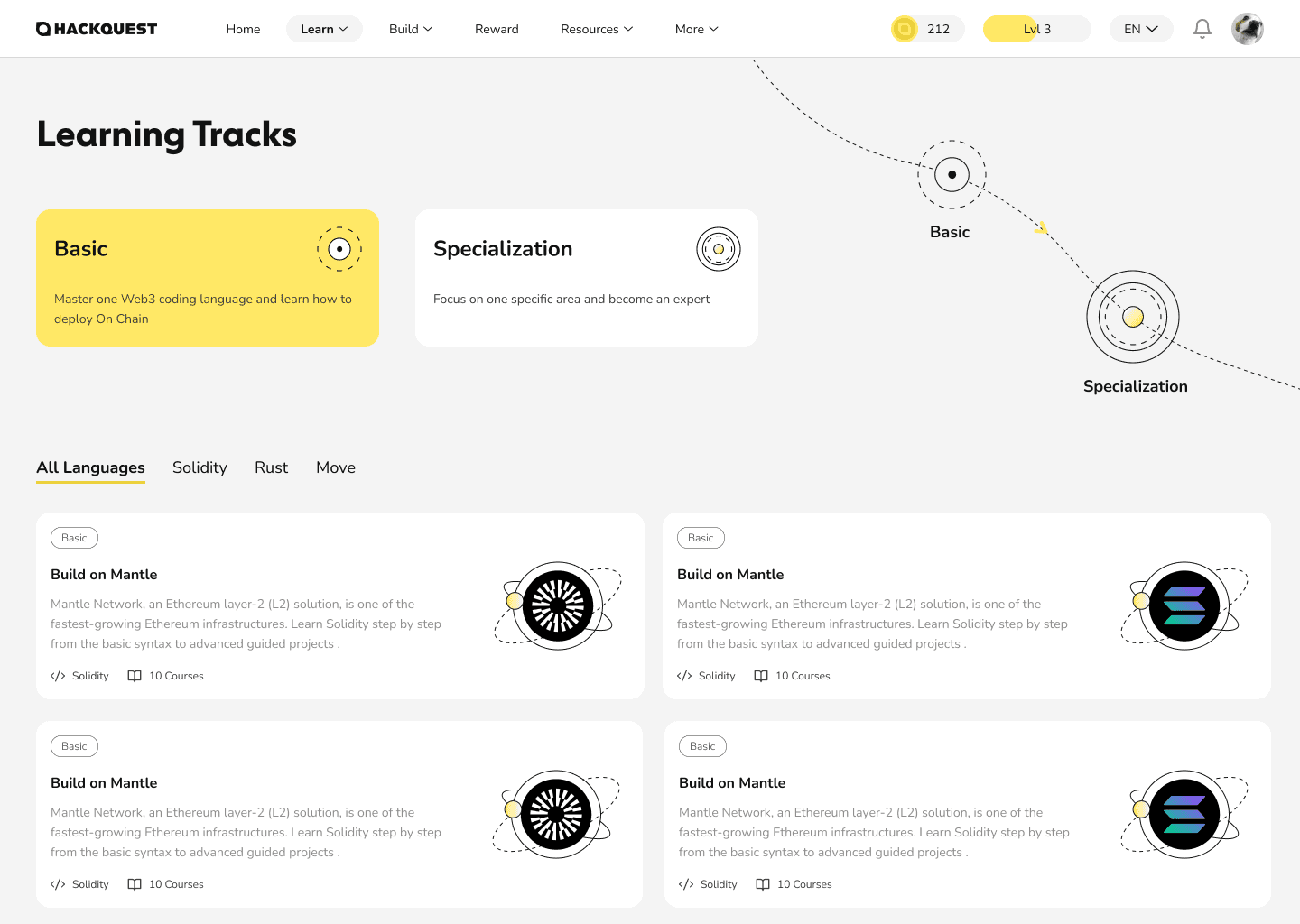
To help users quickly choose the right learning path, I designed the course discovery experience around two distinct structures: Learning Tracks and Electives.
Learning Tracks offer a guided, sequential journey that reduces decision fatigue and gives learners a clear sense of progression, while Electives support flexible, topic-based exploration for more experienced users.
This structure balances clarity and flexibility, allowing different learner mindsets to navigate the platform with confidence.

Course Syllabus & Progress Tracking
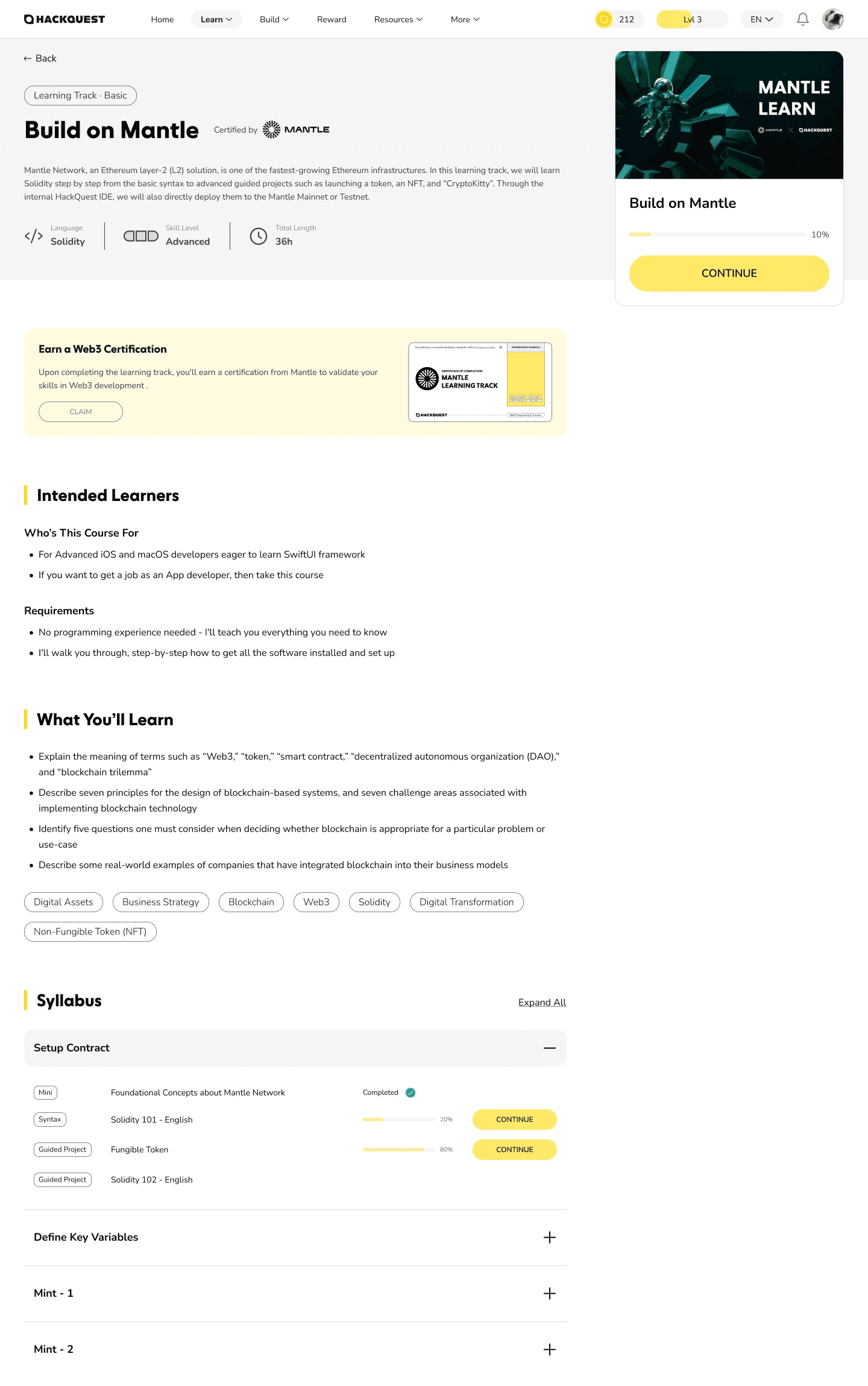
This page is designed to give learners a clear understanding of what they will learn, how the course is structured, and where they currently are. The syllabus breaks down the course into manageable sections, helping users set expectations before they begin.
Throughout the course, learners can track their progress and seamlessly resume where they left off, reducing friction in long-term learning. Upon completion, users can claim a Web3 certificate that serves as a tangible representation of their skills and achievements, reinforcing motivation and closing the learning loop.
Learning Experience
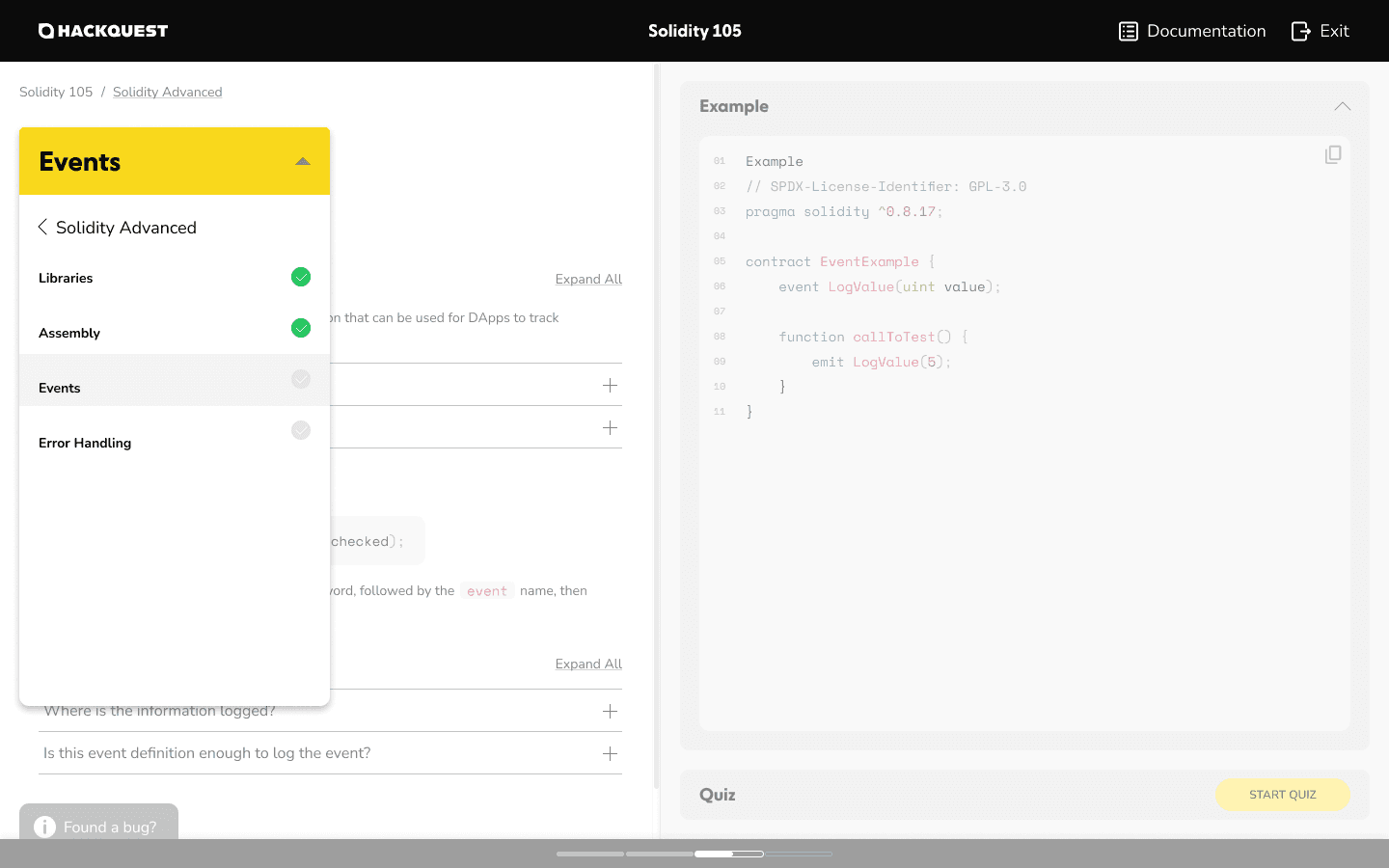
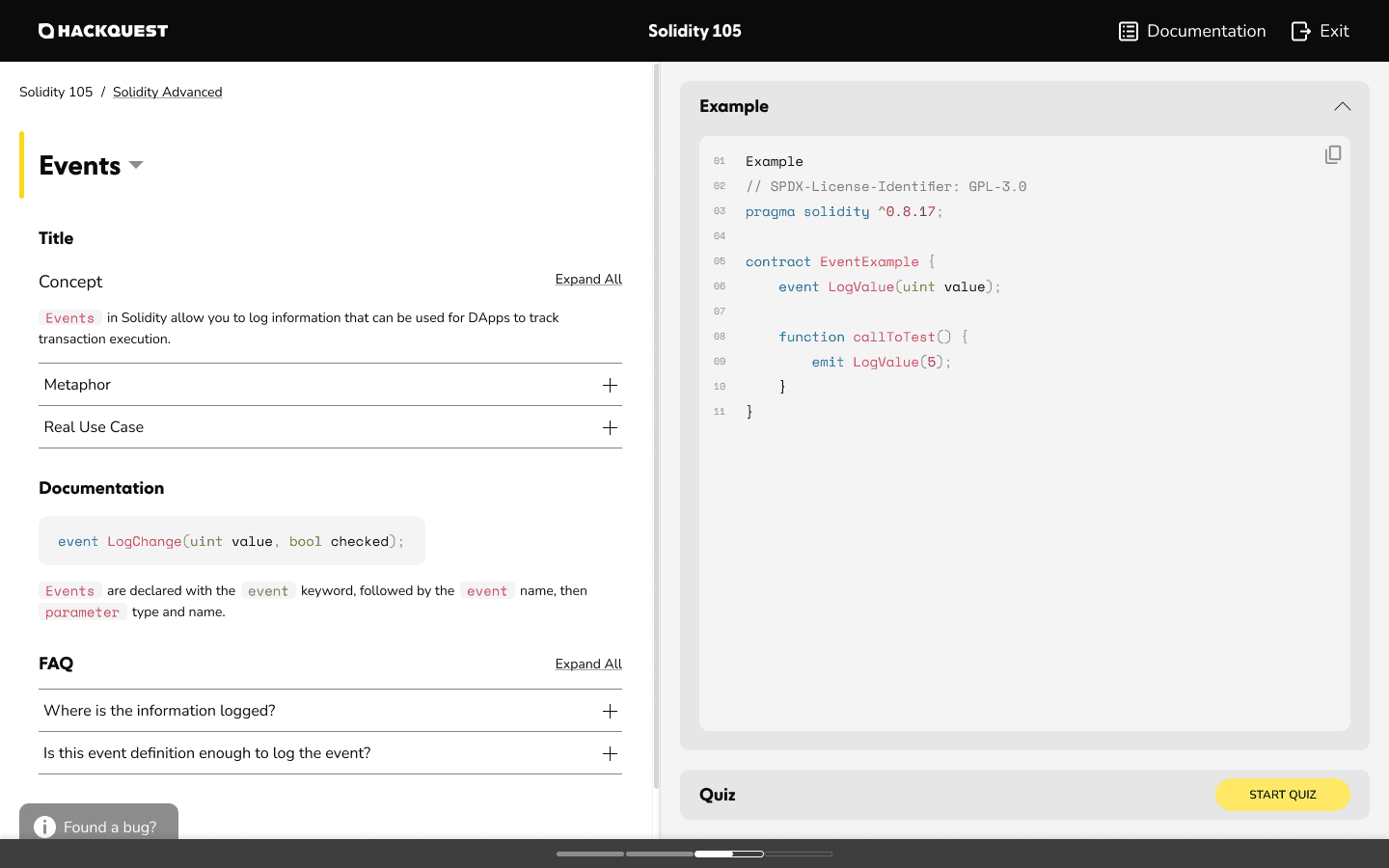
The learning page is designed to tightly couple knowledge consumption and hands-on practice. Core learning content is placed on the left, while examples and quizzes are positioned on the right, allowing users to immediately apply what they learn without losing context.
Learners progress by completing quizzes tied to each knowledge unit, creating a clear sense of completion before moving forward. A chapter dropdown enables quick navigation across sections, while the persistent progress bar at the bottom continuously communicates learning status and momentum.
This layout supports focused learning, reduces cognitive overload, and reinforces steady progress throughout the course.
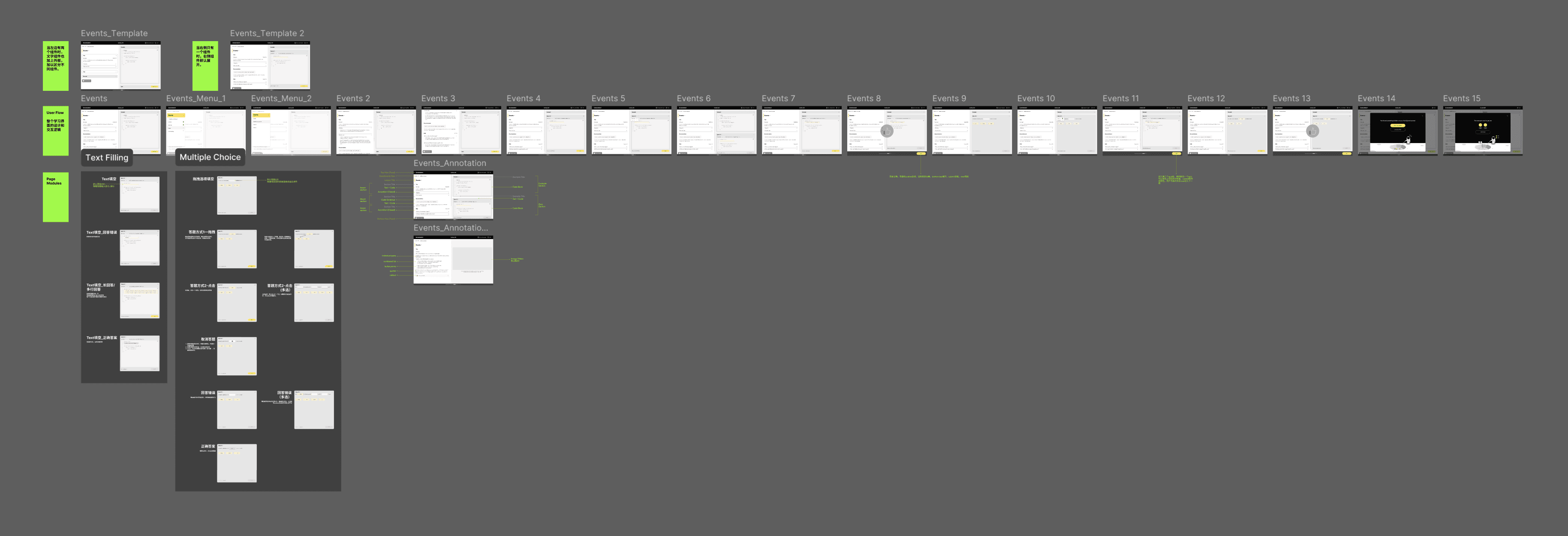
The End-to-End Learning Workflow
\ B2B Feature - Teach
Enabling Scalable Course Creation for Instructors and Ecosystem Partners
User Profile
Primary users: Web3 instructors, ecosystem partners, and experienced developers
Goals: create and publish structured courses at scale
Context: non-designers building educational content within a complex platform
Design Requirements
Flexible creation tools to support different teaching styles and content types
Clear course structure to ensure consistency across all published content
Scalable workflows that enable partners to create and maintain courses efficiently
Instructor Dashboard
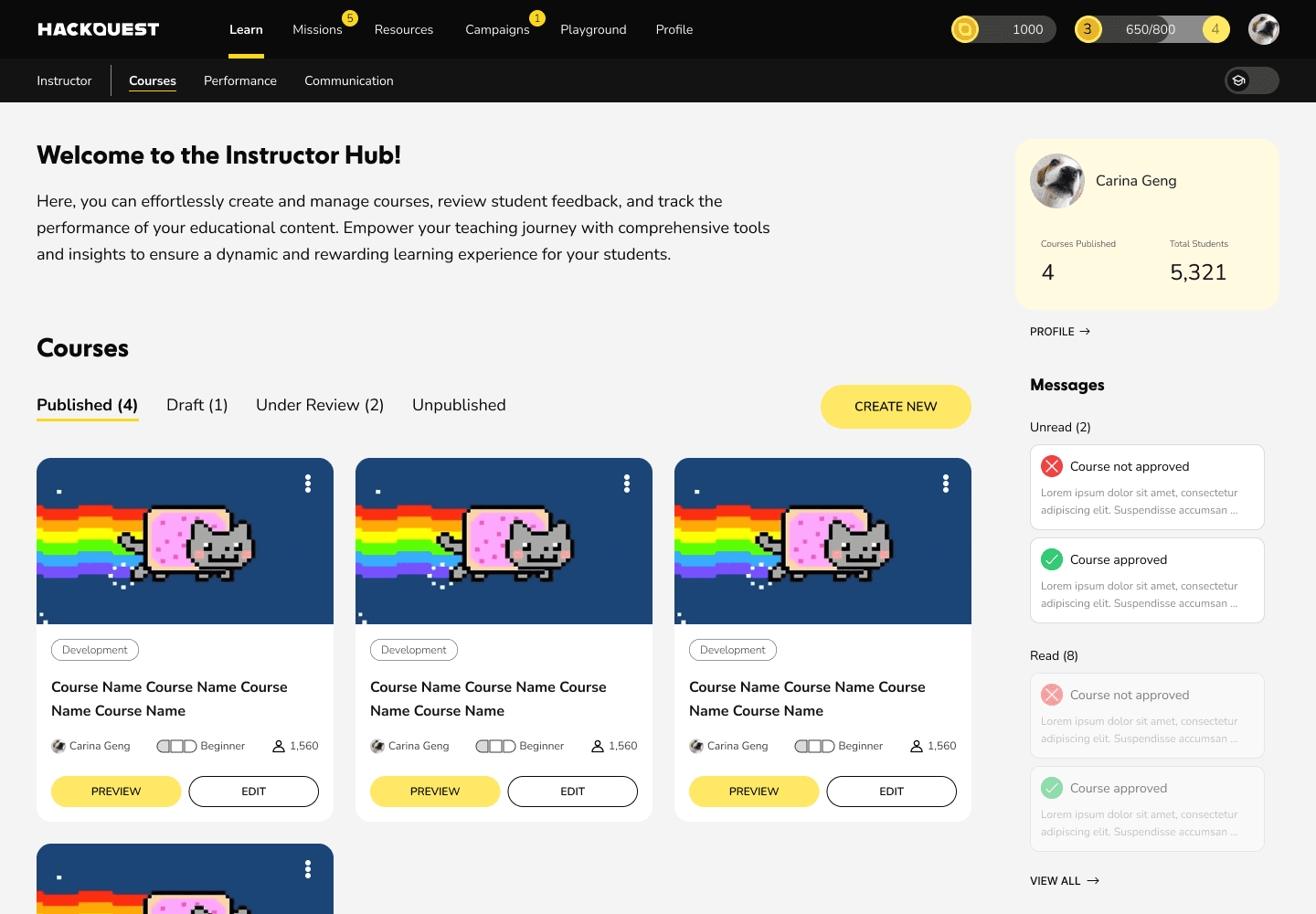
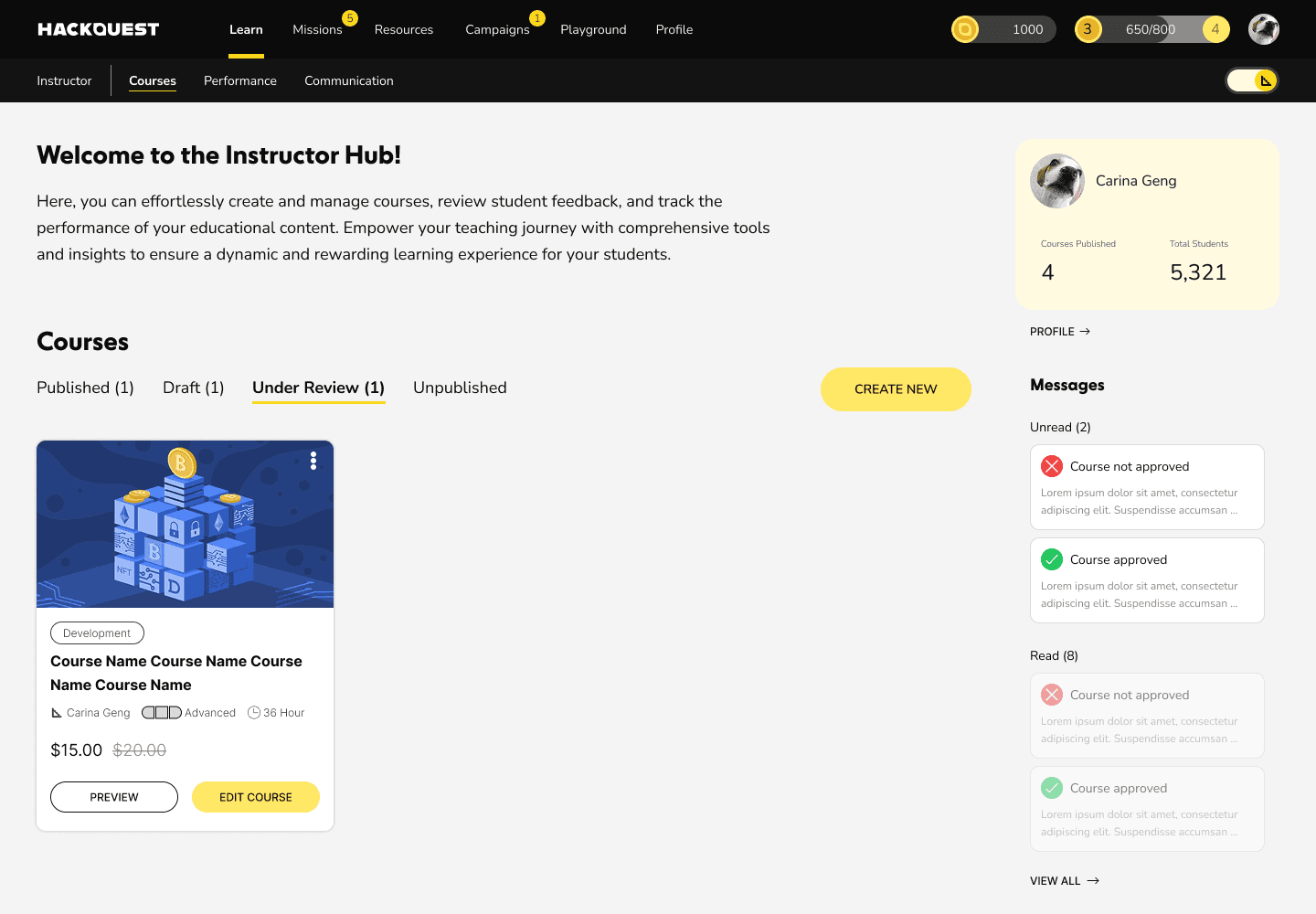
This instructor dashboard provides a clear overview of all courses across different lifecycle states, including published, draft, unpublished, and under-review courses. Instructors can quickly manage existing content or start creating new courses from a single entry point.
Lightweight metrics such as total courses created and total learners provide immediate feedback on teaching impact, while the message panel surfaces review results and system notifications, keeping instructors informed without interrupting their workflow.
A dark-themed navigation distinguishes the creation environment from the learner experience, reinforcing role-based context switching between teaching and learning.
Course Creation Flow
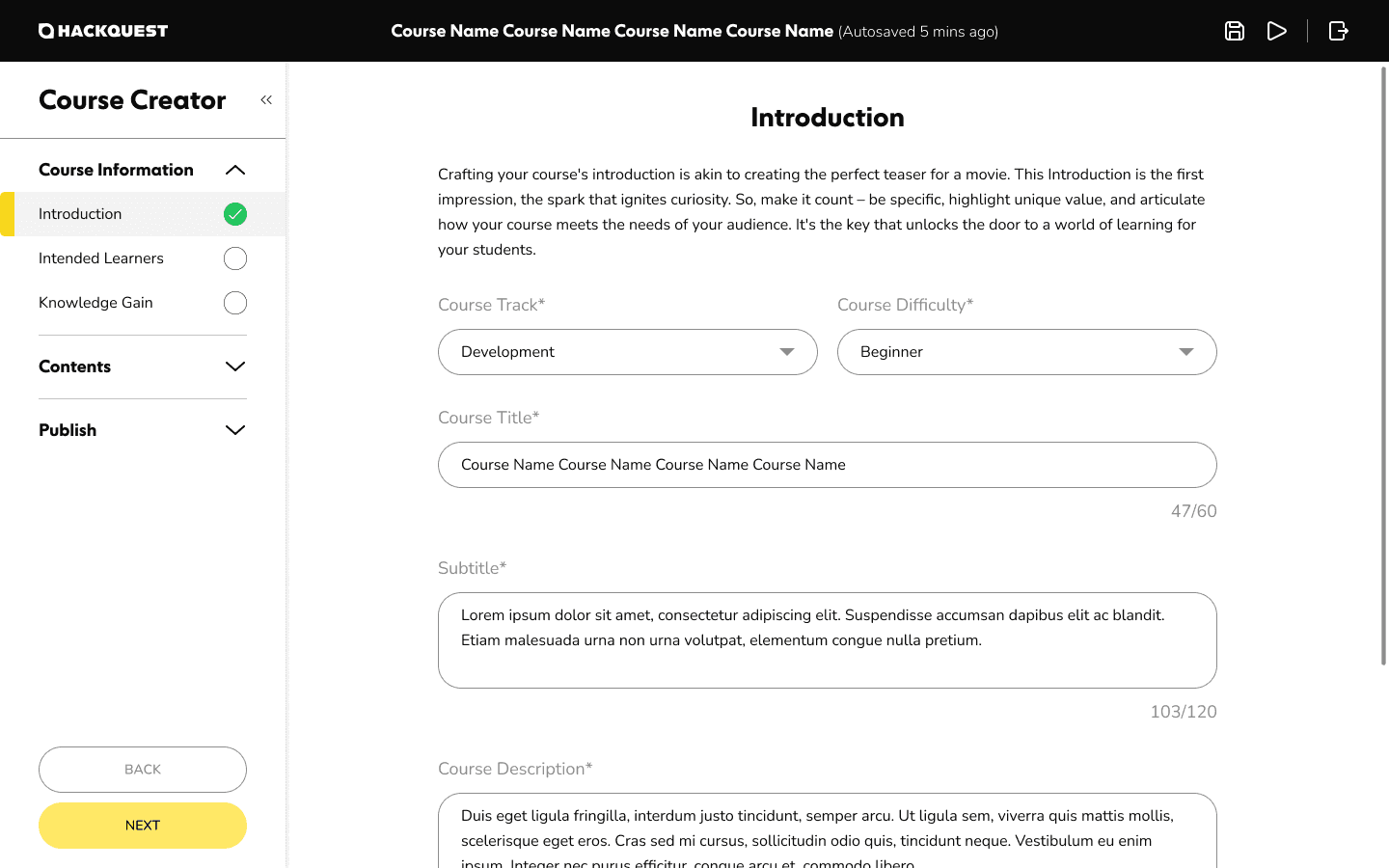
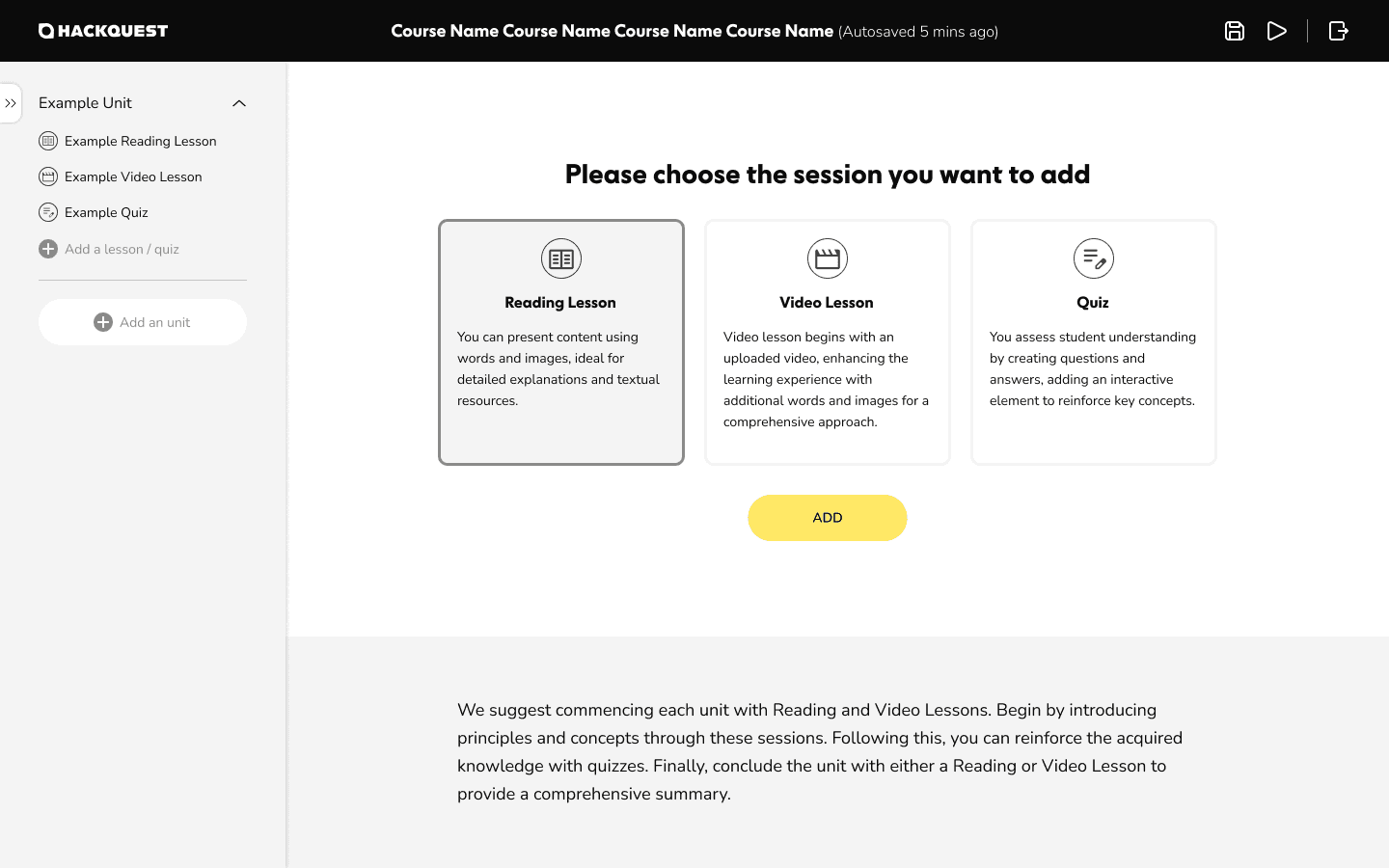
The course creation flow guides instructors step by step through setting up course information and building individual lessons. Instead of presenting a blank canvas, the system provides pre-built lesson templates—including reading, video, and quiz examples—so instructors can immediately understand the expected structure and content format.
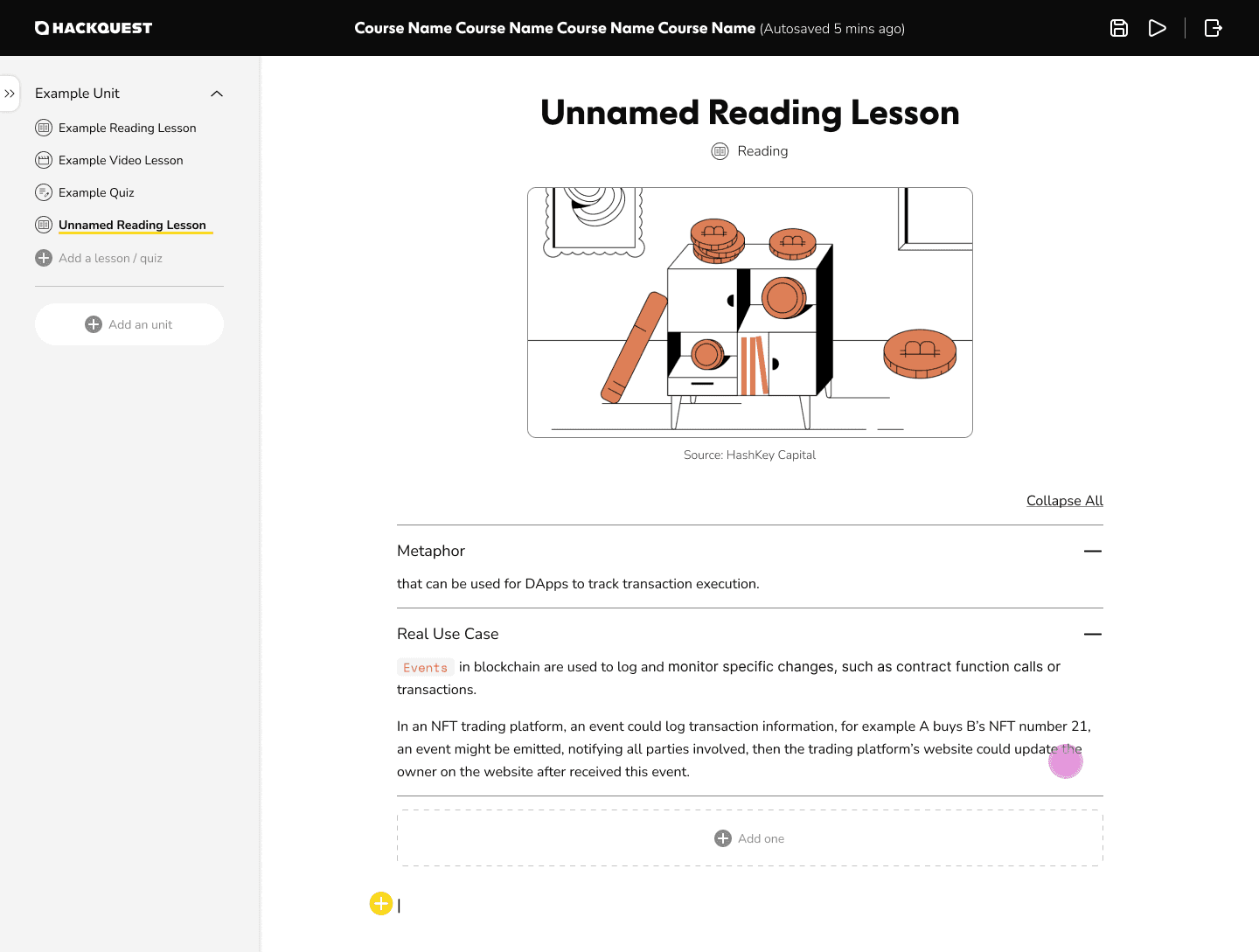
From these examples, instructors can create new lessons by selecting the same content types, ensuring consistency while allowing flexibility. A full set of rich text and media tools supports diverse teaching needs, including images, videos, code blocks, accordions, and structured text elements. Interactive components such as code fill-in and multiple-choice questions enable instructors to design practice-driven learning experiences.
The layout separates navigation and content clearly: a persistent left-side navigation helps instructors manage lesson structure, while the main content area on the right focuses on writing and configuration. This structure reduces cognitive load and keeps instructors oriented as courses grow in size and complexity.
Review & Approval Workflow
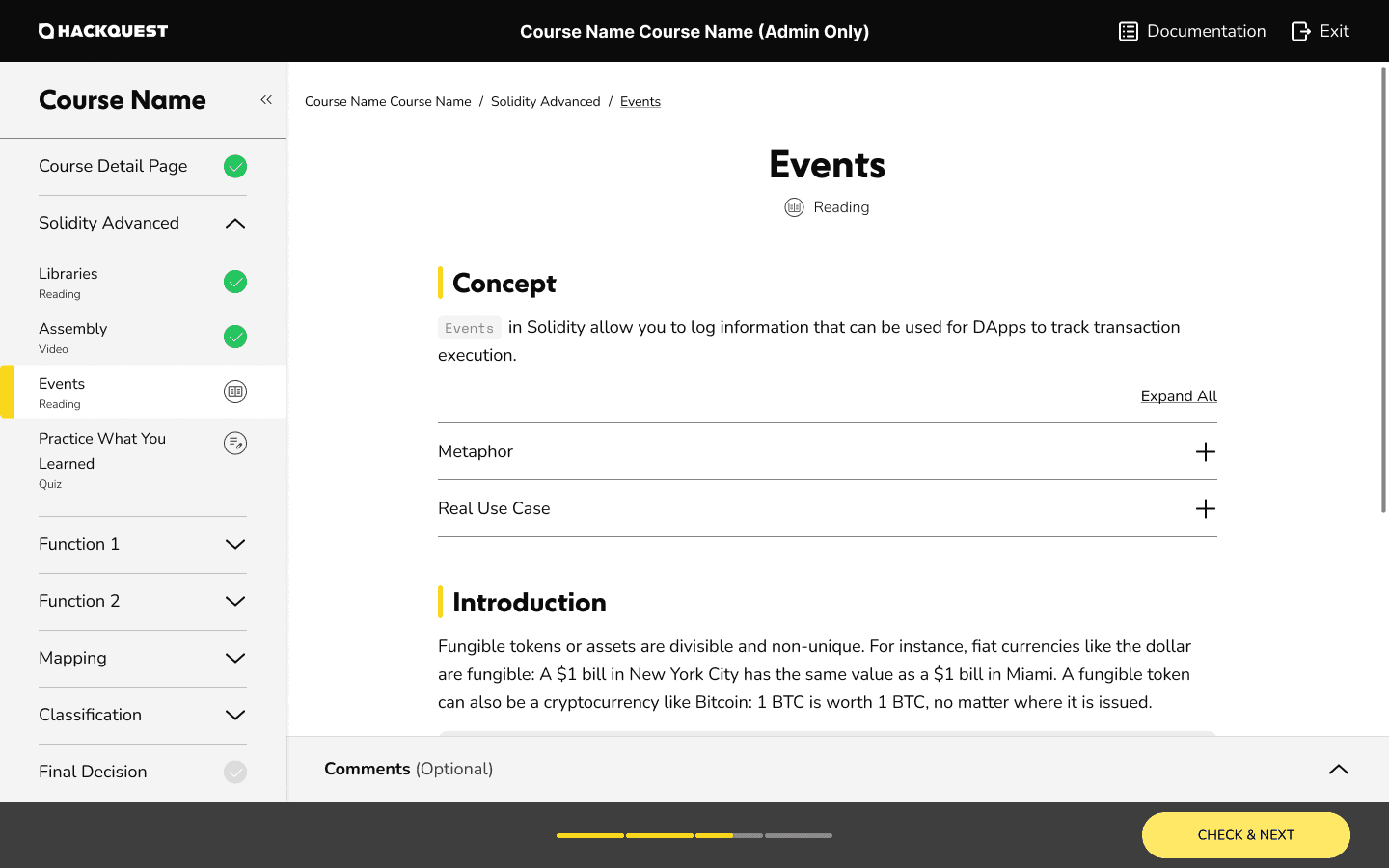
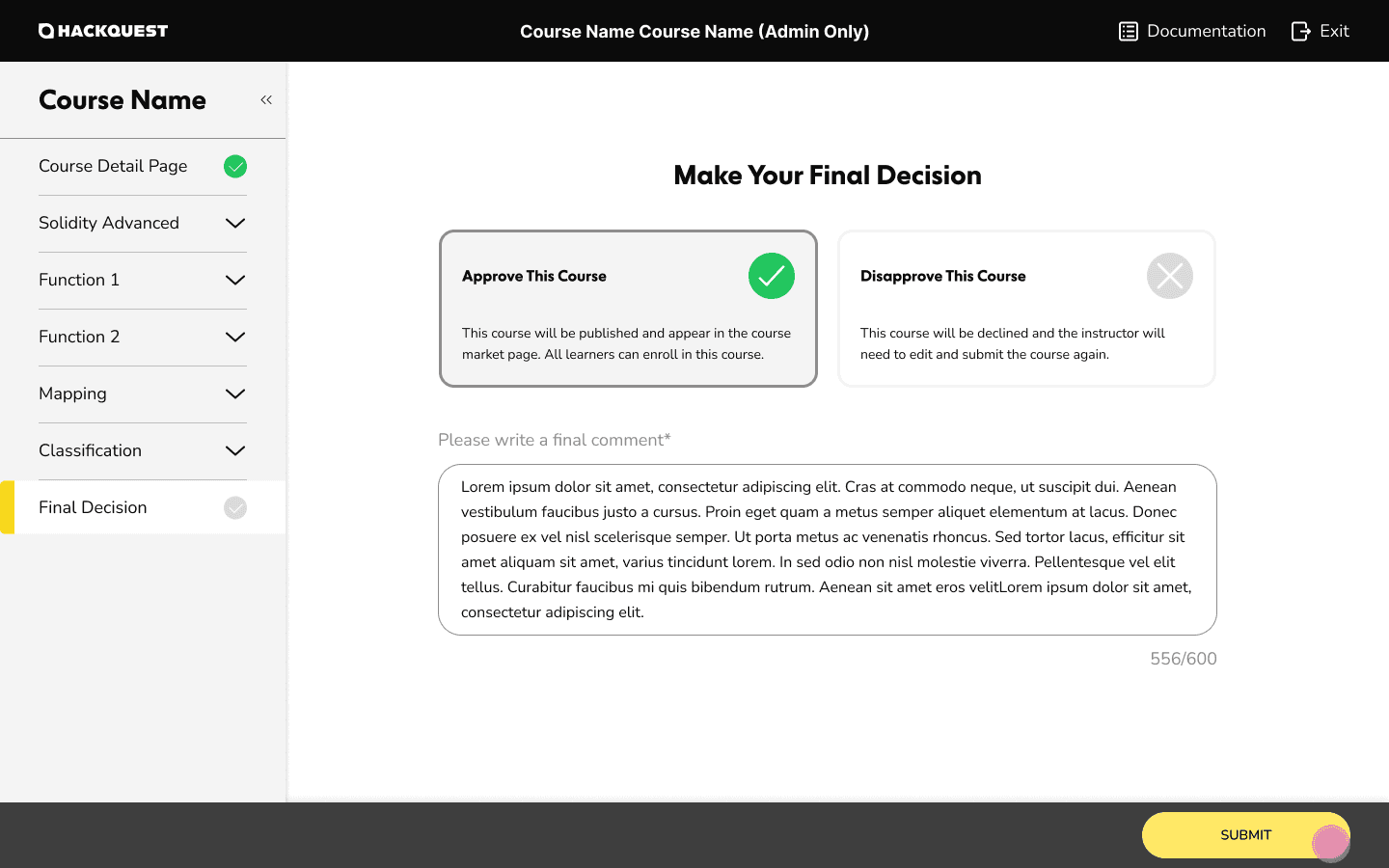
This review flow supports HackQuest administrators in evaluating instructor-submitted courses before publication. Admins can navigate through all submitted lessons and exercises, review content section by section, and ensure each course meets platform standards.
The left-side navigation tracks review progress by marking viewed sections, while the main content area displays lesson details and quiz items. Admins can leave targeted comments on individual sections and make a final approval or rejection decision at the course level.
Approved courses are published to the HackQuest platform, while rejected submissions are returned to instructors with clear feedback for revision. This workflow enables consistent quality control while maintaining a transparent and collaborative review process between platform and instructors.
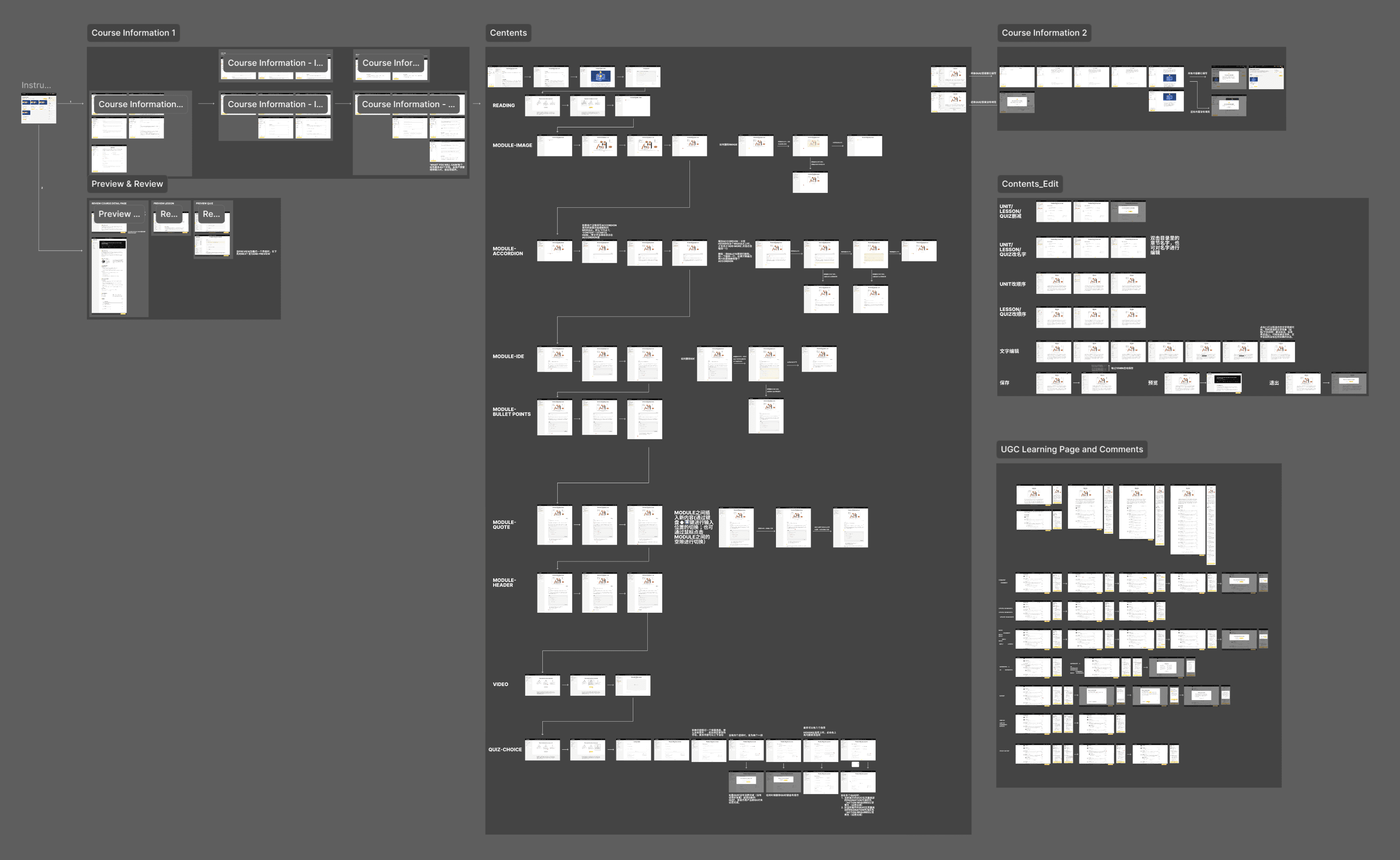
The End-to-End Teaching Workflow
\ Multi-Sided Feature - Hackathon
Designing End-to-End Workflows for Events, Collaboration, and Delivery
User Profile
Organizers: Web3 ecosystems and partners creating and managing hackathons
Participants: developers and learners joining events, completing tasks, and submitting projects
Admins: platform operators ensuring smooth execution and quality control
Design Requirements
Role-based experiences tailored to organizers, participants, and admins
Clear event structure that communicates rules, tasks, timelines, and progress
Scalable workflows supporting repeated hackathons with different configurations
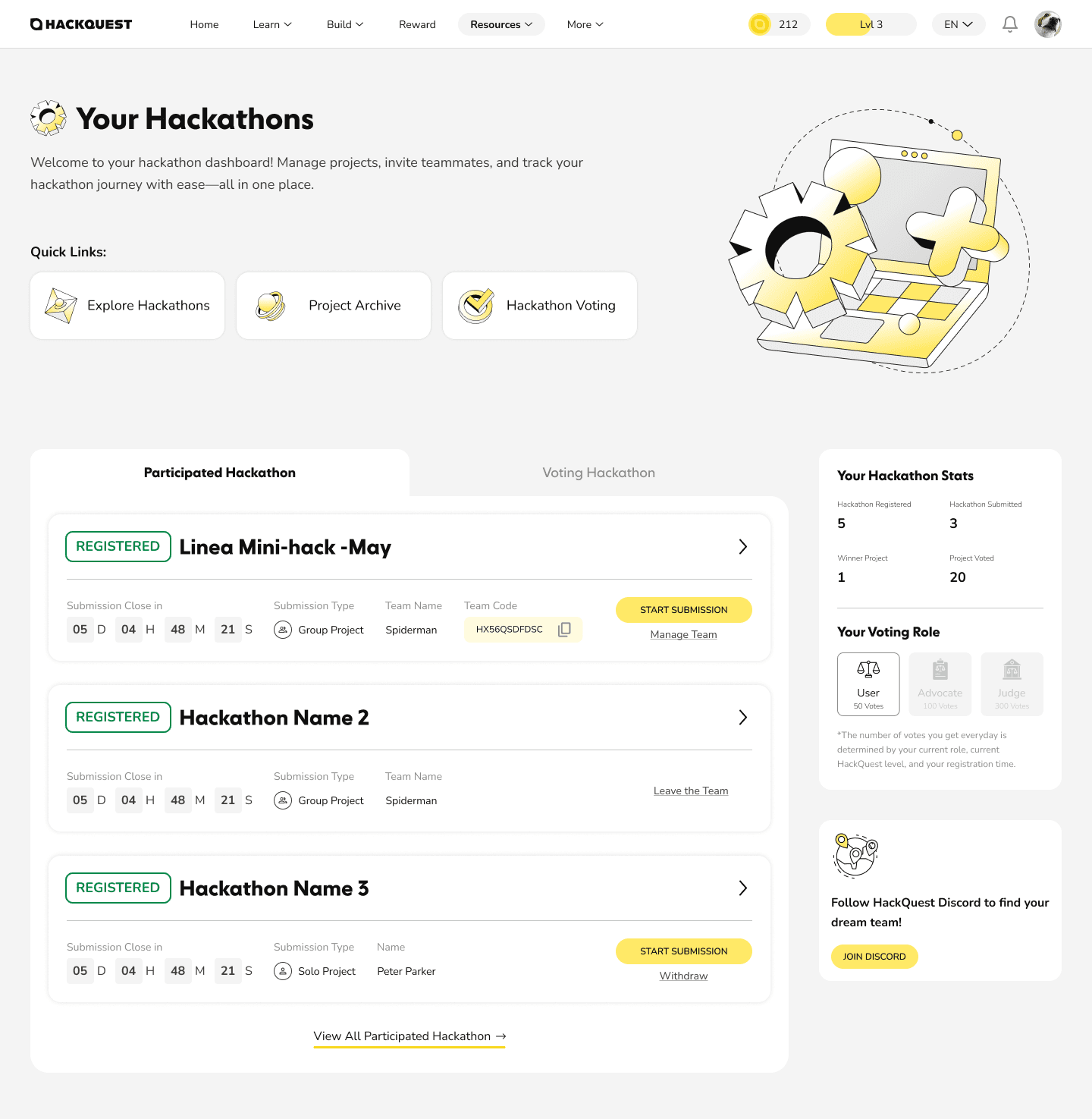

Hackathon Dashboard — Participant View
This dashboard serves as the central hub for participants to manage their hackathon activities. Users can view active and past hackathons, track participation status, and monitor key hackathon stats at a glance.
The dashboard also functions as a set of clear entry points into core actions, including exploring new hackathons, submitting projects for ongoing events, reviewing past submissions, and participating in voting for awarded projects.
By consolidating status awareness and next-step actions into a single surface, this experience helps participants stay oriented, reduce friction, and remain engaged throughout the hackathon lifecycle.
Register & Submit Project - Participant View
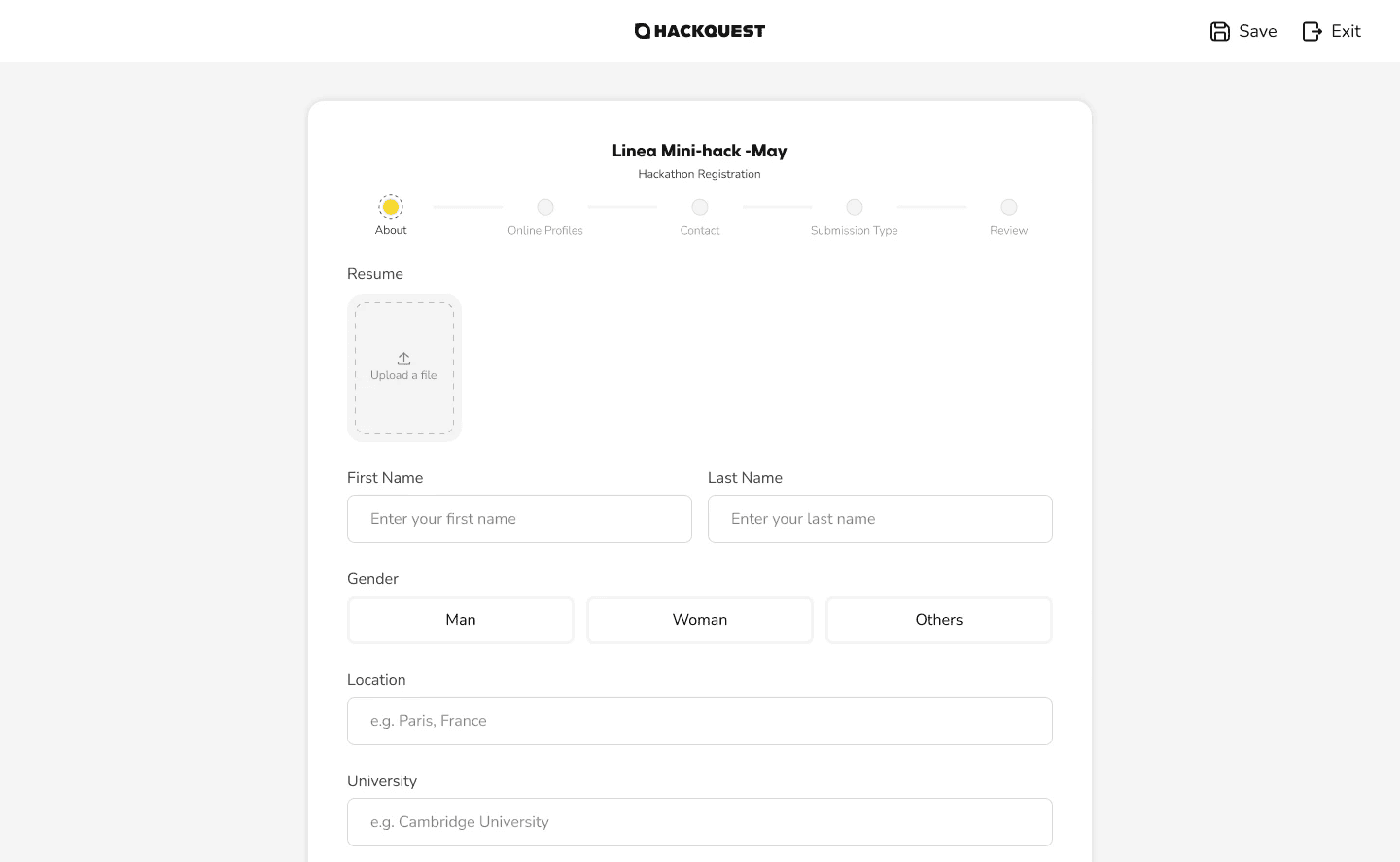
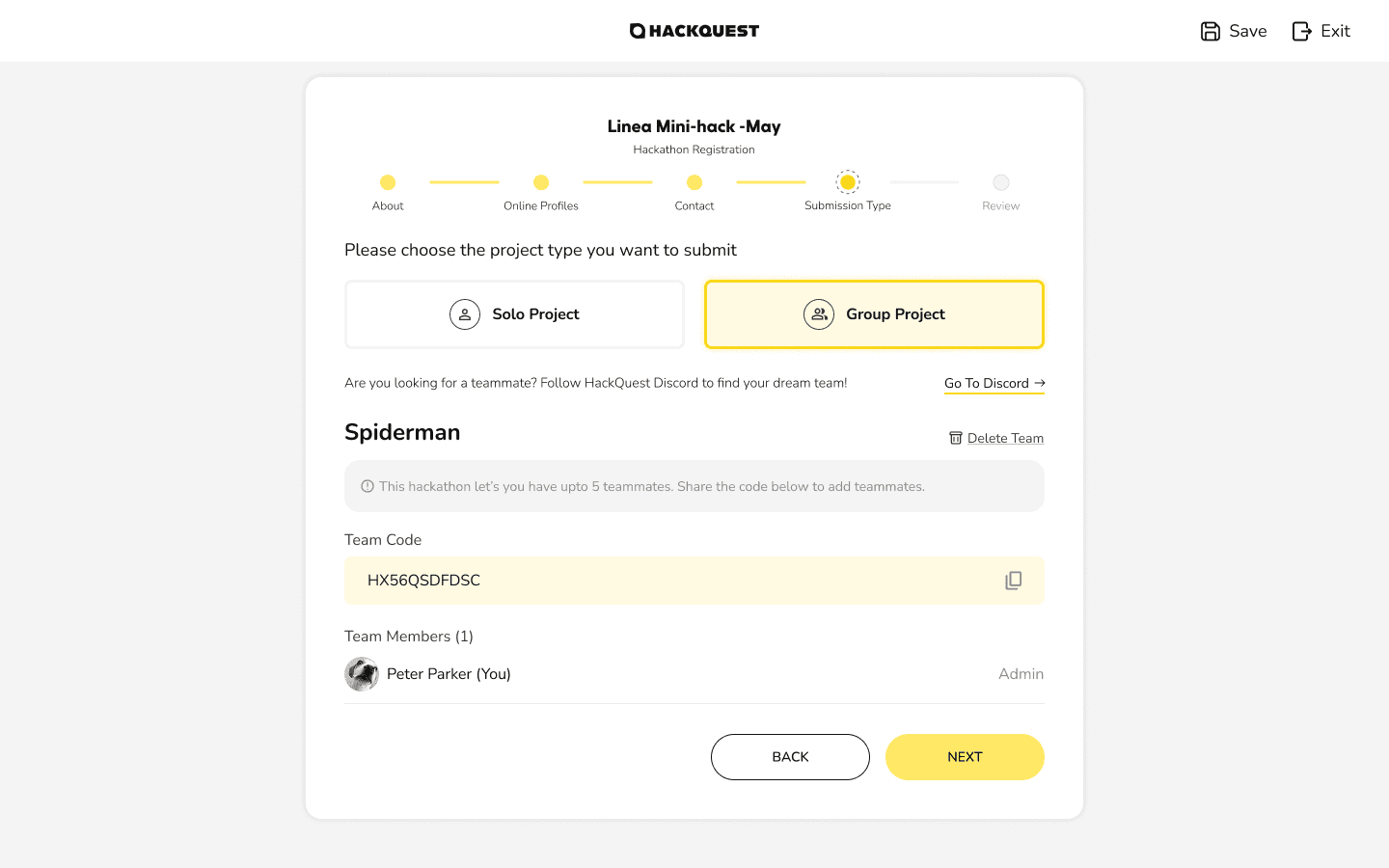
This page guides participants through a step-by-step flow to register for a hackathon and submit their final project. The process breaks complex requirements into clear, manageable steps, helping users understand what information is needed and when.
By structuring submission as a guided workflow, the design reduces friction at a critical moment and supports successful project delivery without overwhelming participants, even under tight hackathon timelines.
Voting System — Participant View
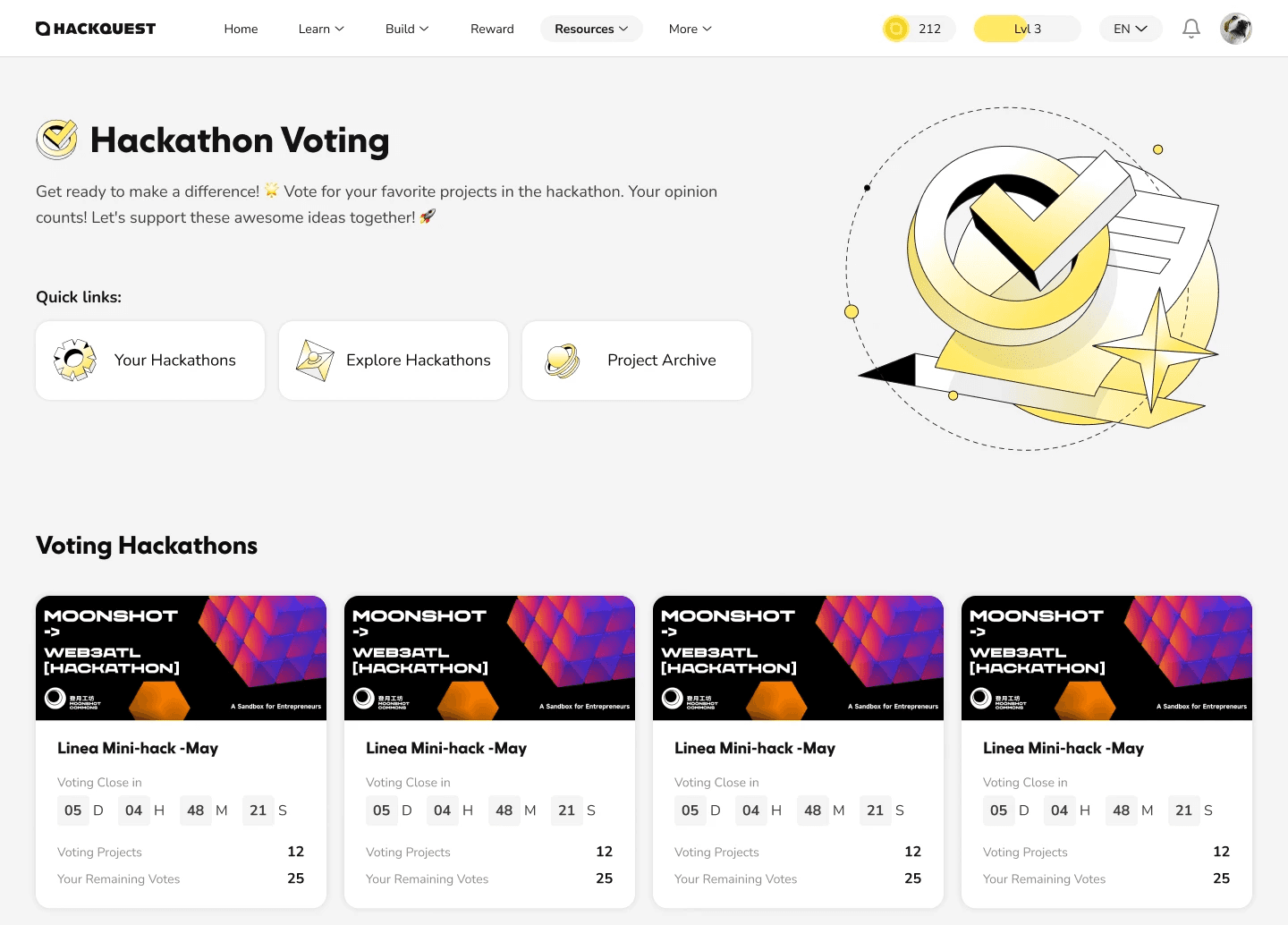
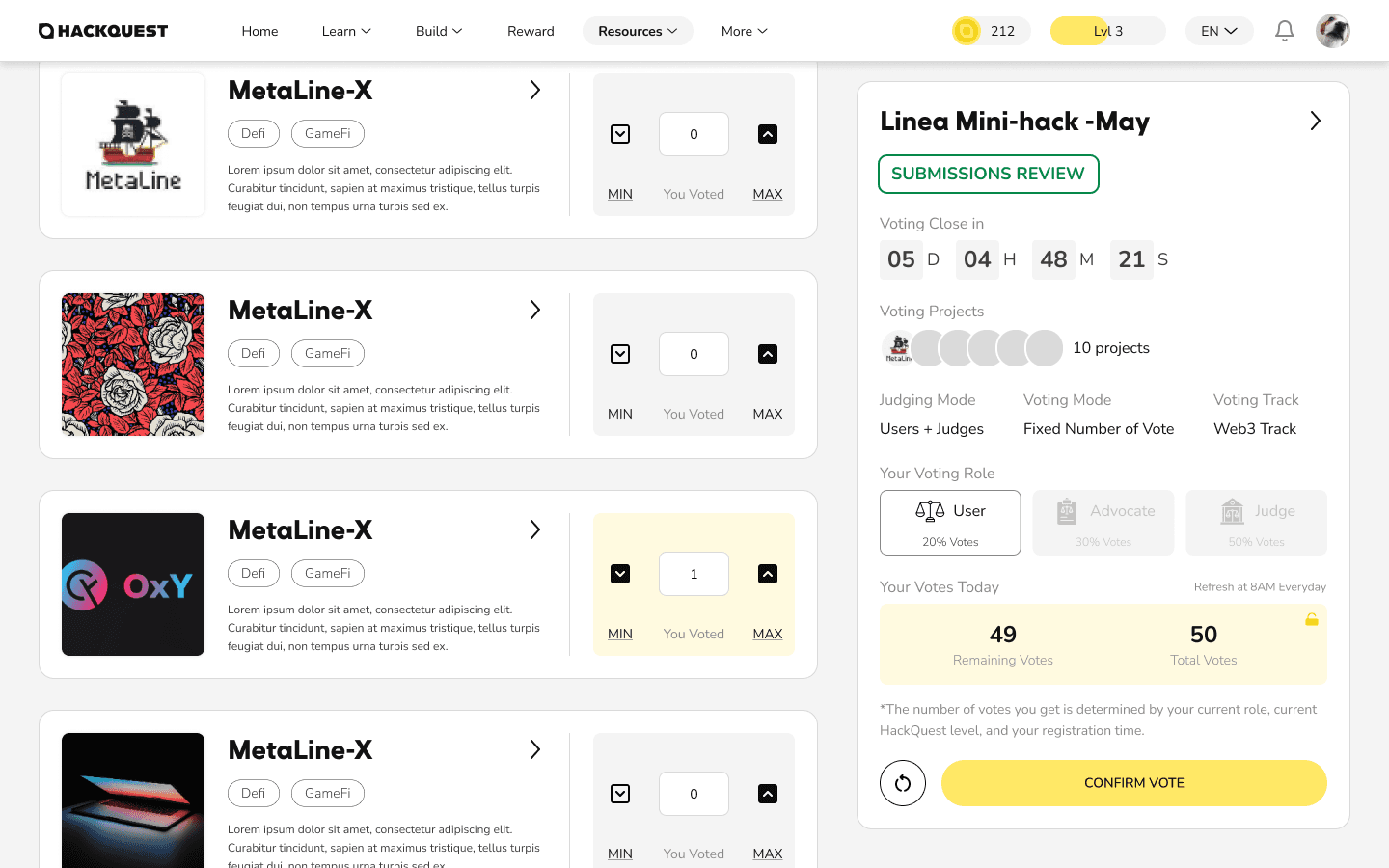
Hackathon Voting enables participants to discover active hackathons open for voting and evaluate submitted projects within a structured voting system. Once inside a hackathon, users can review all submitted projects and cast votes based on their assigned role and activity level.
Voting rules and constraints are surfaced clearly on the right side, including role-based voting power, remaining votes, total vote allowance, and a real-time countdown. Users can adjust votes per project with incremental controls or quickly allocate votes using max and min actions.
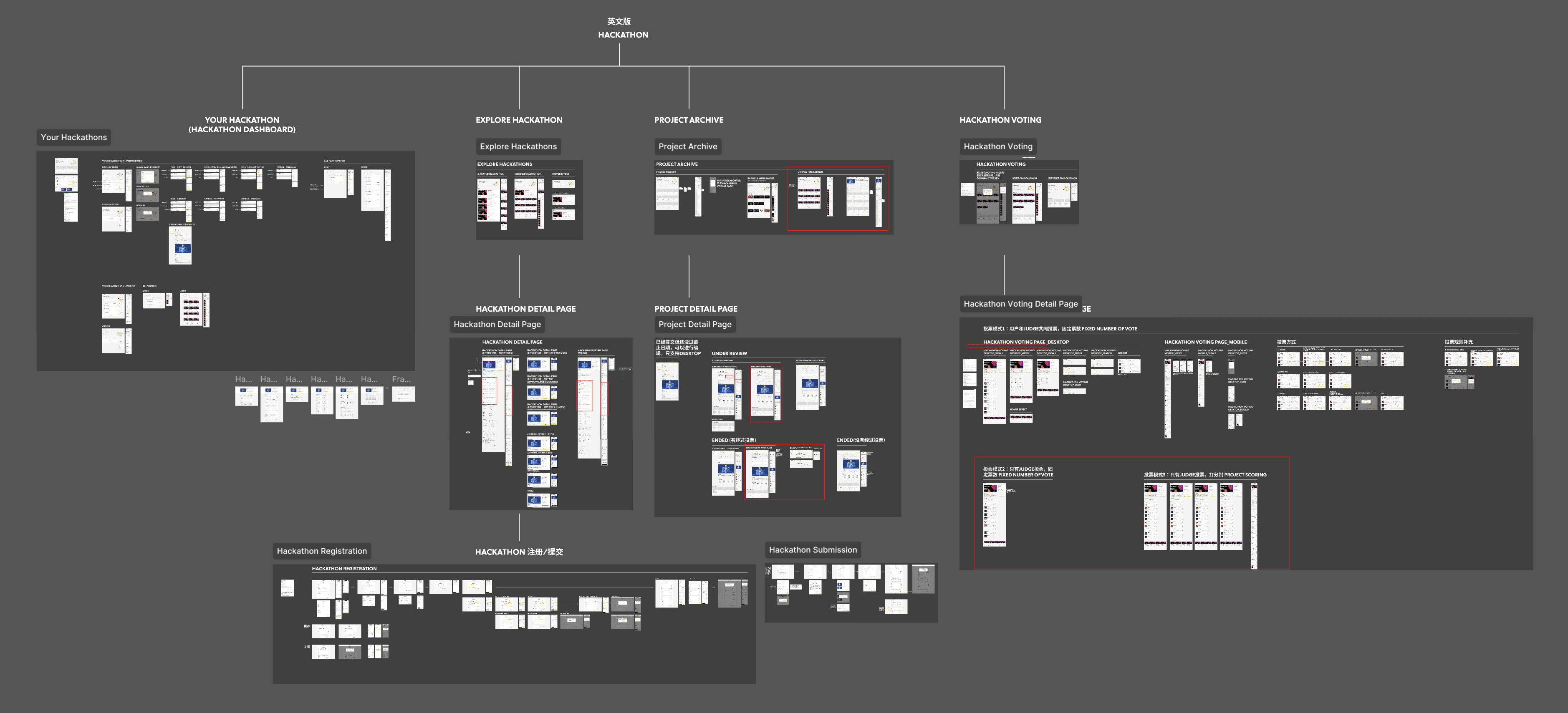
The End-to-End Hackathon Workflow for Participants
Hackathon Dashboard — Organizer View
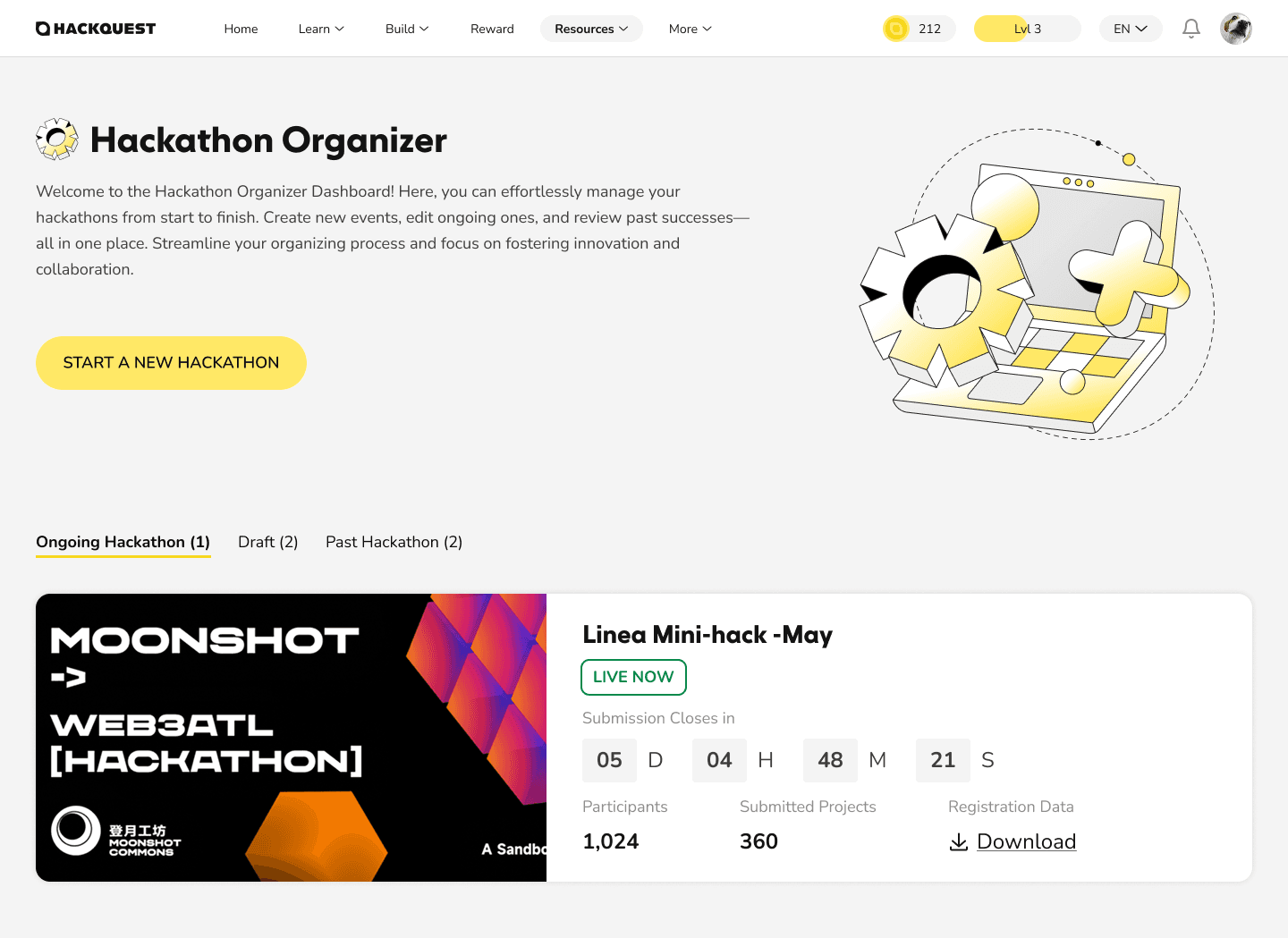
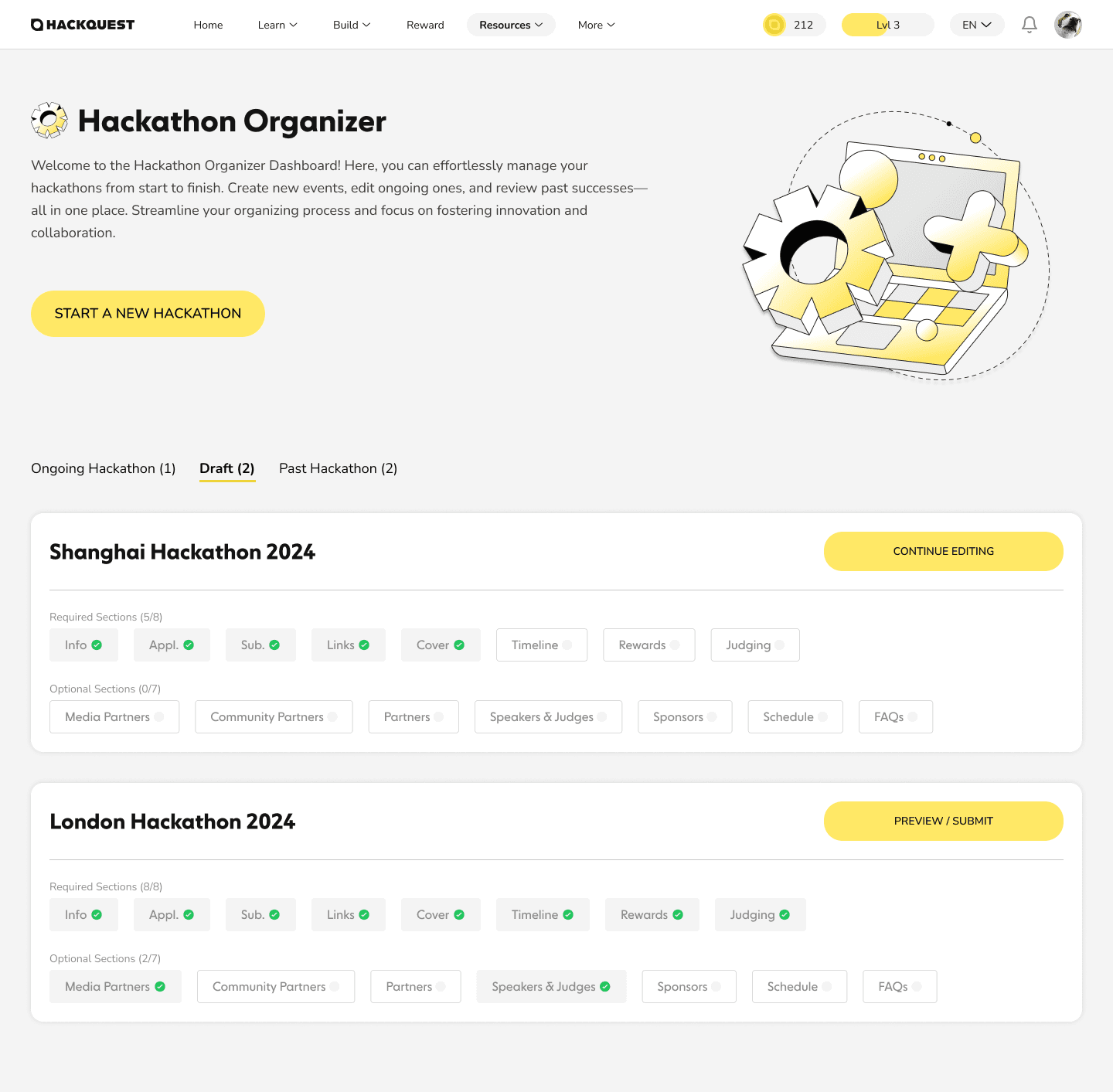
This dashboard provides organizers with a centralized view to manage all hackathons they have created, including active, draft, and past events. Organizers can quickly understand the status of each hackathon and take appropriate actions from a single workspace.
The dashboard also serves as the primary entry point for creating new hackathons, supporting efficient setup and ongoing management across multiple events. This structure enables organizers to operate hackathons at scale while maintaining clear visibility into each event’s lifecycle.
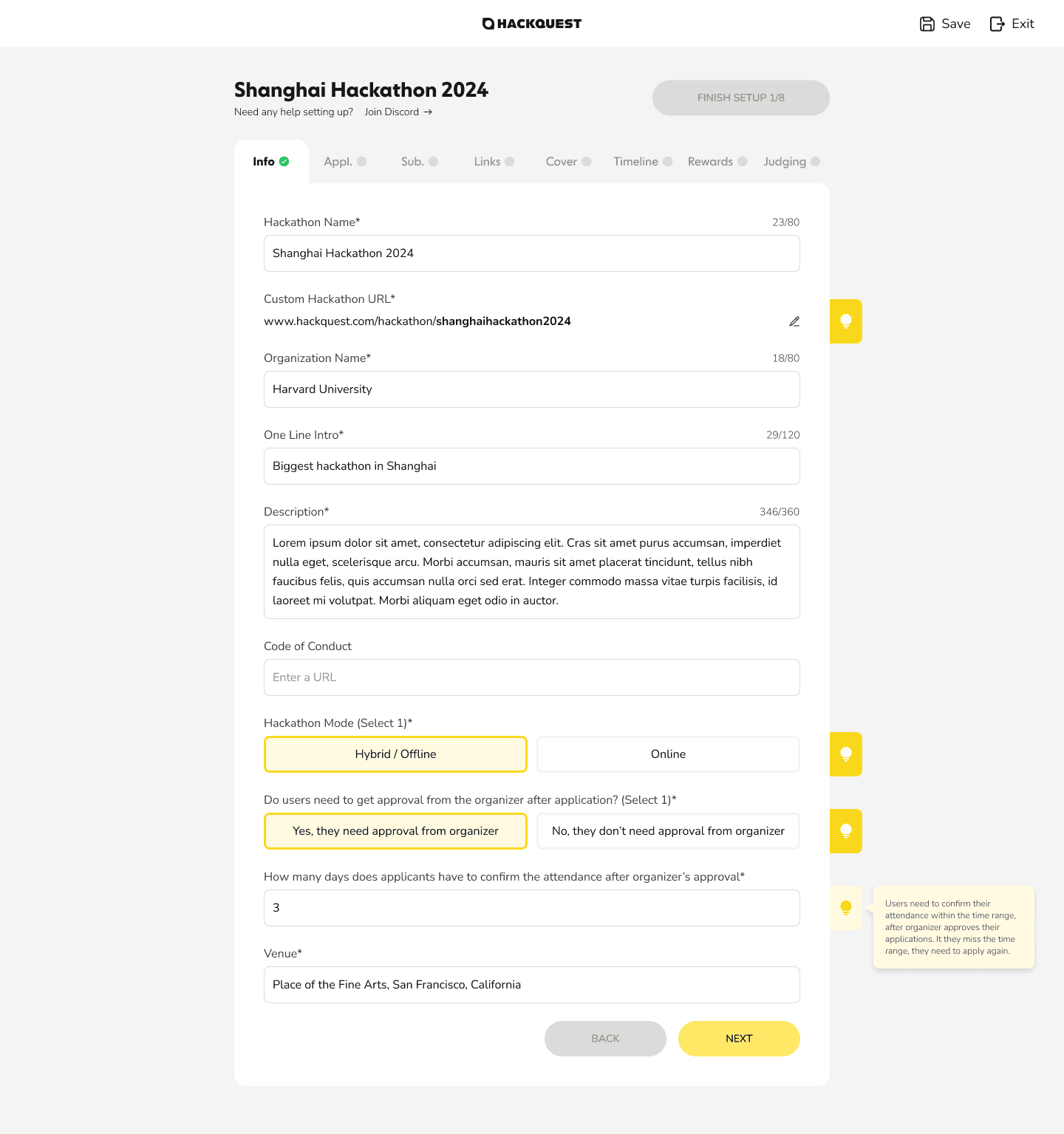
Create Hackathon — Organizer View
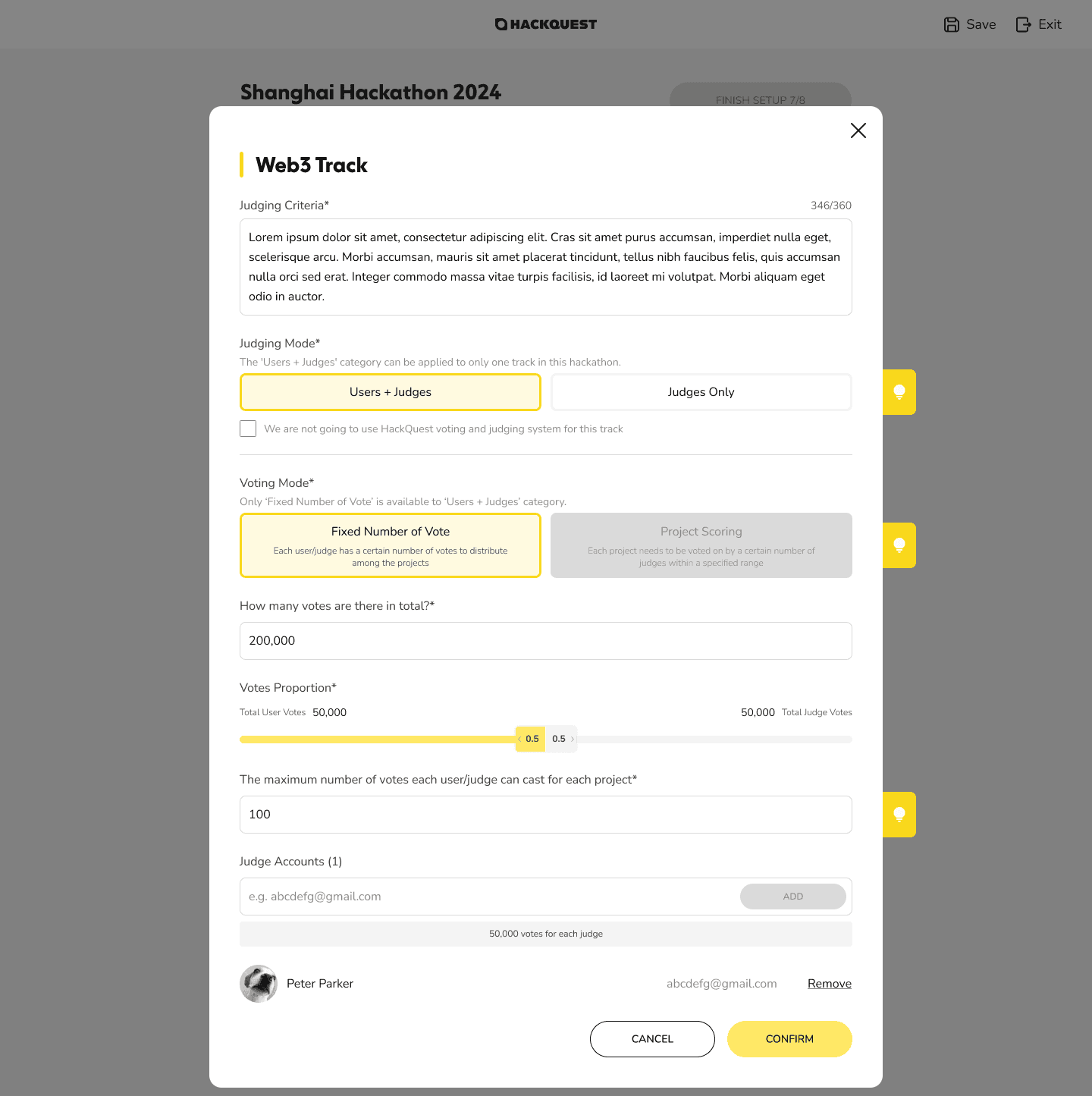
Hackathon creation is designed around progressive disclosure, breaking complex configuration into clear, step-by-step tabs. The top navigation helps organizers stay oriented as they move through the setup process.
Organizers complete each section with guided inputs and contextual tooltips, reducing uncertainty when defining rules, timelines, and requirements. Clear step transitions ensure the setup remains structured and manageable from start to finish.
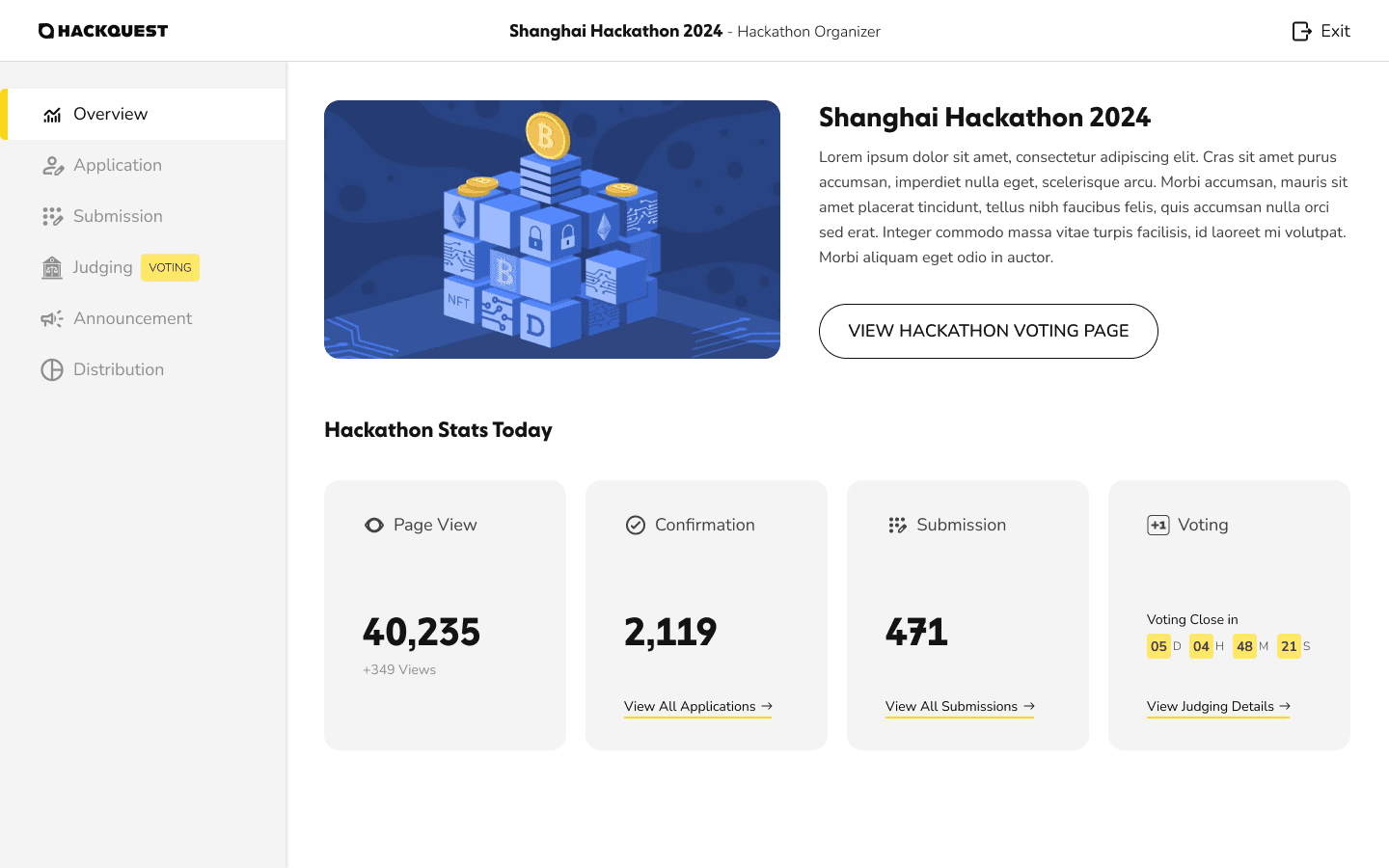
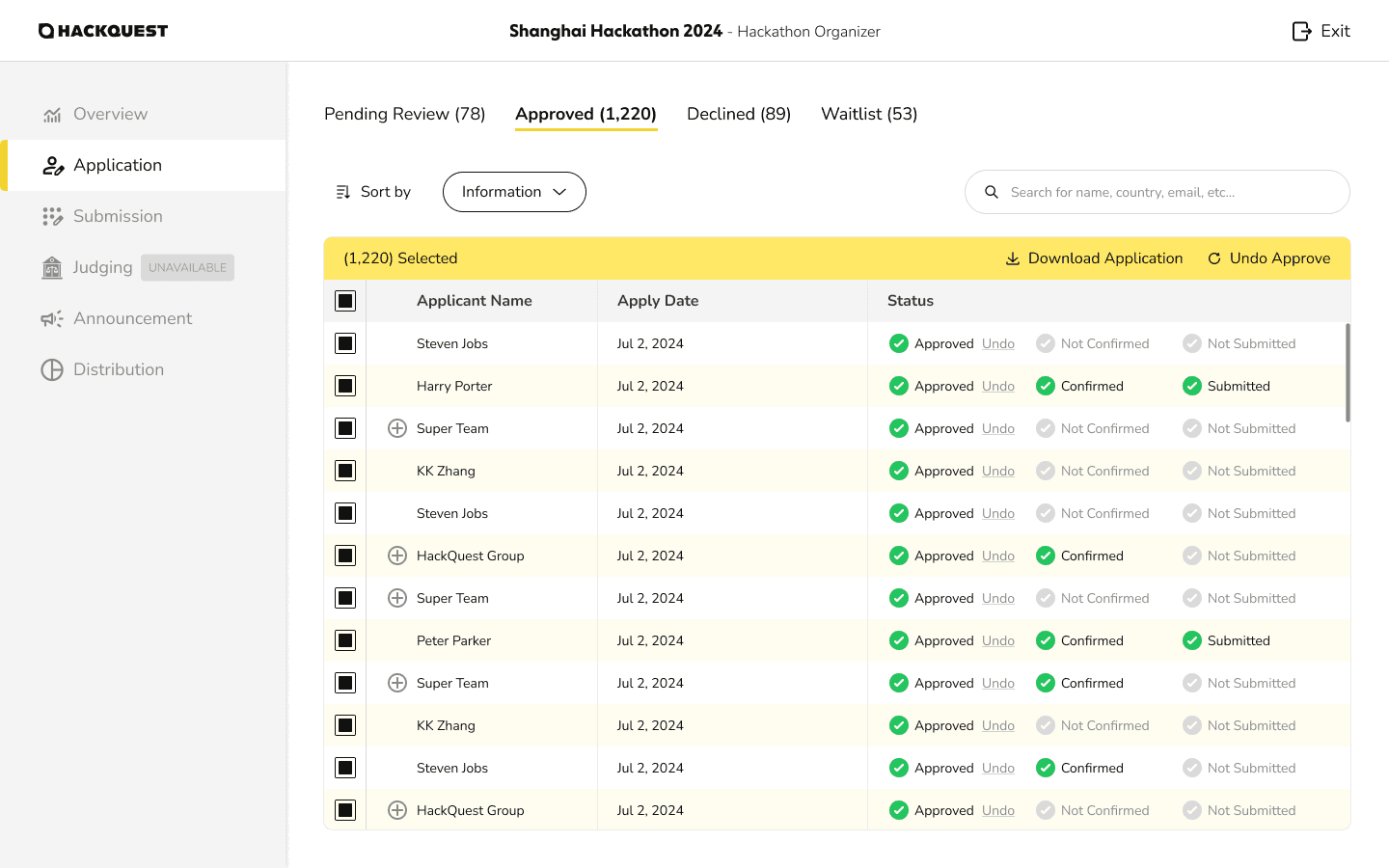
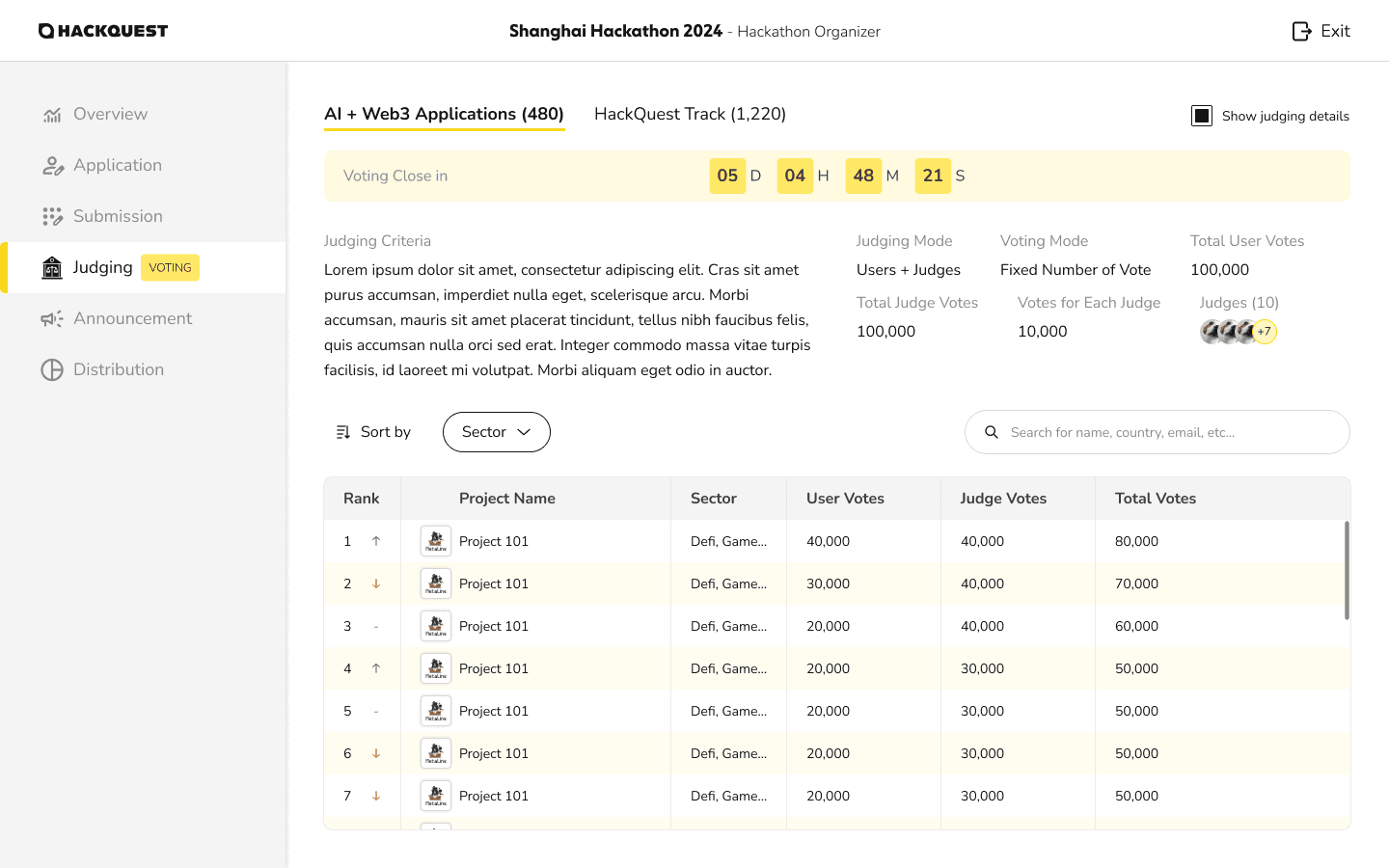
Hackathon Management — Organizer View
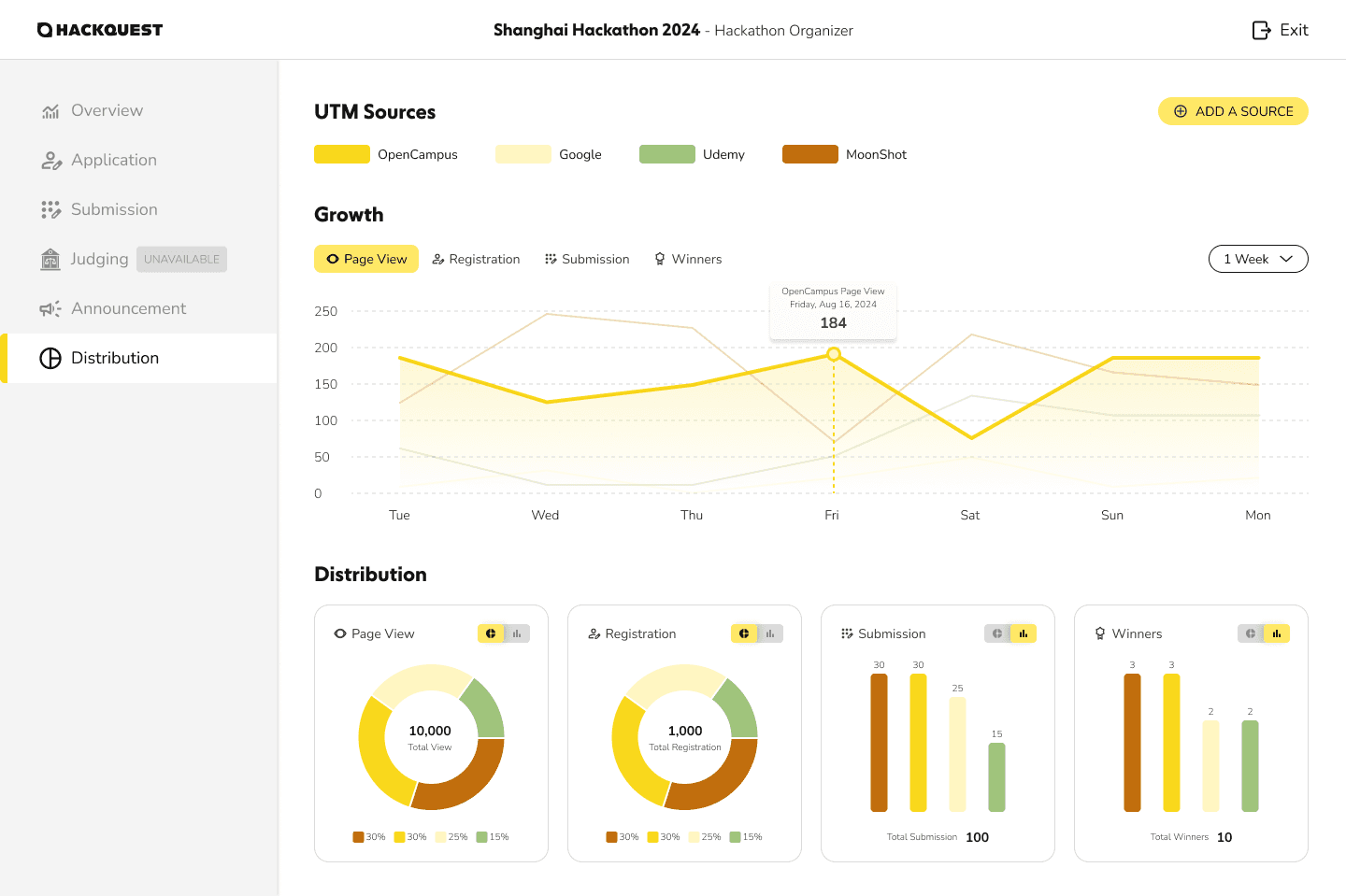
Once a hackathon is live, organizers are taken into a comprehensive management workspace to operate the event end to end. At a glance, organizers can monitor key metrics such as participant count, team applications, and project submissions to understand the overall health of the event.
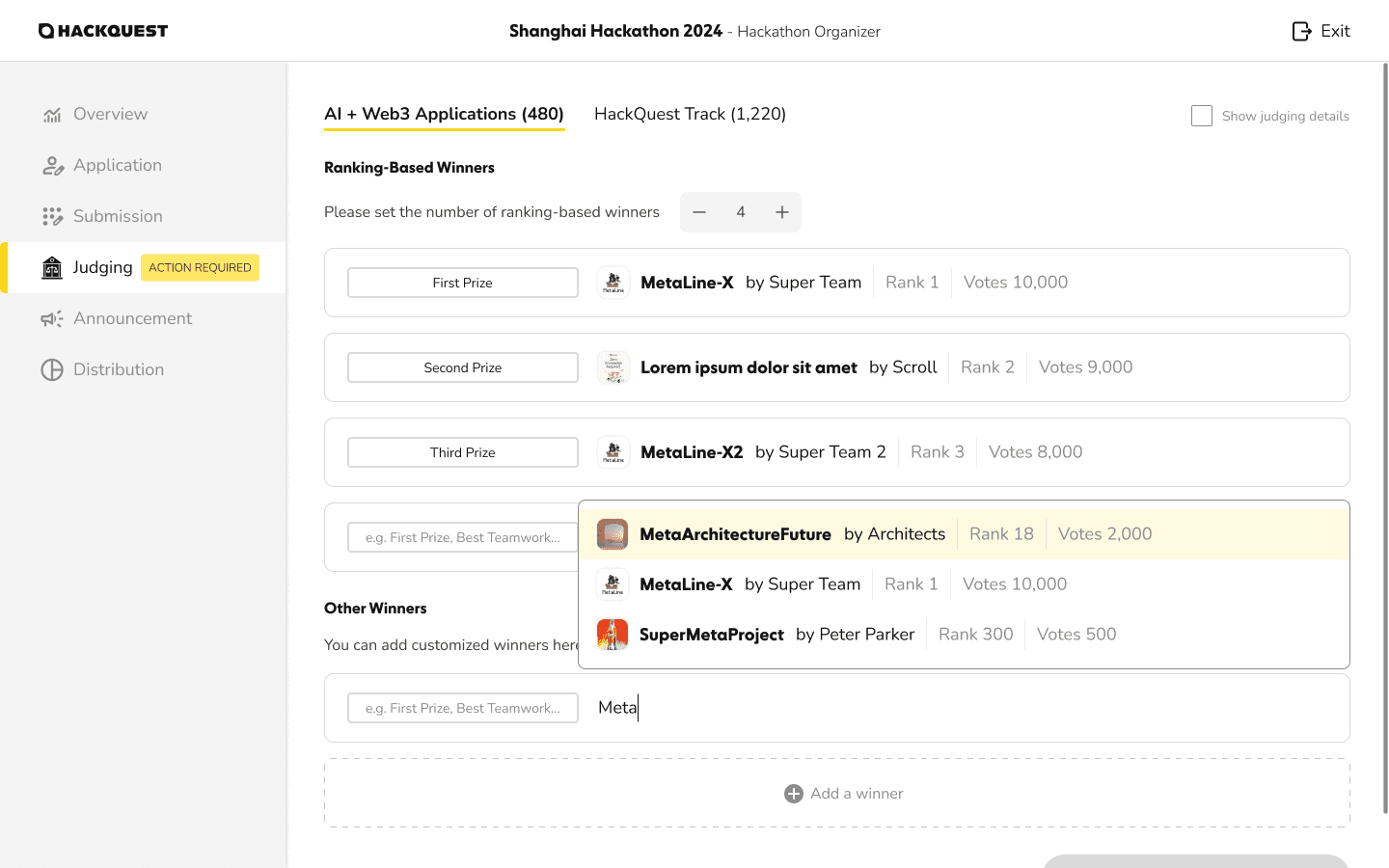
Detailed management tasks are organized through role-driven tabs on the left. Organizers can review and approve team applications, track submitted projects, and monitor voting progress during the judging phase. After voting concludes, the same system supports ranking, custom award setup, and final result announcements.
The distribution section provides visibility into traffic and outcome sources, helping organizers understand where participants, submissions, and winners are coming from. This centralized structure allows organizers to manage complex hackathons efficiently while maintaining full control throughout the event lifecycle.
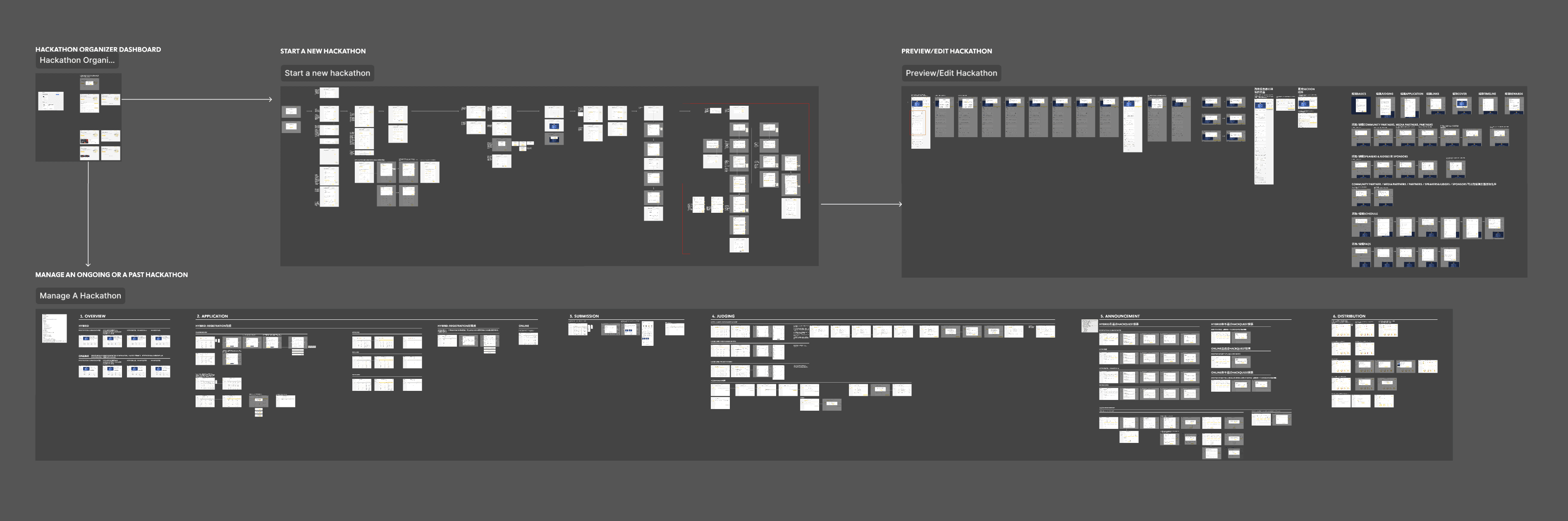
The End-to-End Hackathon Workflow for Organizers
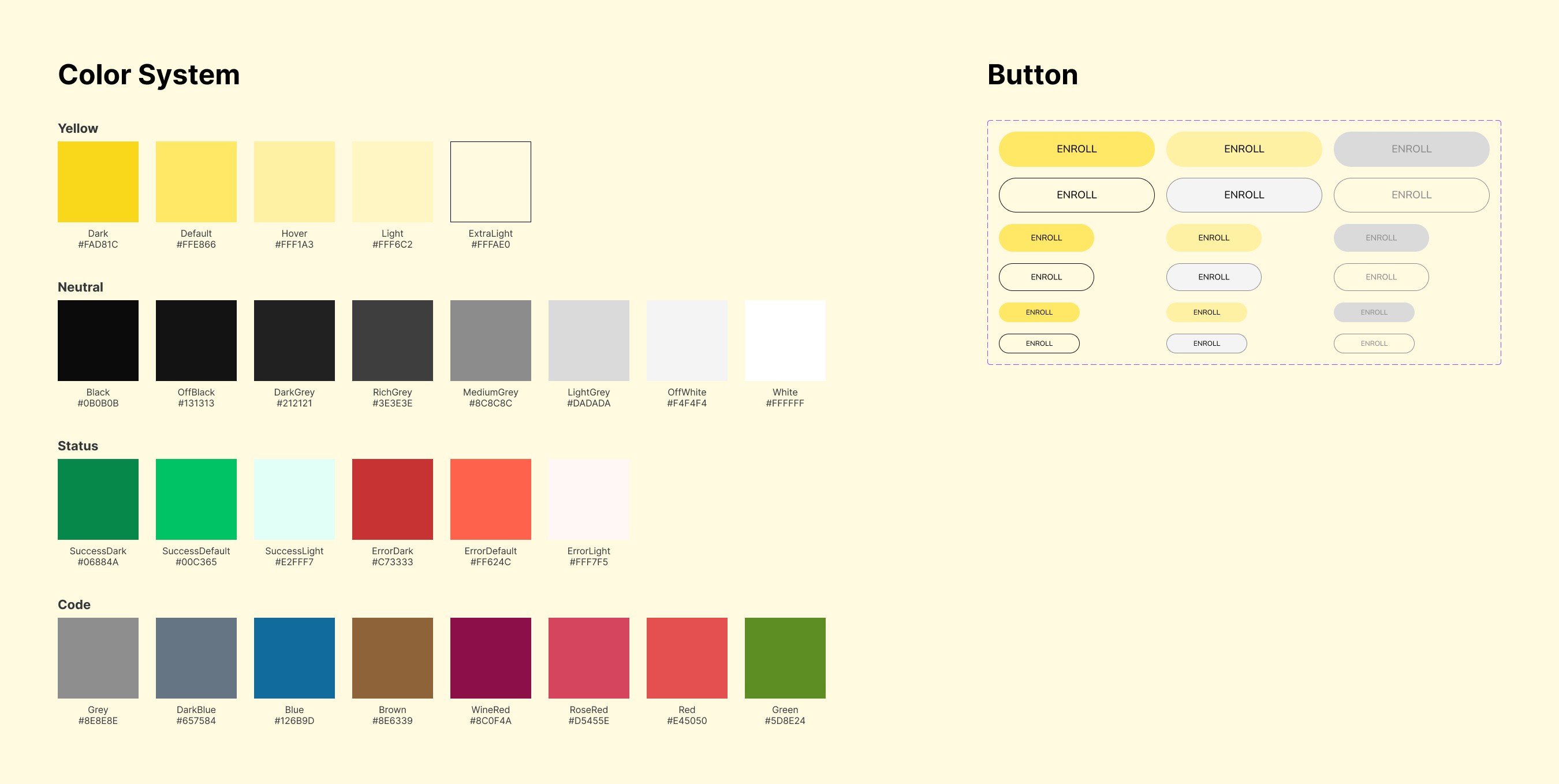
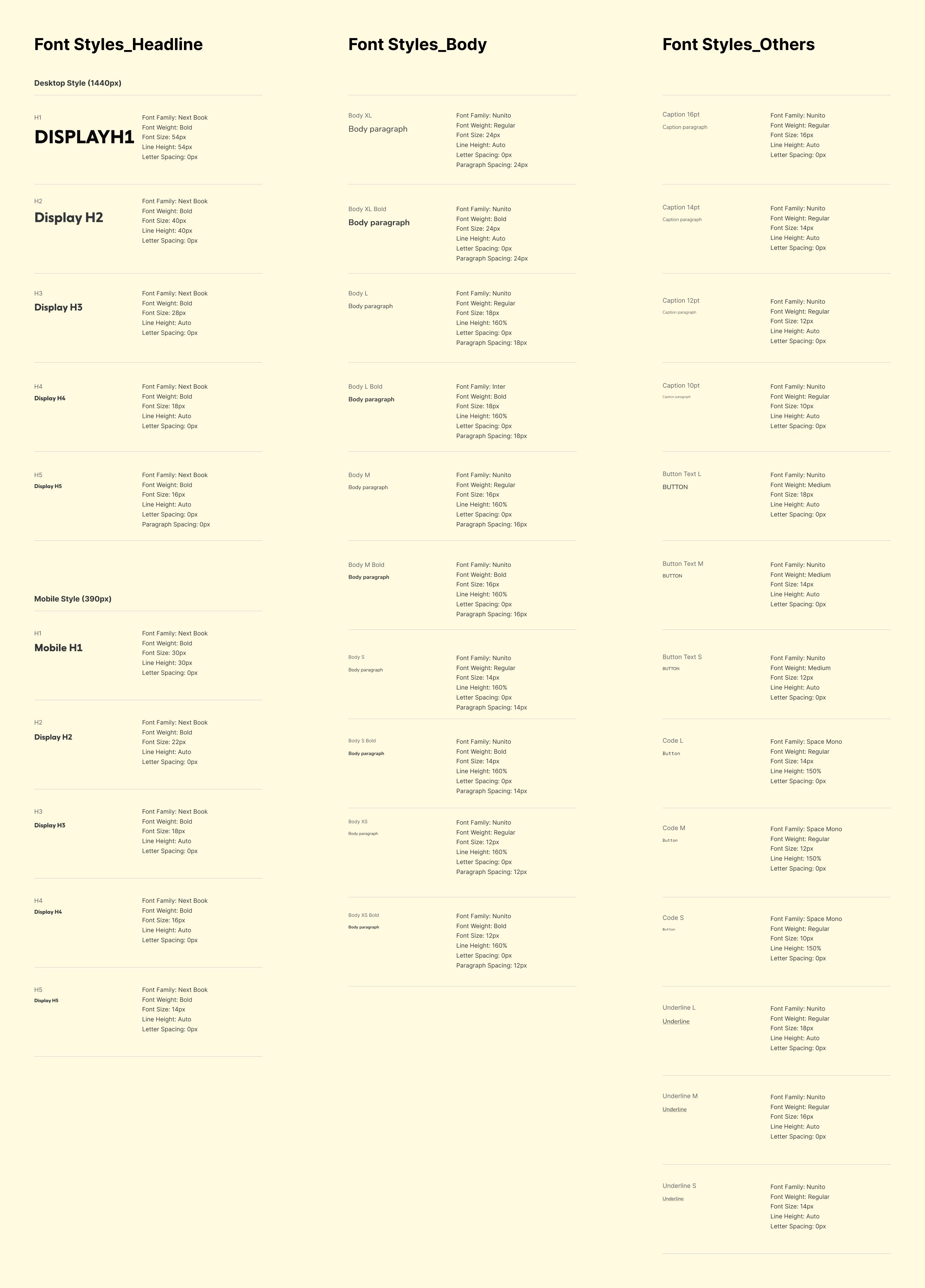
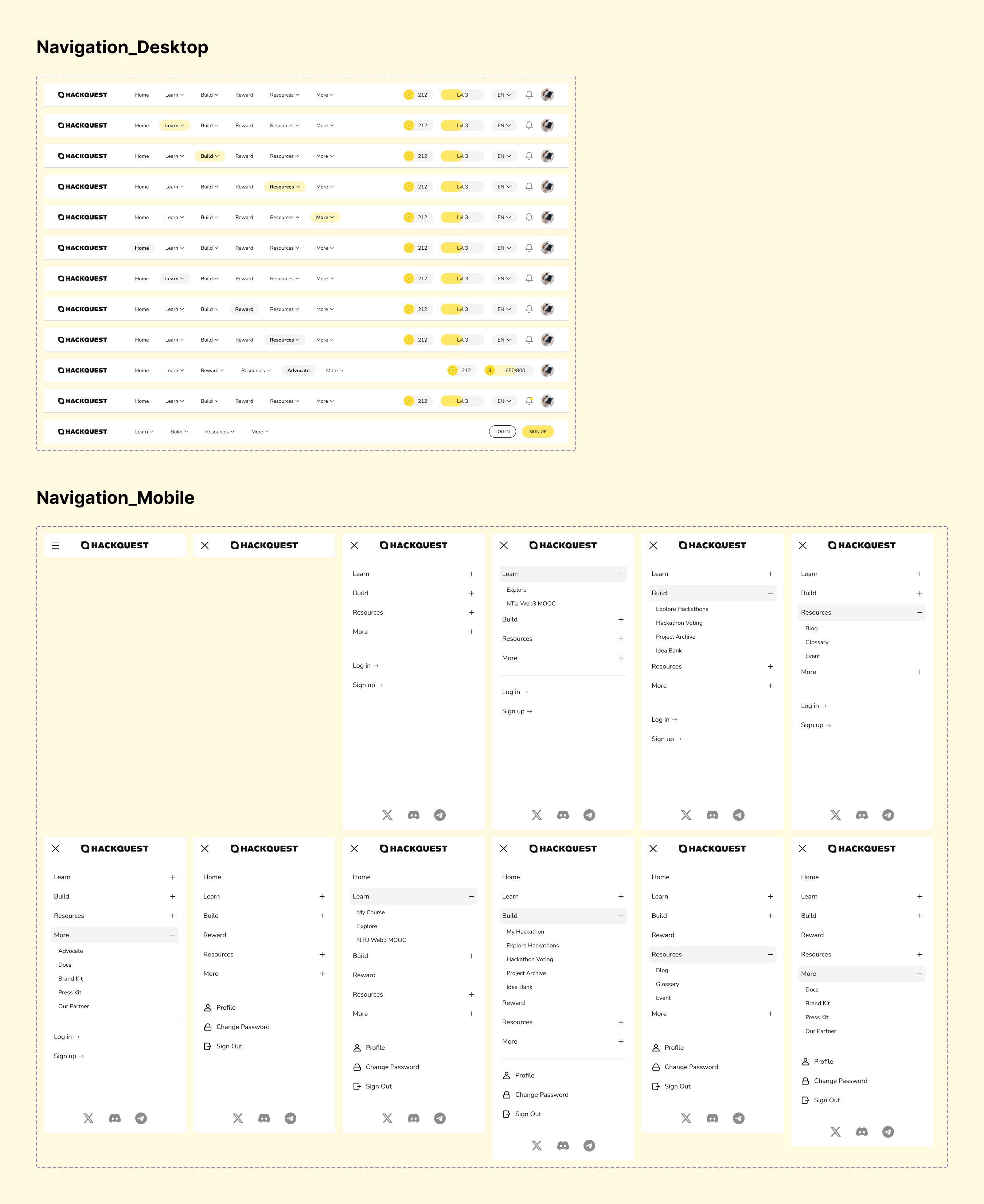
\ Design System